Can I download a TikTok video without the watermark?
Almost every downloader promises this and almost none of them can deliver it — but on TikTok, and only on TikTok, the promise turns out to be real, for a reason worth understanding before you rely on it.
- Guide
- How-to
- Read
- 13 min
- Language
- English
Steps checked against the Savvy Android app on
Devikon Research Team
The short answer, and then the honest version
Yes. A TikTok video can be saved without the spinning username and logo that TikTok burns into its own exports. That is a genuine capability, not marketing.
The honest version has three parts to it, and skipping any of them is how these claims turn into lies elsewhere on the internet.
First, this works because TikTok is unusual, not because a downloader is clever. Second, it works through a specific set of providers rather than as a universal setting you can switch on. Third — and this is the part nobody says out loud — it does not always happen, because whether an unstamped copy is offered depends on which provider ends up resolving your link.
Everything below is that explanation. If you only take one sentence away, take this one: what you are reading applies to TikTok links and nothing else. There is no equivalent on Instagram, on Facebook, on Snapchat, or on any other platform in this cluster, and any guide here that claimed otherwise would be wrong.
- Genuinely possible on TikTok — an unstamped variant exists and can be requested
- Not a toggle — it appears as an extra option in the quality list when a TikTok-specialist provider handles the link
- Not universal — the same trick has no counterpart on any other platform
- Not a way around anything locked — a private or deleted TikTok stays out of reach regardless
Why TikTok stamps videos in the first place
TikTok's watermark is an attribution mark, not a copy protection mechanism. That distinction does most of the work here, so it is worth being precise about it.
When you use TikTok's own Save video button, TikTok does not hand you the file it streams into the app. It renders a fresh export for you, and during that render it composites a moving TikTok logo and the creator's @handle over the picture. The purpose is straightforward: TikTok clips get reposted constantly onto other platforms, and a mark that travels with the video is free advertising and a credit line for the creator at the same time. It is a branding decision.
DRM would look completely different. Encrypted content refuses to play at all outside an authorised player; it does not play perfectly everywhere while carrying a logo. The watermark is a set of pixels drawn on top of a normal, unencrypted video — which is exactly why nothing is being broken into when a copy without it turns up.
The unstamped version is not a secret, either. It is simply the video before that final compositing pass, sitting on the same content delivery network as everything else TikTok serves. A specialist provider asks for that version rather than for the export. No decryption, no cracking, no account needed.
This is also why removing a watermark after the fact is such a poor substitute. A burned-in mark is part of the picture, so stripping it later means cropping or blurring and re-encoding — you lose real detail and usually still see a ghost of it. Requesting the unstamped source instead avoids the problem entirely, because the mark was never drawn on that copy.
Eight providers deep — and why that number matters here
A TikTok link in Savvy is not handed to one service and hoped for. It is tried against a chain of them in ranked order, and TikTok has the deepest chain in the app: eight extraction providers. Nothing else comes close — most platforms sit somewhere between one and five, and the long generic tail of other sites is served by a single provider with no fallback at all.
Five of the eight are general multi-platform providers that handle TikTok among many other sites. The remaining three are TikTok specialists — they do nothing else — and those three are the ones that can request the unstamped file. One of them presents its results as three separate options: an HD variant marked no-watermark, an ordinary HD variant, and an MP3 of the audio.
The chain is tried top-down and stops at the first provider that succeeds. The specialists sit lower in the ranking than the generalists, which produces the behaviour people find confusing: sometimes the quality list includes an option explicitly labelled as having no watermark, and sometimes it does not — because a generalist got there first and returned the standard stamped export.
Ranking is not frozen, either. Providers that have been failing recently get pushed down, so the same link on two different days can be resolved by two different services. That is the mechanism behind almost every "it worked yesterday" report.
- Eight providers try a TikTok link, in ranked order, until one returns something
- Three of them are TikTok specialists and can serve the version without the stamp
- The quality list is built from whatever the successful provider returned — so a no-watermark entry appears when a specialist answered
- If the option is not listed, waiting and retrying the same link later genuinely helps, because the ranking shifts
Read that last point as a limit rather than a loophole. Savvy never adds a watermark of its own, on any platform — but it also cannot remove one the source has already burned in. On TikTok there is an unstamped copy to ask for. Everywhere else there is not, and no amount of retrying invents one.
Getting the link across: share it, do not copy it
Two routes, and they are not equally quick.
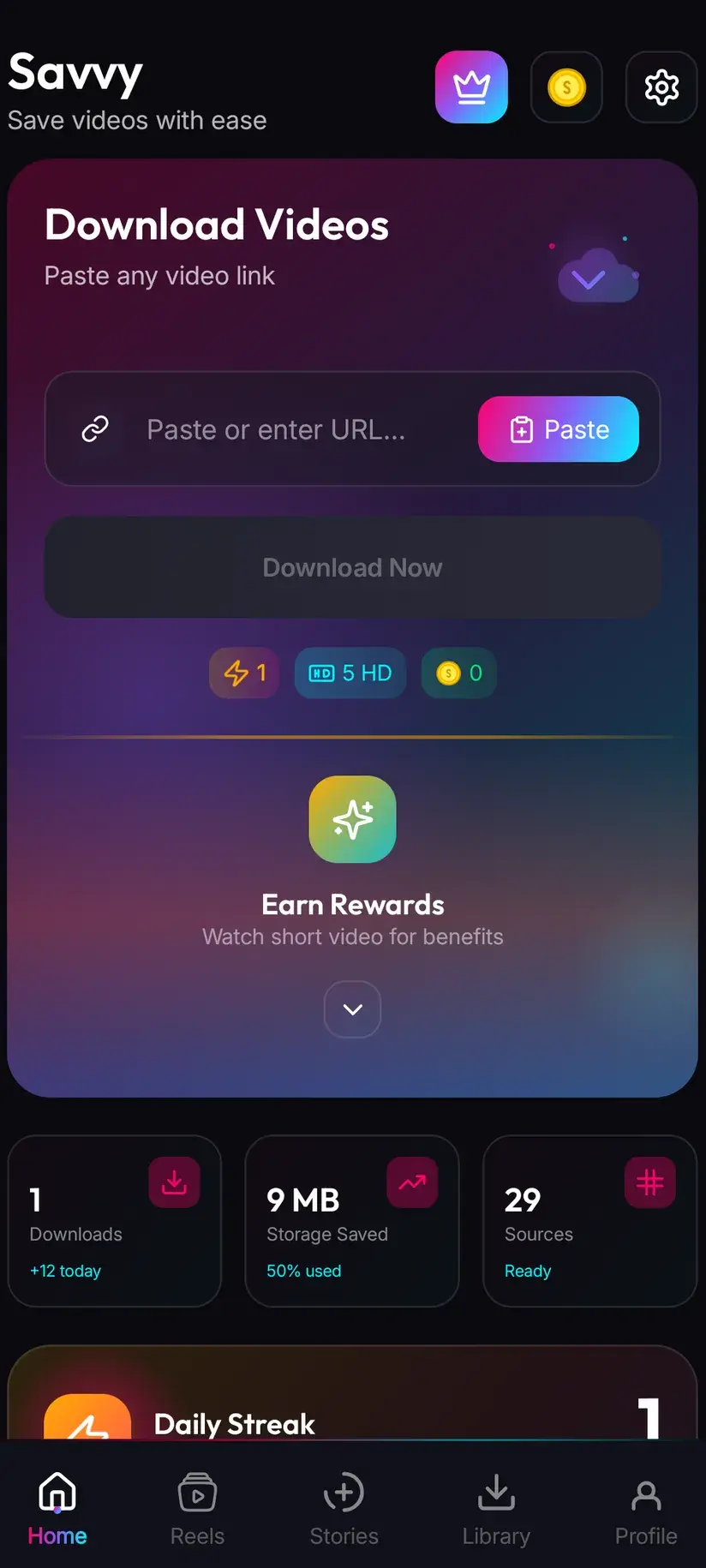
The fast one is TikTok's own share sheet. On the video, tap Share, then choose Savvy from the apps offered. The link is handed straight over and the download starts by itself — Savvy fills its own link field and fires without waiting for you. Nothing typed, nothing pasted.
The slower one is copy-and-paste. Tap Share, choose Copy link, open Savvy, tap the Paste button next to the link field, then tap Download. Be precise about that Paste step, because plenty of apps in this category imply something they do not do: Savvy does not monitor your clipboard in the background, and it does not start anything the moment you switch to it. Paste is an ordinary button — it reads the clipboard once, checks the link is one it recognises, and fills the field. Download is a separate tap.
Short links work fine either way. TikTok's share sheet often produces one of its abbreviated forms rather than a full video URL, and those are recognised and followed the same as any other.
What it costs, and where the no-watermark option sits
The watermark and the price are separate questions, which trips people up. You are not paying extra for the unstamped version. It is priced by its resolution like any other option in the list.
Standard definition, up to 480p, is free — it comes out of a daily allowance rather than any balance, so ordinary everyday saving costs nothing. Above that, the cost is in coins:
- SD video, up to 480p — free, from your daily allowance
- HD and Full HD video — 10 coins, or one HD credit if you have one
- 2K video — 15 coins
- 4K video — 20 coins
- Images and audio — 5 coins, which is what an MP3 of a TikTok sound costs
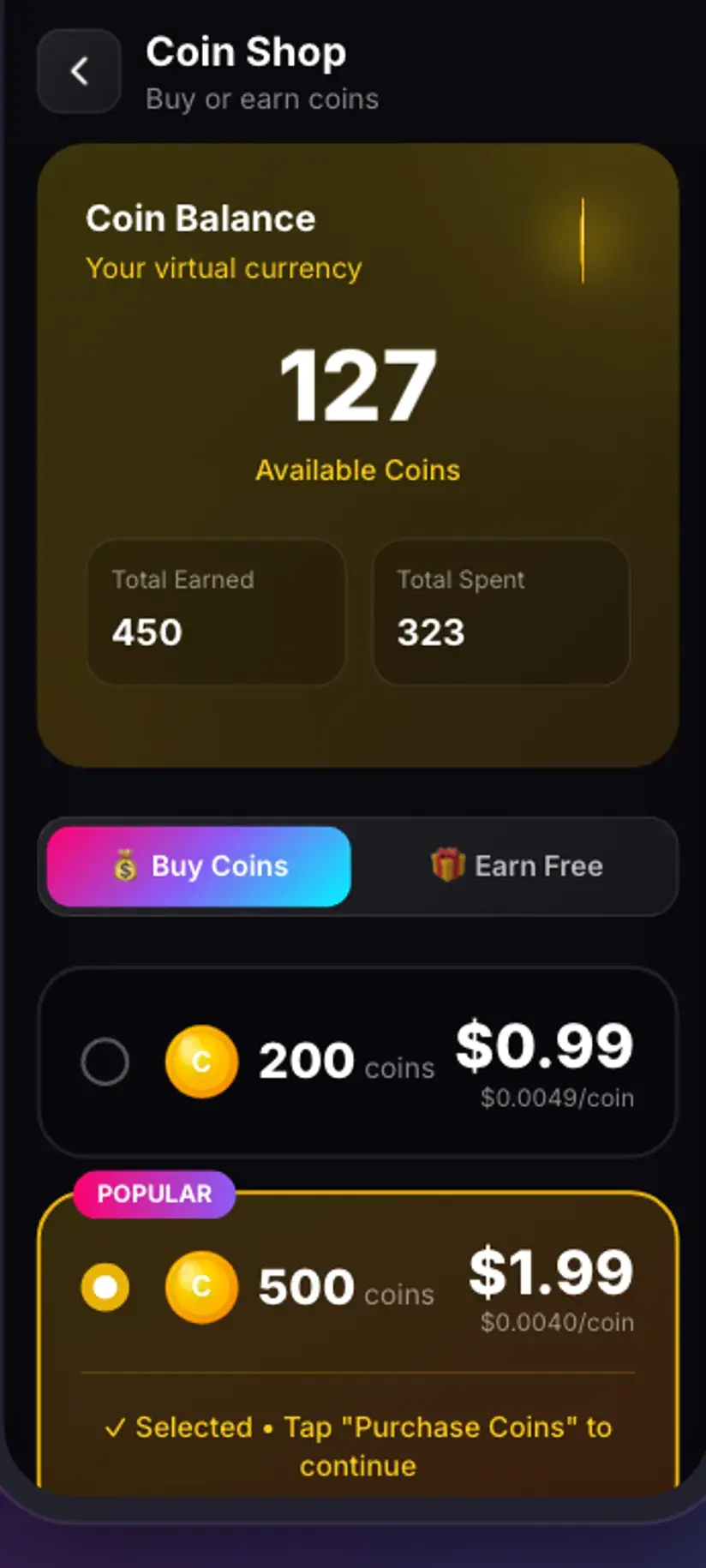
Coins are earned as well as bought — a short rewarded ad or a daily check-in both add to your balance, and the Coin Shop lists those routes alongside the packs. Premium removes the ads and lifts the download limits, so the arithmetic stops mattering. The free tier is ad-supported through Unity Ads, which collects your device's advertising ID; that is set out in the Savvy privacy policy.
The etiquette of taking someone's name off their video
Technically simple, socially loaded. Worth separating the two.
If it is your own TikTok, this is uncomplicated and it is the main reason the feature exists. Creators want clean masters of their own work — to cross-post without a competitor's logo on it, to cut into a longer edit, to keep an archive that outlives the account. Nobody needs to credit themselves.
If it is someone else's, the watermark is doing a job, and the job is telling the next viewer who made the thing. Saving a clip you like to rewatch offline is ordinary and unremarkable. Reposting it stripped of the only credit it carried is how a creator's work ends up circulating under someone else's name — and that is not a technical problem, it is the reason people find the practice objectionable.
A useful test before you strip a mark: what happens next to this file? Offline viewing, a private group chat, a reference clip for something you are editing with permission — fine. Reposting to your own feed, running ads against it, selling anything with it in — that is a rights question, and the watermark was never what made it one.
None of this touches content you cannot already see. A private TikTok account's videos are private at TikTok's end; a downloader reads the same page your browser reads and gets the same refusal. Removing a watermark is not a way in, and nothing here is.
Downloading is not the same thing as having the right to use what you downloaded, and taking the attribution off makes the distinction sharper rather than softer. Is downloading videos legal? sets out where the line usually falls — worth reading once before this becomes a habit.
Where the file lands, and getting back to it
Completed downloads go to your device's Downloads folder, into a Savvy directory, sorted into a subfolder per platform — so a TikTok video lands in Downloads / Savvy / TikTok. From there it is an ordinary MP4: it shows up in your gallery, plays in any video app, and can be shared onward like any other file.
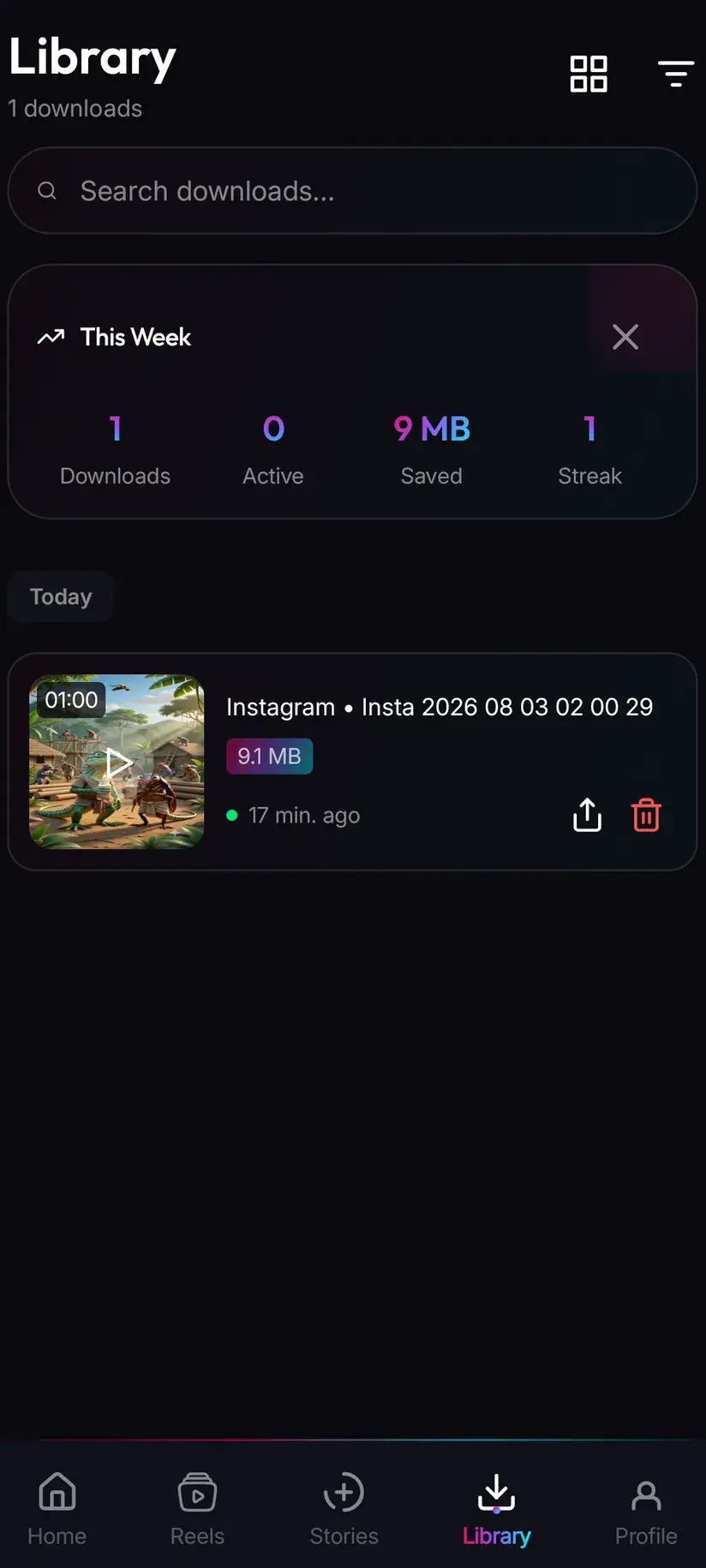
Inside the app, Library is the quicker way back. Everything saved is listed with search and filters, so finding one clip from a fortnight ago does not mean scrolling a gallery full of screenshots. The Storage screen sits alongside it and shows what each download is costing you in space, with bulk clearing — which matters sooner than you would expect once a few dozen HD clips have piled up.
One thing worth checking on the first no-watermark save: play it back and look at the corner. If the mark is still there, a generalist provider resolved that link rather than a specialist. Try the same link again a little later — a different provider may answer, and the option may appear.
Procedure
How to download a TikTok video without the watermark
Under a minute. No TikTok account is needed for a public video, and no Savvy account is needed at all.
Install Savvy and allow storage access
Install Savvy from Google Play and open it. Grant the storage permission when it is asked for — that is what lets a finished download be written somewhere your gallery can see, instead of staying trapped inside the app.
Open the TikTok video you want
Find it in the TikTok app or in a browser and play it once, to confirm it is the right clip and that it is publicly viewable rather than posted by a private account.
Share it to Savvy
Tap Share on the video and pick Savvy from the apps offered. The link is handed over and the download starts on its own. If Savvy is not in the share sheet, choose Copy link instead and continue with the next step.
If you copied instead, tap Paste and then Download
Open Savvy, tap the Paste button beside the link field to fill it with what you copied, then tap Download. Paste only fills the field and checks the link is recognised — it does not start anything by itself.
Look for the no-watermark entry in the quality list
Savvy lists the qualities that video is actually available in. When a TikTok-specialist provider resolved the link, one of the entries is explicitly marked as having no watermark — pick that one. If no such entry is listed, a general provider answered first; the stamped export is what is on offer this time.
Let it finish, then check Library
Progress shows in the app. When it completes, the file is in Downloads/Savvy/TikTok on your device and listed under Library inside the app. Play it back once and check the corner to confirm you got the variant you picked.
Frequently asked questions
- Can I really download TikTok videos without the watermark?
- On TikTok, yes — and TikTok is the only platform where that is true. TikTok composites its logo and the creator's handle onto the export it generates for its own Save video button, but the unstamped version of the same video exists on its content delivery network. Savvy tries a TikTok link against eight extraction providers, three of which are TikTok specialists able to request that unstamped copy. When one of those three resolves your link, the quality list includes an entry explicitly marked as having no watermark.
- Why does the no-watermark option sometimes not appear?
- Because a different provider answered first. The eight providers are tried in ranked order and the chain stops at the first success — the three TikTok specialists sit lower in that ranking than the general multi-platform providers, so on some attempts a generalist resolves the link and returns the standard stamped export instead. The ranking also shifts over time as providers succeed or fail. Waiting a while and trying the same link again is genuinely the fix here, unlike most download failures.
- Does removing the watermark reduce the video quality?
- Not the way it works here, no. Savvy is not erasing the mark from a stamped file — it is requesting the version TikTok holds before the mark is composited on, so there is nothing to erase and nothing to re-encode. That is the difference from tools that crop or blur a watermark out afterwards, which do cost you real picture detail and usually leave a visible smear where the logo was. What you get is the source video at whatever resolution it was actually published in.
- Is it legal to remove a TikTok watermark?
- The watermark is an attribution mark rather than a copy protection measure, so removing it is not the same thing as circumventing DRM. That does not make the video yours. Copyright in a clip belongs to whoever made it, watermark or no watermark, and stripping the only credit it carried before reposting it is exactly the behaviour that gets people into trouble. Saving your own videos, or saving someone else's for offline viewing, sits in very different territory from republishing. Our guide on whether downloading videos is legal goes into where the line usually falls.
- Does this work on Instagram or Facebook too?
- No, and it is worth being blunt about that because plenty of apps imply otherwise. The three no-watermark providers are TikTok specialists — they handle TikTok links and nothing else. On every other platform, whether a saved file carries a mark is decided entirely by the source before a downloader ever sees it. Savvy never adds a watermark of its own anywhere, but anything already burned into a video travels with it, including a TikTok watermark on a clip that was cross-posted to another platform.
- How much does a TikTok download cost?
- Standard definition, up to 480p, is free — it comes out of a daily allowance rather than any balance. Above 480p you spend coins: 10 for HD or Full HD, or one HD credit if you have one, 15 for 2K, 20 for 4K, and 5 for an image or an audio-only file. The no-watermark variant is not priced differently; it costs whatever its resolution costs. Coins are earned free by watching a short rewarded ad or checking in daily, or bought in packs. Premium removes the ads and lifts the limits instead.
- Do I need a TikTok account to download a video?
- Not for a public video. If the link opens in a signed-out browser, Savvy can read it with no TikTok account and no sign-in of any kind, and you do not need a Savvy account either — the core app works without signing up for anything. What no account gets you is access to a private account's videos. Those are private at TikTok's end, and a downloader reads the same page your browser reads, so it gets the same refusal.
- Where do downloaded TikTok videos save on my phone?
- In your device's Downloads folder, inside a Savvy directory sorted by platform — so TikTok videos land in Downloads/Savvy/TikTok. It is an ordinary MP4 from that point: it appears in your gallery and plays in any video app. Inside Savvy, the Library screen lists everything you have saved with search and filters, and the Storage screen shows what each file takes up so you can clear several at once when space gets tight.