How do I download an Instagram story?
Almost everyone arrives expecting to paste a link, the way you would with a reel — and that is the one thing a story will not let you do.
- Guide
- How-to
- Read
- 13 min
- Language
- English
Steps checked against the Savvy Android app on
Devikon Research Team
Start here: a story is not a link, and it is not on your phone
Two beliefs send more people to the one-star reviews of downloader apps than anything else, and both are wrong.
The first is that a story is already sitting on your device because you watched it. It is not. Watching a story streams it; nothing durable is written where you or any other app could reach it. The second is that a story has a public address you can copy and hand to a downloader, the way a reel does. It does not, in any usable sense — Instagram serves a story tray to an account, not to the open web, and asking for it without an account gets you a login page rather than a video.
So the flow you may have used for a reel — copy the link, tap Paste, tap Download — has nothing to work with here. That is not a bug in Savvy, and it is not something a better app has solved. It is how Instagram serves stories.
What actually works is the other direction: instead of pointing the app at a link, you connect your Instagram account to the app, and the app then asks Instagram for the same story tray your own account would see. That is a one-off setup, and everything below is about what it involves.
- Reels and posts — public link, no account needed, paste or share and it resolves
- Stories and highlights — no public link, and an in-app Instagram sign-in is required before anything appears
- WhatsApp statuses — genuinely different again, and genuinely already on your phone
If what you actually want is a reel rather than a story, none of this applies to you and the flow is far shorter — downloading an Instagram reel covers the share-sheet route, which starts the download on its own.
The contrast that makes it click: WhatsApp statuses
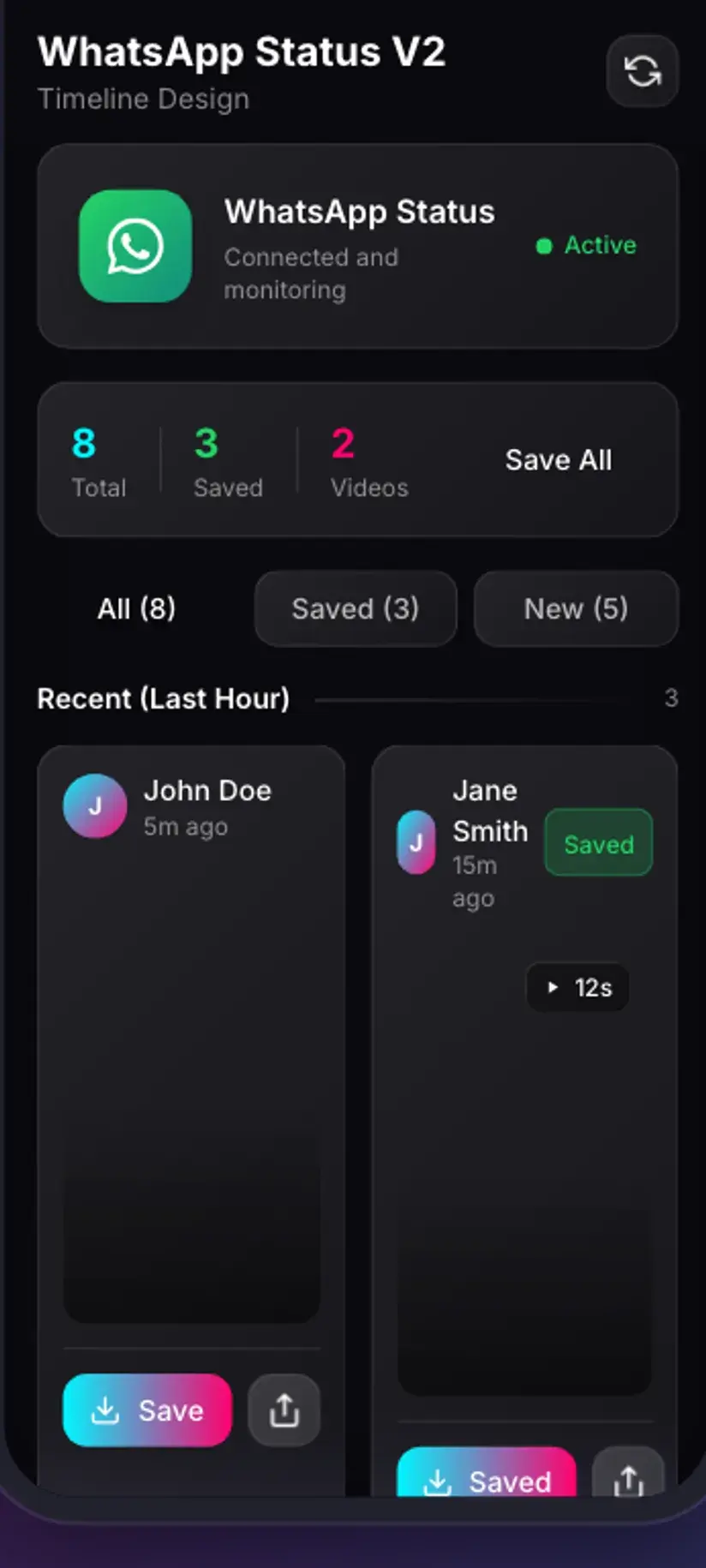
Savvy carries a Stories area with more than one platform in it, and the two behave so differently that seeing them side by side explains the Instagram requirement better than any amount of description.
A WhatsApp status is already on your phone. WhatsApp writes each status you view into a folder on the device so it can replay it without fetching it again, and the entries sit there for a day or so before being cleaned up. Savvy does not download a WhatsApp status at all in the network sense — it reads that folder and copies the file somewhere permanent. All it needs from you is permission to see the folder, which is why the WhatsApp side asks you to point it at a directory once and never asks for a password.
Instagram writes nothing comparable. There is no folder to grant access to, so there is nothing a permission could unlock. The only way to obtain a story is to ask Instagram for it as a signed-in account — which is precisely what the sign-in exists to make possible.
Put plainly: the WhatsApp side needs a folder, the Instagram side needs an account. Neither can be substituted for the other.
What connecting your Instagram account actually does
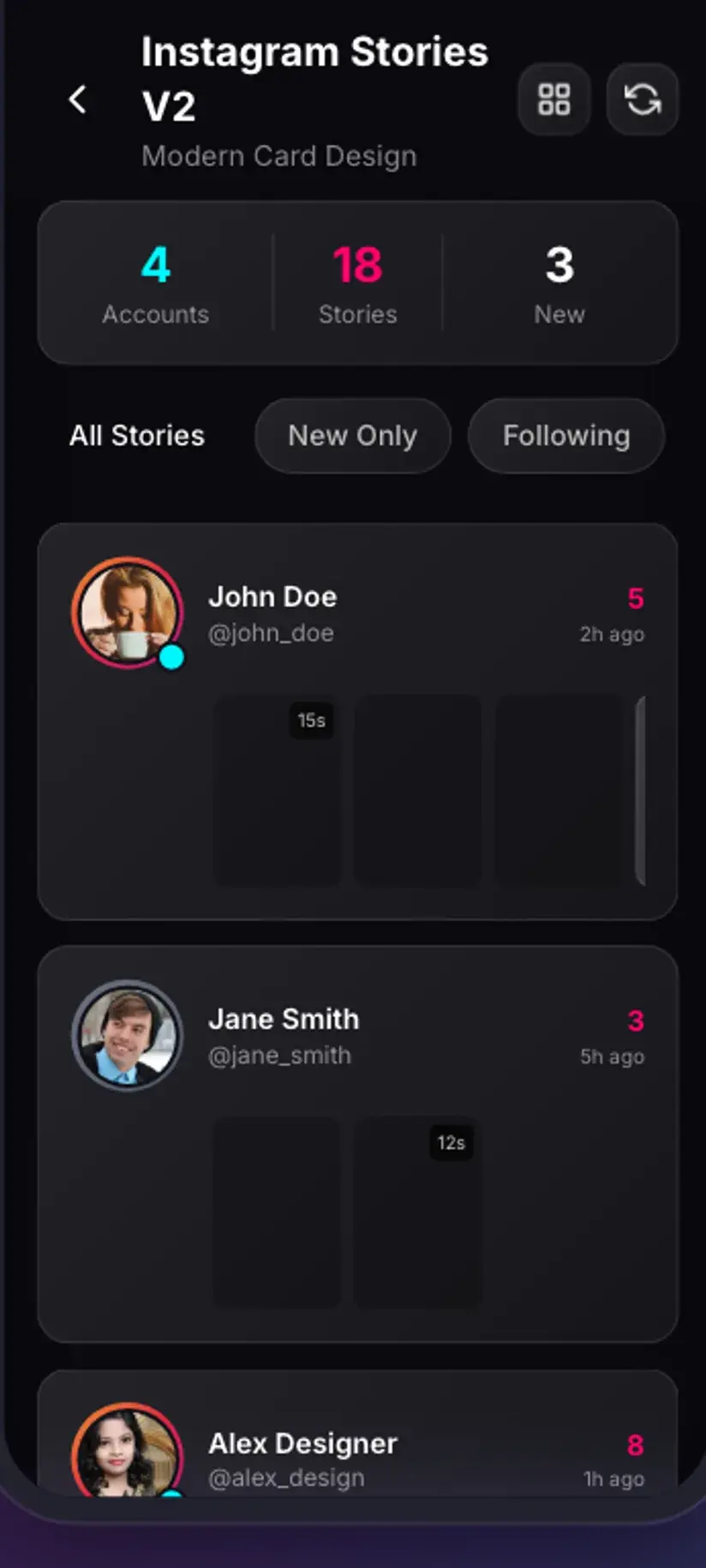
Open the Instagram tab in Stories before connecting and you get a single connection card rather than a feed. Tapping Connect opens Instagram's own login page inside the app — Instagram's page, not a form Savvy has drawn to look like one. You sign in there exactly as you would in a browser, including any two-factor step your account uses.
When that succeeds, Savvy keeps three things: the session cookies Instagram issued, the user agent the sign-in was made with, and the request headers that go alongside them. Those three together are what makes a later request look like your account asking rather than an anonymous stranger asking, and they are what every subsequent story fetch sends. Without them, Instagram answers with a login page instead of a tray, every time.
It is worth being clear about what this is and is not. It is a session, in the same sense that staying signed in to a website is a session — and like any session, it lapses. Instagram expires sessions on its own schedule, and it invalidates them when you change your password or sign out of other devices. When that happens the story list stops loading and the app asks you to connect again. That is normal rather than a fault.
There is a Log out control on the same screen, and using it clears the connection at Savvy's end. If you are ever handing your phone on, use it.
- You sign in on Instagram's own page, loaded inside the app
- What is kept is a session — cookies, user agent and headers — not a password
- The connection lapses on Instagram's schedule, and a password change ends it immediately
- Log out on the Instagram tab clears it deliberately
Connecting an account is a meaningful step and worth a moment's thought rather than a reflex tap. Only ever do it inside an app you actually intend to keep, and never on a shared device. What Savvy holds and how it is handled is set out in the Savvy privacy policy; the free tier is also ad-supported through Unity Ads, which collects your device's advertising ID.
Twenty-four hours, and why the deadline is not negotiable
A story exists for a day. Instagram removes it from the tray twenty-four hours after it was posted, and once it is gone it is gone as far as any downloader is concerned — there is no cached copy to reach for and no address that still resolves. This is the single most useful thing to internalise about stories, because it changes what you should do when you see one you want.
The practical consequence is that the connection should be set up before you need it, not at the moment you spot something. Signing in takes a minute or two the first time, and a minute or two is a long time to spend on a story that was posted twenty-three hours ago.
One nuance worth knowing: the clock runs from when the story was posted, not from when it appeared to you. A story you see at breakfast may have gone up the previous evening and have only a few hours left. If a story matters, save it the same session you notice it.
When a story does expire, its poster may keep it as a highlight — a permanent, pinned version on their profile. That is the one route by which yesterday's story is still reachable, and it works through the same connection rather than a different one. Saving Instagram highlights covers it.
- The window runs from posting, not from when you first saw it
- Expired stories cannot be recovered by any app — they are not being withheld, they are gone
- Connect the account in advance so the setup is not competing with the clock
- A story kept as a highlight outlives the window, and is reachable through the same connection
What a story save costs, and what quality you get
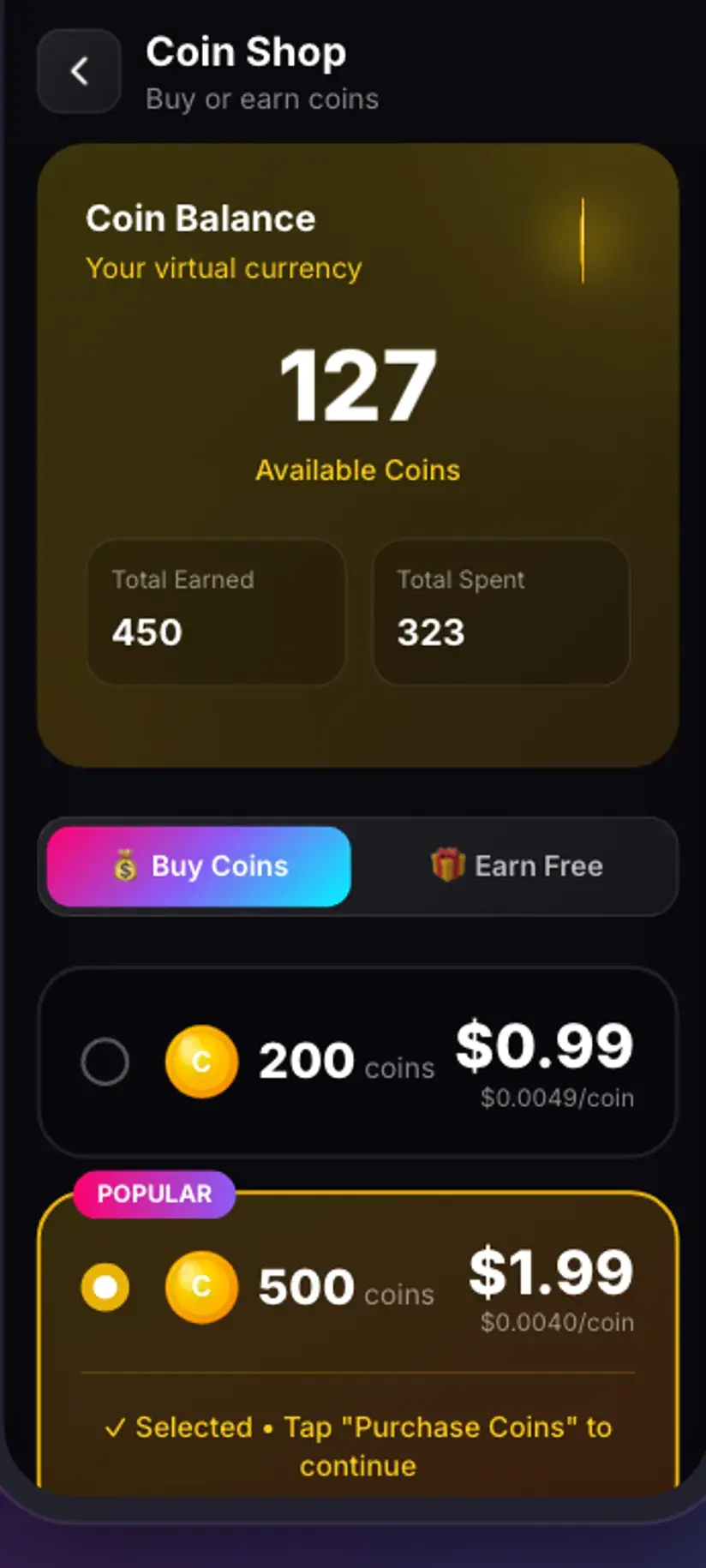
Stories sit on the image side of Savvy's pricing rather than the video side, and the flat rate is 5 coins per save — the same as any other image or audio download in the app.
The interesting part is what happens when your balance is short. Rather than refusing, Savvy offers a short rewarded ad in place of the coins, which is a route to saving something you want without a balance at all. A Premium subscription short-circuits the whole arrangement: story saves are free, and no post-download interstitial appears. Coins themselves are earned as well as bought — the daily check-in and rewarded ads both add to the balance, and the Coin Shop lists both routes alongside the packs.
On quality, there is nothing to choose. Stories do not come with a resolution picker the way a reel does, because Instagram serves a story at one size — and that size is modest by design. Stories are built for a phone screen and a day's life, so they are compressed harder than feed posts. A saved story is a faithful copy of what Instagram served; it is not, and cannot be made into, a high-resolution asset.
The same logic applies to whatever is burned into the frame. Savvy adds no watermark of its own, but a poster's own text, stickers, GIFs and handle are part of the picture rather than layers that can be peeled off.
- 5 coins per story, the standard image rate
- Short of coins? A rewarded ad is offered in their place
- Premium removes the cost and the interstitial entirely
- No quality picker — Instagram serves stories at one, fairly compressed, size
What being signed in does and does not get you
Connecting your account gets you exactly what your account can already see, and nothing beyond it. If you do not follow a private account, its stories were never in your tray and connecting changes nothing about that. No app can put them there. The sign-in is not a key to Instagram; it is a way of asking Instagram politely, as yourself.
It is worth saying what this app does not claim, because the category is full of apps that do. Savvy is not an anonymous story viewer, and nothing here is built to hide you from anyone. If you would hesitate to open a story normally, do not assume a downloader changes the calculation.
The more useful question is the one about entitlement rather than capability. Saving your own stories, saving something a friend has asked you to keep, or holding on to a clip you have permission to reuse is ordinary and uncontroversial. Reposting someone else's story as your own material, or putting it somewhere they never agreed to, is a different thing entirely — and it is a copyright and privacy question rather than an app question.
Stories carry a particular weight here that reels do not. A reel is published; a story is often casual, semi-private and posted precisely because it disappears. Saving one permanently is not neutral, and the sensible test is whether the person who posted it would be comfortable knowing you had.
Being able to download something and being entitled to keep or share it are separate questions, and stories sit closer to the line than most content because they were posted to expire. Is downloading videos legal? sets out where that line usually falls.
Where saved stories land, and what to do when the list is empty
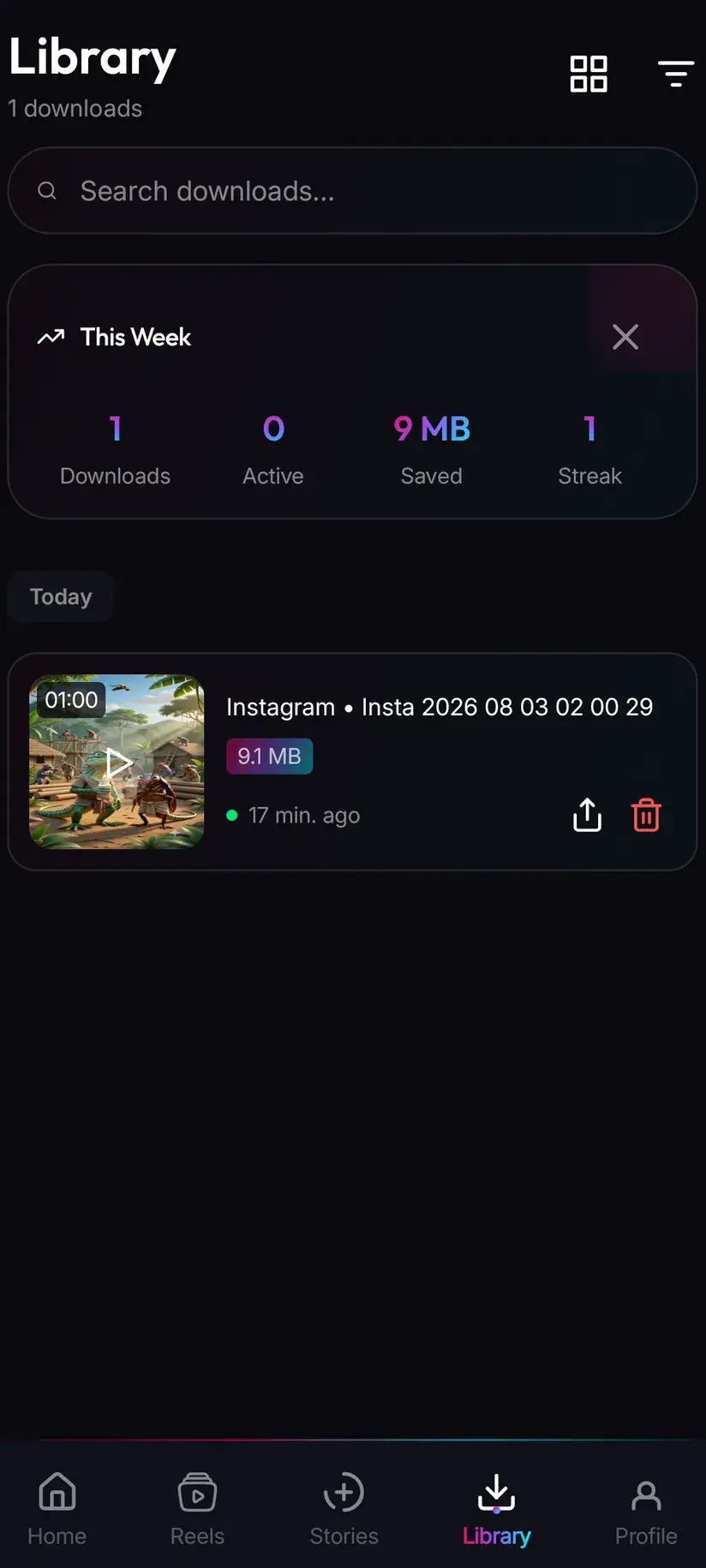
A saved story is written to your device's Downloads folder, in a Savvy directory, under the Instagram subfolder — so Downloads / Savvy / Instagram. From that point it is an ordinary file: it appears in your gallery, opens in any viewer, and can be shared onward. Inside the app, Library lists everything you have saved with search and filters, which is a far quicker way back to one item than scrolling a gallery.
An empty story list is the most common thing people report, and it usually has an ordinary explanation. Genuinely nobody you follow has an active story — this is more common than it sounds, especially early in the day. Or the connection has lapsed, in which case reconnecting fixes it. Refreshing the tab is worth trying before either conclusion, since the tray is fetched rather than kept.
If the list loads but one particular account is missing from it, that is Instagram's answer rather than the app's. An account with no active story does not appear in a tray at all.
- Files land in Downloads / Savvy / Instagram and behave like any other file from there
- Library inside the app is the fast route back, with search and filters
- An empty list usually means no active stories, or a lapsed connection — refresh first, reconnect second
- A missing account normally means that account has nothing live, not that the app skipped it
Procedure
How to download an Instagram story
The first save takes a few minutes because of the sign-in. Every one after that is two taps. Do the setup before you need it — a story you spot at hour twenty-three will not wait.
Install Savvy and allow storage access
Install Savvy from Google Play and open it. Grant the storage permission when it is asked for — that is what lets a saved story be written somewhere your gallery can see it, rather than staying inside the app.
Open Stories and switch to the Instagram tab
Go to the Stories area and select Instagram. Before you connect an account you will see a connection card rather than a feed. That is the expected state, not an error.
Tap Connect and sign in on Instagram's page
Tapping Connect opens Instagram's own login page inside the app. Sign in there as you normally would, completing any two-factor step. Savvy keeps the resulting session — cookies, user agent and headers — so later requests are made as your account.
Let the story tray load
Once connected, accounts with an active story appear as a row of circles, exactly as they do in Instagram. Tap one to open that account's stories.
Pick the story and tap download
Choose the item you want from that account's grid, or open the viewer and download from there. A story costs 5 coins; if your balance is short, Savvy offers a short rewarded ad instead. Premium makes it free.
Find it again in Library
The file lands in Downloads/Savvy/Instagram on the device and is listed under Library inside the app, where search and filters make it easy to retrieve later.
Reconnect if the list stops loading
Instagram sessions expire on their own schedule, and changing your password ends one immediately. If the tray stops loading, refresh once, then connect again — it is routine rather than a fault.
Frequently asked questions
- Why do I have to log in to Instagram to download a story?
- Because a story has no public address to fetch. Instagram serves a story tray to a signed-in account rather than to the open web, so asking for one without an account returns a login page instead of a video. Savvy handles that by opening Instagram's own login page inside the app and keeping the resulting session — cookies, user agent and headers — so later requests are made as your account. Reels and ordinary posts do have public links, which is why they need none of this.
- Can I download an Instagram story by pasting a link?
- No, and this is the single biggest source of confusion. The paste-a-link flow that works for a reel has nothing to work with for a story, because there is no public permalink behind one. If you have arrived expecting the reel flow, nothing is broken — stories simply use a different route, which is the in-app Instagram connection described above.
- Is downloading Instagram stories free?
- A story costs 5 coins, the same flat rate as any image or audio download in Savvy. If your coin balance is short, the app offers a short rewarded ad in place of the coins rather than refusing outright. Coins are also earned free through the daily check-in and rewarded ads, or bought in packs. A Premium subscription removes the cost and the post-download interstitial altogether.
- Can I download a story after 24 hours?
- No. Instagram removes a story from the tray twenty-four hours after it was posted, and after that there is nothing left for any app to fetch — it is not being withheld, it is gone. The clock runs from posting rather than from when you saw it, so a story you notice at breakfast may have only hours left. The one exception is a story the poster has kept as a highlight, which stays on their profile permanently and is reachable through the same connection.
- Can I download stories from a private account?
- Only if your own account can already see them — that is, if you follow the account and it has accepted you. Connecting your Instagram account to Savvy gets you exactly the tray Instagram already serves you and nothing beyond it. No app can add accounts you do not follow, whatever it advertises, and anything claiming otherwise is describing something that does not work.
- Will the person know I saved their story?
- Savvy is not an anonymous story viewer and does not claim to be one. Nothing here is built to hide you, so treat opening a story through the app the way you would treat opening it normally. The more useful question is the one about permission rather than detection: stories are often posted casually and precisely because they expire, so saving one permanently is not neutral. If you would not want the poster to know, that is worth taking seriously.
- Why is my Instagram story list empty?
- Usually because nobody you follow has an active story at that moment, which is more common than it sounds early in the day. The other common cause is a lapsed connection — Instagram expires sessions on its own schedule and ends one immediately if you change your password. Refresh the tab first; if it still does not load, connect again. A single account missing from an otherwise full list simply has nothing live.
- How is this different from saving a WhatsApp status?
- Completely, and the contrast is the clearest way to understand it. WhatsApp writes each status you view into a folder on your device, so saving one is a file copy — Savvy needs access to that folder and nothing else, which is why the WhatsApp side never asks for a password. Instagram writes nothing comparable, so there is no folder a permission could unlock and the only route is asking Instagram as a signed-in account. WhatsApp needs a folder; Instagram needs an account.