Banglarbhumi login not working — what to try
You need a Banglarbhumi account to get a record out of the portal, so a failed sign-in blocks the whole job. Here is what actually goes wrong, and what each failure means.
- Guide
- Troubleshooting
- Read
- 6 min
- Language
- English · বাংলা
Portal steps checked against banglarbhumi.gov.in on
Devikon Research Team
First: yes, you do need the account
Worth settling before you troubleshoot anything, because plenty of advice online says the opposite: a banglarbhumi.gov.in account is required to get a record out of the portal. Fixing your sign-in is not a detour around your real task — it *is* the task.
The confusion is understandable, because the portal does not stop you at the door. Signed out, the menus still open, and the District, Block and Mouza dropdowns still populate one after another exactly as they should. The cascade genuinely works. Only when you ask for the record itself does the portal hand back its login page in place of a result — no error message, no explanation. People read the working dropdowns as proof they are far enough in, and then walk straight into the wall.
So if a search sent you to a sign-in screen, nothing went wrong with the search. You reached the point the portal was always going to stop you. What breaks at that point is almost always one of four things:
- The OTP never arrives — usually the registered mobile number rather than your handset
- Password reset does nothing — a stale registered contact, or a newer request superseding the code you are holding
- “Invalid credentials” with a password you know is right — auto-capitalisation, or a CAPTCHA failure reported as a login failure
- The page errors before the form even loads — portal availability, which is not an account problem at all
No account yet? Start at [registering on Banglarbhumi](/wb-land-records/banglarbhumi-registration/) — signing up is free and takes a few minutes. Everything below assumes the account already exists and will not let you in.
What signing in actually opens up
Signing in does two separate things, and keeping them apart makes the rest of the portal easier to read.
First, it makes record lookups return something rather than redirecting you. Second, it wakes up the transactional menus under Citizen Services, which stay inert — showing “Please Login and then click Citizen Services” — until you are in.
Those transactional menus are:
- Online Application — Mutation, Conversion, Warish, Land Revenue (Khajna), and Mobile Number update Against Khatian
- Service Delivery — ROR Request, Plot Info. Request, Plot Map Request, Mouza Map Request, Signed ROR/PI/PLM Copy(s), No Due Certificate
- Online Service Status — Mutation Status, Conversion Status, Warish Status, Payment Status of Land Revenue (Khajna)
- eChallan Application — eChallan Generation. Note that GRN Search, Mouza Map Availability Details, RS-LR Information, Land Classification and the Online Fees Calculator sit directly under Citizen Services rather than inside this submenu
The OTP never arrives
This is the most reported failure, and it usually isn't your phone. OTPs are delivered by SMS, and delivery delays are among the most commonly reported problems with the portal. Users frequently report longer waits during busy periods.
Work through these in order, giving each a genuine chance before moving on:
- Wait several minutes before requesting a second OTP. On many portals a fresh request invalidates the previous code, so repeated tapping can leave you with nothing usable — request once and give it time.
- Check that your number is registered against the right record. If your phone number changed since registration, no OTP will reach you — the portal has a Mobile Number update Against Khatian service for this, though it sits behind login — updating the registered number covers both routes.
- Turn off any SMS-filtering or spam-blocking app, and check the spam or blocked folder. Automated service messages are commonly filtered.
- If the portal is visibly slow, try again at a quieter time — delivery problems and general portal load often coincide.
- Confirm your inbox isn't full — some Android handsets silently drop incoming SMS when storage is exhausted.
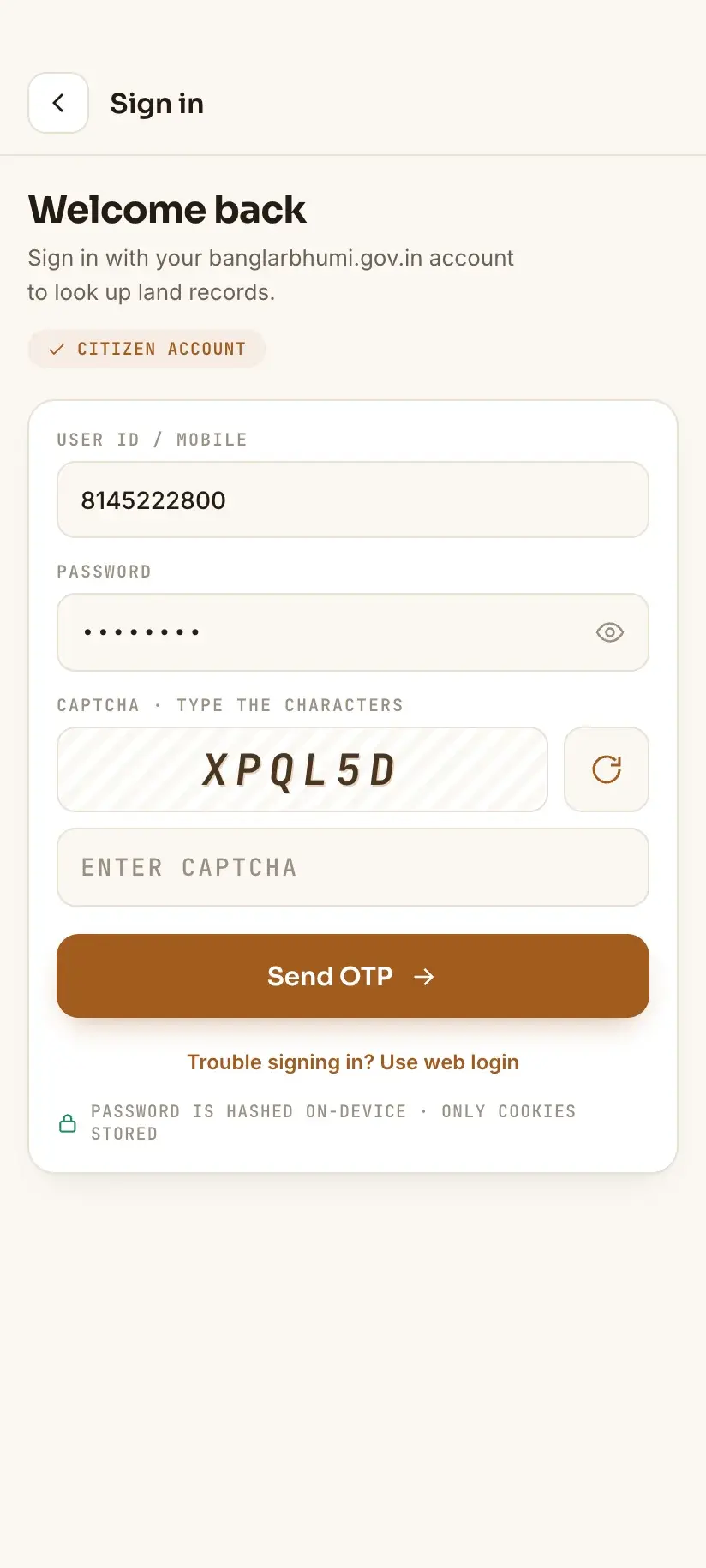
If the OTP still does not arrive after repeated attempts across a day, the most likely explanation is that the number registered against your account is out of date. That cannot be fixed by retrying — it needs the mobile-number update service, or a visit to your local BL&LRO office.
Password reset does nothing
The reset flow sends a link or OTP to the registered email or mobile. It fails silently in two situations, neither of which the portal explains clearly.
The first is that the registered contact is stale, which produces the same dead end as above. The second is that several resets were requested in a row. Where a newer request supersedes an older one, only the most recent link or code will work — so use the latest message you received, not the first.
“Invalid credentials” when you know the password is right
Two portal quirks account for most of these.
Check for an unintended capital letter. Mobile keyboards auto-capitalise the first character of an empty field, and if the stored username is lower-case that alone will cause a rejection. Type it manually and try again.
Separately, if the CAPTCHA is wrong, some portal screens report the failure as an invalid login rather than a failed CAPTCHA. If the message appears instantly rather than after a pause, suspect the CAPTCHA rather than the password.
When the problem isn't login at all
If pages hang, time out, or return a server error before you even reach the login form, the issue is portal availability rather than your account — a separate problem with separate fixes.
Procedure
How to reset your Banglarbhumi password
Only worth doing once you've confirmed your registered mobile number is current.
Open the sign-in screen
Go to banglarbhumi.gov.in and choose SIGN IN from the top bar.
Choose the forgotten-password option
Select the password recovery link on the sign-in form and enter your registered user ID.
Complete the CAPTCHA carefully
Enter the CAPTCHA exactly as shown. If it is hard to read, refresh it rather than guessing — a wrong CAPTCHA here is often reported as an invalid user.
Use the most recent message only
Give the reset OTP or link a few minutes to arrive. If you requested more than one, use the newest — earlier ones may no longer work.
Set a new password
Choose a new password and sign in. If no message arrives after repeated attempts, the contact details registered against your account are most likely out of date and need updating before a reset can work.
Frequently asked questions
- Why is Banglarbhumi login not working even with the correct password?
- Most often it is one of three things: the username is case-sensitive and a mobile keyboard has capitalised it, the CAPTCHA failed and the portal reported it as an invalid login, or the account's registered mobile number is out of date so verification cannot complete. Try typing the username manually in lowercase and refreshing the CAPTCHA before assuming the password is wrong.
- Can I check my Khatian without logging in to Banglarbhumi?
- No — you will need to be signed in to a banglarbhumi.gov.in account before the portal returns a record. What misleads people is that **Know Your Property** opens signed out and the District, Block and Mouza dropdowns fill in normally, so it feels like no account is involved. The redirect to sign-in comes at the last step, when you actually request the record. Applications, payments and document requests such as ROR Request or Mouza Map Request need the same account and, in most cases, a fee on top.
- What do I do if the Banglarbhumi OTP never arrives?
- Wait a full 10 minutes rather than re-requesting, disable any SMS-filtering app, and try outside the 10am–1pm peak. If nothing arrives within 24 hours, the mobile number registered against your account is almost certainly outdated — use the portal's Mobile Number update Against Khatian service, or visit your local BL&LRO office.
- I can't log in because my registered number is dead. What now?
- The portal provides a Mobile Number update Against Khatian service under Citizen Services → Online Application. It requires you to be signed in, so if you have lost access entirely you will need to visit your local BL&LRO office instead.
In Bengali
বাংলারভূমি লগইন সমস্যা — বাংলায়
পশ্চিমবঙ্গের বাংলারভূমি পোর্টালে লগইন করতে সমস্যা হচ্ছে? খতিয়ান বা দাগের তথ্য বের করতে হলে লগইন করতেই হবে, তাই লগইনের সমস্যা মেটানোই আসল কাজ। নিচে কোন ভুলে কী হয়, তা বলা আছে।
- বাংলারভূমিতে লগইন না করে কি খতিয়ান দেখা যায়?
- না। রেকর্ড পেতে হলে **banglarbhumi.gov.in**-এ নিজের অ্যাকাউন্টে লগইন করতেই হবে। বিভ্রান্তি হয় এই কারণে যে ‘Know Your Property’ পাতাটি লগইন ছাড়াই খোলে এবং জেলা, ব্লক ও মৌজার তালিকাও ঠিকঠাক আসে — মনে হয় যেন লগইন লাগছে না। কিন্তু খতিয়ান বা দাগের তথ্য চেয়ে সার্চ করলেই পোর্টাল লগইন পাতায় পাঠিয়ে দেয়।
- OTP আসছে না, কী করব?
- ১০ মিনিট অপেক্ষা করুন, বারবার OTP চাইবেন না — নতুন OTP চাইলে আগেরটি বাতিল হয়ে যায়। SMS ফিল্টার অ্যাপ বন্ধ রাখুন। ২৪ ঘণ্টার মধ্যেও না এলে বুঝতে হবে আপনার রেজিস্টার করা মোবাইল নম্বরটি পুরনো — স্থানীয় BL&LRO অফিসে যোগাযোগ করুন।
- কোন কাজে লগইন লাগে?
- রেকর্ড দেখার জন্যই লগইন লাগে — খতিয়ান, দাগ বা মিউটেশনের তথ্য চাইলে পোর্টাল লগইন চায়। এছাড়া মিউটেশন, কনভার্সন বা ওয়ারিশ আবেদন, খাজনা প্রদান, এবং ROR বা মৌজা ম্যাপের অনুরোধ — এসবের জন্যও একই অ্যাকাউন্টে লগইন করতে হয়, সঙ্গে ফি লাগে।
Related guides
- Banglarbhumi CAPTCHA not working — why, and what to do
- Banglarbhumi site not opening — how to work out why
- How to search a Khatian online in West Bengal
- Banglarbhumi registration: how to get the account you need
- Mobile Number update Against Khatian on Banglarbhumi
- Banglarbhumi: what you can check, and how