Banglarbhumi site not opening — how to work out why
Half of these failures are the portal's servers and half are your browser or connection. The fixes are completely different, so it's worth spending two minutes finding out which one you have.
- Guide
- Troubleshooting
- Read
- 9 min
- Language
- English · বাংলা
Portal steps checked against banglarbhumi.gov.in on
Devikon Research Team
First, work out whose problem it is
There is no point clearing your cache if the government's servers are down, and no point waiting an hour if the problem is a stale DNS entry on your phone. The error you see is the clearest signal available, and it is worth reading carefully rather than treating every failure as "the site is down".
Use this as a rough triage:
- Blank page, spinner forever, or "took too long to respond" — usually portal-side load. The request reached the server; the server never answered.
- "Server error", HTTP 500, or a stack-trace-looking page — definitely portal-side. Your request arrived and the portal's own application failed while handling it.
- "Site can't be reached" / DNS_PROBE_FINISHED_NXDOMAIN — network or DNS on your side, or your ISP's resolver. The request never left your network properly.
- Certificate or "connection is not private" warning — almost always your side: wrong device clock, a captive-portal wifi, or a network that intercepts traffic.
- Page loads but every search fails — the portal is up, but its database layer is struggling. Different problem, same feeling.
A quick check: open the portal on mobile data with wifi turned off. If it loads there but not on your home connection, the problem is your network — not banglarbhumi.gov.in.
Portal-side: peak hours and why they matter
Banglarbhumi carries the land records of an entire state on infrastructure that was not built for consumer-scale traffic. It slows down predictably, and knowing when saves a lot of frustration.
Users commonly report the portal being slowest during office hours on weekdays, when offices, deed writers and lawyers are all working at once. It gets worse in the days around revenue deadlines and at the end of a financial quarter, when Khajna payments and mutation filings bunch up. Government holidays and maintenance windows produce genuine outages rather than slowness.
When the portal is simply overloaded rather than down, requests often succeed on the second or third attempt, and pages part-load — the header and menu appear, the search results never do. That pattern is a reliable sign of server strain rather than anything wrong at your end.
- Try early morning before office hours, or late evening. Both are noticeably quieter.
- If a page part-loads, wait a minute or so before retrying — hammering reload adds to the queue you're stuck in.
- Avoid the days either side of a revenue or registration deadline if the lookup can wait.
- If you get a 500 error consistently across devices and networks, stop troubleshooting. It's the portal, and only time fixes it.
Repeatedly refreshing a struggling government portal makes things worse for everyone, including you. If two attempts fail, come back later rather than sitting on the reload button.
Your side: cache, DNS and the connection
If the portal loads for other people but not for you, work through these. They are ordered by how often they turn out to be the cause.
Cached data is the most common culprit. Browsers hold on to old copies of the portal's pages and scripts, and because the site is updated occasionally without changing filenames, a stale cached file can leave you with a page that half-renders or a form that silently refuses to submit.
- Clear the cache for the site, or open banglarbhumi.gov.in in a private/incognito window. If incognito works, cache was the problem.
- Switch between wifi and mobile data. Some ISP and campus networks resolve or route government domains poorly, and this test isolates it in seconds.
- Change your DNS resolver to 1.1.1.1 or 8.8.8.8 if you get "site can't be reached" on one network but the site works on mobile data.
- Check your device date and time. A clock that is wrong by more than a few minutes breaks HTTPS and produces a certificate warning that looks like the site is compromised.
- Disable a VPN. Some government portals rate-limit or block traffic from VPN and data-centre IP ranges outright.
- Try a different browser. Chrome and Firefox on desktop are the safest bet; very old browsers can fail on the portal's scripts.
What "server error" actually means
A server error — HTTP 500, or the portal's own error page — means your request arrived intact and the portal's application crashed while processing it. It is not caused by anything you did, and clearing your cache will not help.
It's worth separating two flavours. A 500 on the homepage or the Citizen Services menu means the portal itself is unwell, and everyone is seeing it. A 500 on one specific search, while other searches work, more often means the underlying record or mouza data is causing a problem in the query — in which case retrying the same search will keep failing, and it's the search you need to change, not the timing.
Timeouts are different again. A timeout means the server never replied at all, which is a load symptom. Timeouts generally clear on their own once load drops; a 500 that persists across hours is more likely to need the department to fix something.
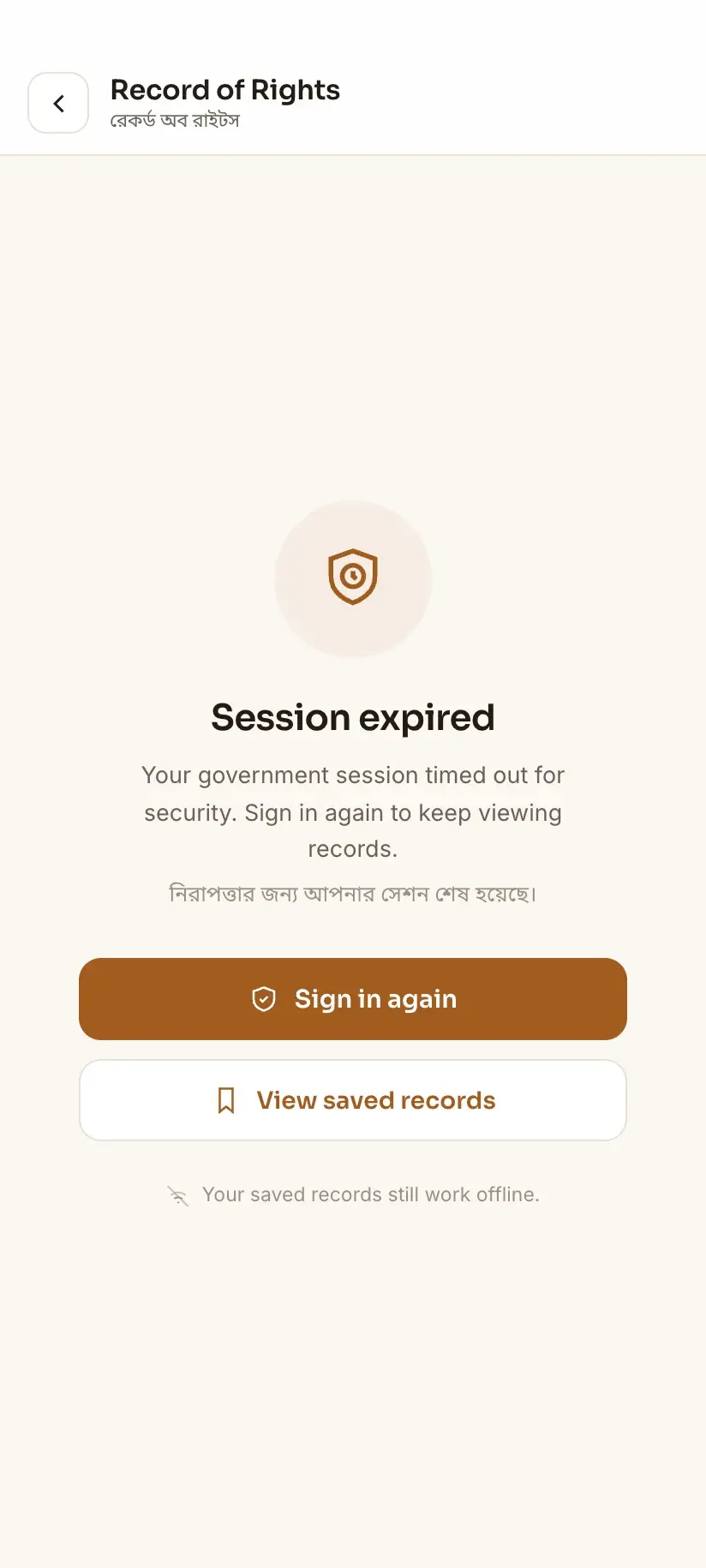
If one particular Khatian or Dag search returns an error while others on the same mouza work fine, treat it as a data problem rather than an outage — it's a different investigation.
When you can't wait: what still works
Portal downtime is genuinely disruptive when you need a record for a meeting, a sale or a court date. There are a few honest fallbacks.
Your local BL&LRO office holds the same records and is not affected by the website being down. For anything you need certified, the office is the authority anyway — a screenshot from the portal has never been a legal document.
If you have looked a record up before on Bhumir Tathya, that record stays readable on your phone offline. That is the one real mitigation for downtime: it doesn't fetch anything new while the portal is unreachable, but a Khatian you checked last week is still there when the site isn't. It's worth looking up the plots you care about while things are working, precisely so you aren't stuck later. One caveat that matters: a saved copy shows the record as it stood when you viewed it. Records change — a mutation is disposed, a correction is made — so re-check against the portal before acting on anything saved.
- Records already viewed in the app remain available offline, with no connection needed.
- Nothing new can be fetched while the portal is down — no app can reach data the government isn't serving.
- For certified copies, signed ROR or anything legally binding, the BL&LRO office is the correct route regardless of portal status.
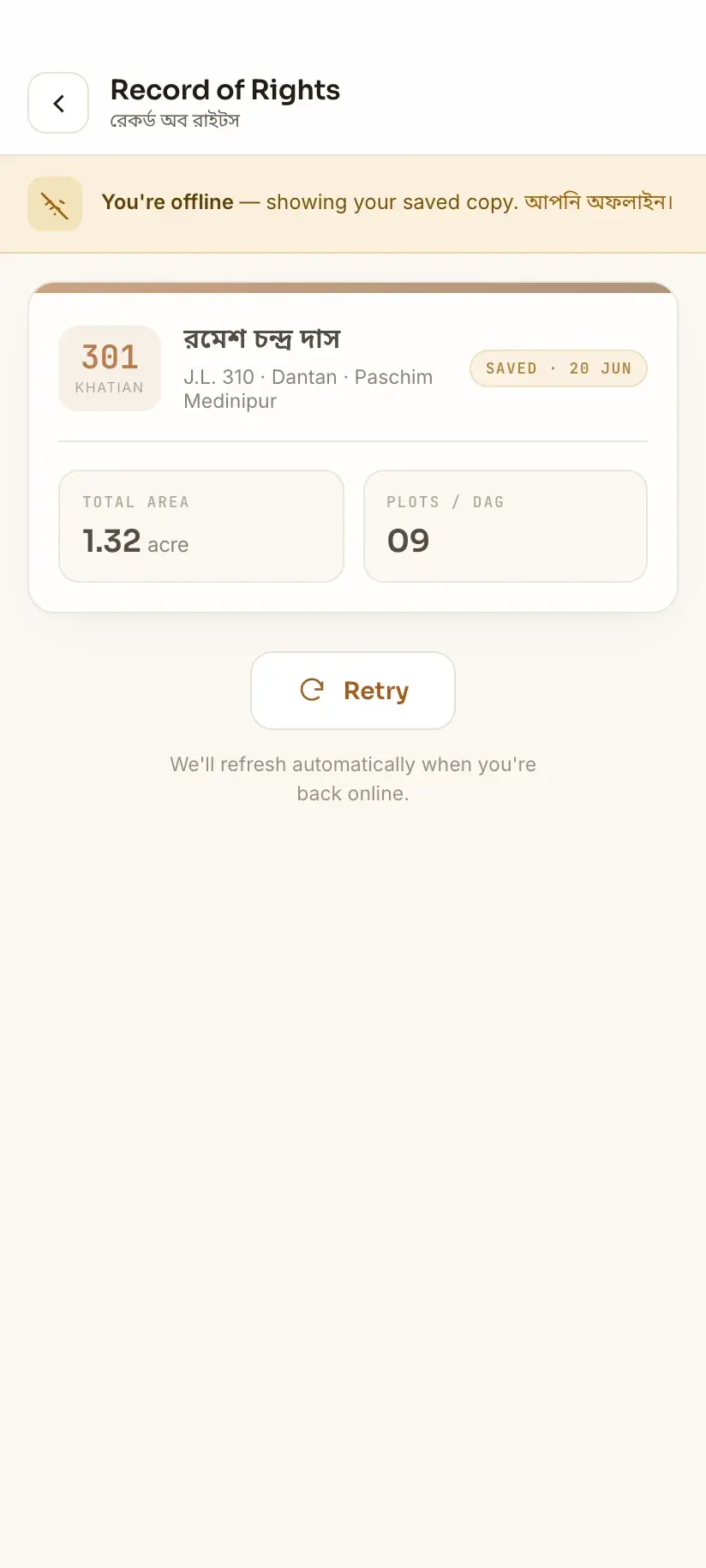
Bhumir Tathya is a free, unofficial Android app from Devikon. It is not affiliated with or endorsed by the Government of West Bengal, and it cannot bypass government authentication — anything needing a banglarbhumi.gov.in account still goes through your own login on the official portal.
If the site opens but nothing works
A portal that loads and then fails at the search step is a different problem. If the CAPTCHA is being rejected, or the image never appears, that has its own set of causes. If instead you keep landing on the sign-in form, that is not a fault — it is the portal working as intended. Know Your Property, RS-LR Plot Information, Mutation Case Status, Conversion Case Status, Mouza Information, Query Search and Public Grievance all let you open the form and fill the dropdowns while signed out, then send you to sign-in at the moment you ask for the record. Register on banglarbhumi.gov.in and sign in before you diagnose anything further.
Procedure
How to diagnose Banglarbhumi not opening, in order
Each step rules something out. Stop as soon as one of them works.
Read the error, don't skip it
Note whether you got a timeout, a 500 server error, a DNS failure, or a certificate warning. Timeouts and 500s are portal-side; DNS and certificate errors are yours.
Test on mobile data
Turn wifi off and open banglarbhumi.gov.in over mobile data. If it works, your home or office network is the problem and nothing on the portal needs fixing.
Try an incognito window
Open the portal in a private/incognito window. If it loads there, clear the cache and cookies for banglarbhumi.gov.in in your normal window.
Check your device clock
If you saw a certificate or 'connection is not private' warning, set your device date and time to automatic. A wrong clock breaks HTTPS.
Switch DNS or disable your VPN
If you got a DNS error, change your resolver to 1.1.1.1 or 8.8.8.8. If you are on a VPN, turn it off — some government portals block VPN and data-centre IP ranges.
Retry outside peak hours
If every check above passes and the portal still times out, it is under load. Try again early morning or late evening rather than refreshing repeatedly.
Go to the BL&LRO office if it's urgent
For anything time-critical or needing a certified copy, your local BL&LRO office holds the same records and is unaffected by the website being down.
Frequently asked questions
- Why is the Banglarbhumi site not opening today?
- Most often it is server load rather than a full outage. Banglarbhumi is busiest on weekday mornings and around revenue and registration deadlines, when pages time out or part-load. Check whether it opens on mobile data with wifi off — if it does, the problem is your network; if it fails everywhere, it is the portal and only waiting helps.
- What does 'server error' mean on Banglarbhumi?
- It means your request reached the portal and its application failed while handling it. Nothing on your device caused it, and clearing your cache will not fix it. A server error on the homepage affects everyone; a server error on one specific search while other searches work usually points at a problem with that particular record rather than an outage.
- How can I tell if Banglarbhumi is down or if it's my internet?
- Open the portal on mobile data with wifi turned off. If it loads, your wifi network, DNS or router is at fault. If it fails on both, the portal is down or overloaded. Certificate warnings and 'site can't be reached' errors are almost always your side; timeouts and 500 errors are almost always the portal's.
- What is the best time to use Banglarbhumi?
- Early morning before office hours and late evening are noticeably quieter than mid-morning, when offices, lawyers and deed writers are all using it at once. Avoid the days around revenue payment and registration deadlines, when mutation filings and Khajna payments bunch up and the portal slows sharply.
- Can I check my land records while Banglarbhumi is down?
- Only records you have already looked at. Bhumir Tathya keeps previously viewed West Bengal land records readable on your phone offline, so a Khatian you checked earlier is still available when the site isn't. Nothing new can be fetched while the portal is unreachable — no app can serve data the government isn't serving. A saved copy also shows the record as it stood when you viewed it, so re-check it against the portal before relying on it. For urgent or certified copies, your local BL&LRO office is unaffected by website downtime.
- Does clearing my browser cache actually help?
- Yes, when the symptom is a page that half-renders or a form that silently refuses to submit — those are classic stale-cache failures. It does nothing for timeouts or server errors, which happen before your cache is involved. Test with an incognito window first: if the portal works there, cache is your problem.
In Bengali
বাংলারভূমি সাইট খুলছে না — বাংলায়
পশ্চিমবঙ্গের বাংলারভূমি পোর্টাল খুলছে না বা সার্ভার এরর দেখাচ্ছে? সমস্যাটি সরকারি সার্ভারের নাকি আপনার ইন্টারনেটের, সেটা আগে বুঝে নেওয়া দরকার।
- বাংলারভূমি সাইট খুলছে না কেন?
- বেশিরভাগ ক্ষেত্রে সার্ভারে অতিরিক্ত চাপ। কাজের দিনে সকালবেলা এবং খাজনা বা রেজিস্ট্রেশনের শেষ তারিখের আশেপাশে পোর্টাল সবচেয়ে ধীর হয়। সকালে অফিস খোলার আগে বা রাতের দিকে চেষ্টা করলে সাধারণত ভালো কাজ করে।
- সমস্যাটা সরকারি সার্ভারের নাকি আমার ফোনের, কীভাবে বুঝব?
- wifi বন্ধ করে মোবাইল ডেটা দিয়ে banglarbhumi.gov.in খুলে দেখুন। খুললে বুঝবেন সমস্যা আপনার wifi বা DNS-এ। দুটোতেই না খুললে সমস্যা পোর্টালের। ‘server error’ বা টাইমআউট হলে সেটা সরকারি সার্ভারের সমস্যা — ক্যাশে পরিষ্কার করে লাভ নেই।
- সাইট বন্ধ থাকলে কি খতিয়ান দেখা যাবে?
- আগে দেখে রাখা রেকর্ড দেখা যাবে। ভূমির তথ্য (Bhumir Tathya) অ্যাপে আগে দেখা খতিয়ান বা দাগের তথ্য ফোনেই অফলাইনে থেকে যায়। তবে নতুন কোনও তথ্য আনা সম্ভব নয়, কারণ সরকারি সার্ভারই তখন বন্ধ। জরুরি বা সার্টিফায়েড কপির জন্য স্থানীয় BL&LRO অফিসে যান।