Can I save a Snapchat story?
Snapchat is the one platform where disappearing is the entire point, which makes this a question with two very different answers depending on whose story you mean.
- Guide
- Explainer
- Read
- 13 min
- Language
- English
Steps checked against the Savvy Android app on
Devikon Research Team
Disappearing is the product, not a limitation
Every other platform in this cluster is built on the assumption that a post stays up. Snapchat was built on the opposite assumption, and people use it precisely because of that. A Snap sent to a friend is understood by both of them to be temporary, and the whole social contract of the app rests on that understanding holding.
Which means a guide about saving Snapchat content has to draw a line before it does anything else. There are two completely different things people mean by "saving a Snapchat story", they have opposite answers, and running them together is how this topic normally goes wrong.
One is public content — Spotlight, public creator profiles, the things Snapchat itself gives you a shareable link to. That is published material. Saving it is no different in kind from saving a public post anywhere else, and the rest of this page explains how.
The other is a friend's private story or a Snap sent to you. That is not published material, it has no link, and it is not what this app is for. There is no technique section for it further down, no workaround, and no hedged aside. If that is what brought you here, the honest answer is the short one.
- Spotlight and public links — real addresses that open signed out; saveable like any other public post
- Your own Snaps and Memories — yours, and Snapchat's own tools are the better route to them
- A friend's private story or a Snap sent to you — no public link, not addressable, not covered here
- Anything from an account you cannot already see — same refusal a browser gets; no app changes that
What makes something publicly linkable
The test is unromantic and it is the same one that applies everywhere else in this cluster: open the link in a browser where you are not signed in. If the content plays, it is public. If you are asked to sign in or told the page does not exist, it is not.
Spotlight passes that test. It is Snapchat's public, algorithmic, short-video surface — deliberately open, deliberately shareable, and given proper URLs precisely so that clips travel beyond the app. Public profiles and the content publishers put out behave the same way. Snapchat wants those seen.
A private story fails it, and it fails it structurally rather than because of a setting someone forgot. Content shared to friends is delivered to specific accounts. There is no page sitting on the open web with that Snap on it, so there is nothing for an extraction tool to read — which is worth understanding, because it explains why every app claiming to do this is either describing something else or lying about what it does.
A link that arrives from Snapchat's own share sheet is the safest signal you have. If Snapchat offered you a link to copy, Snapchat considers that content shareable. If it did not, it does not.
Snapchat's shortened share links are recognised the same as full addresses, so a link copied from the app's own Share control works without you unpicking it first. What the app cannot do is invent a link for something Snapchat never published one for.
What a Snapchat link can actually do in the app
Given a public link, Savvy works the same way it does on any platform: the link goes to a chain of extraction providers, tried in ranked order, and the first that reads the page successfully returns the media and the qualities available.
Expectations should be lower here than on TikTok, and it is better to say so than to let you find out. Four providers carry Snapchat, against eight for TikTok. A shorter chain means fewer second chances — when the first attempt returns nothing, there is less behind it to fall back on. Snapchat also reshapes its web player fairly regularly, and each reshape breaks extraction until providers catch up.
The practical effect is that Snapchat links fail more often than Instagram or TikTok links do, and that this is usually temporary. If a Spotlight link refuses to resolve, the useful response is to wait and try the same link again later rather than to retry immediately — one tap has already been through the whole chain.
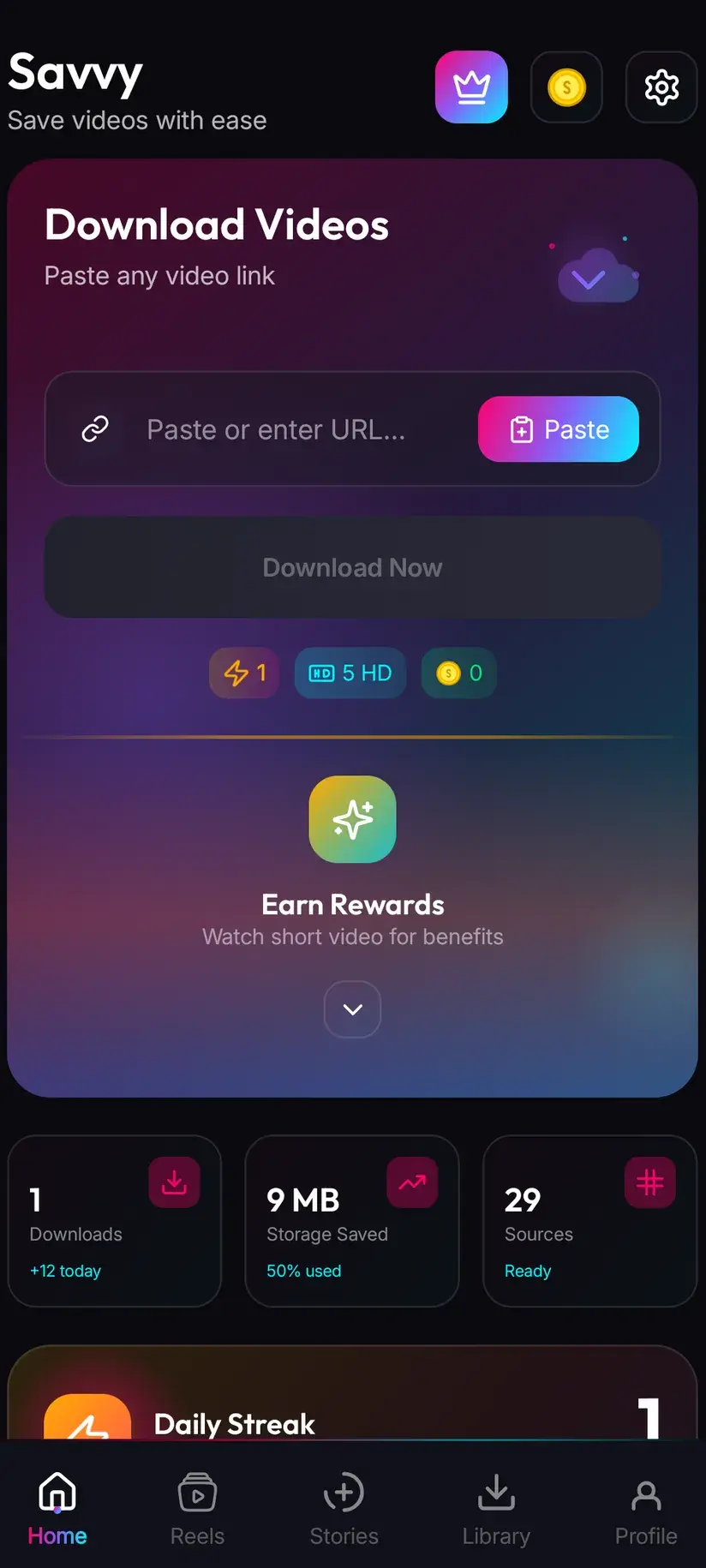
Getting the link across is the same two routes as everywhere else, and one is much faster:
- Share to Savvy — use Snapchat's Share control, pick Savvy, and the link is handed over with the download starting on its own
- Copy link, then Paste — copy from Snapchat, open Savvy, tap the Paste button to fill the field, then tap Download yourself
- Paste is an ordinary button. Savvy does not watch your clipboard in the background and does not start a download when you switch to it
- A link that fails has already been through all four providers, so tapping Download repeatedly rarely helps
Your own Snaps: Snapchat is the better route
If what you want back is your own content, a downloader is the long way round, and it is worth saying that on a page that exists to sell you one.
Memories already holds a great deal of it. Snaps saved before or after sending, Stories you posted, and anything you chose to keep are in there, and Memories has an export to your camera roll built in. That is a direct copy of the original file with nothing in between — better quality than anything a re-fetch could give you, and no coins involved.
Snapchat also offers a full data export through account settings, which produces a downloadable archive of what your account holds. It is slower and it arrives as a bundle rather than as tidy individual files, but for anyone wanting an actual backup rather than one clip, it is the right tool.
The habit worth forming is upstream of all of this: save the Snap as you make it. Snapchat's save control puts a copy in Memories or your camera roll before the thing is sent, at full quality, before any of the compression that comes with posting. Everything else on this page is a way of getting back something you could have kept in the first place.
- Memories — Snaps and Stories you saved, with an export to your camera roll
- Snapchat's data export — the whole-account archive route, slower but complete
- Save before sending — the highest-quality copy you will ever get of your own Snap
- A downloader is for public links from elsewhere, not for retrieving your own posts
Quality and cost, and why Snapchat clips are small
Nothing unusual here, but two things are worth knowing before you spend anything.
Standard definition, up to 480p, is free — it comes out of a daily allowance rather than any balance. Above that the cost is in coins, and Snapchat is a platform where paying for more is often pointless, because the source rarely justifies it.
Snapchat content is shot on phones, encoded for phones, and compressed hard for fast delivery in a vertical feed. A quality picker can only offer what exists, and downloading cannot add detail that was never uploaded. If the picker's top entry is 720p, that is the ceiling for that clip, and choosing a higher tier would only get you a bigger file of the same picture. Look at what is actually listed before spending.
- SD video, up to 480p — free, from your daily allowance
- HD and Full HD video — 10 coins, or one HD credit if you have one
- 2K video — 15 coins
- 4K video — 20 coins
- Images and audio — 5 coins, priced as their own resource types and never free
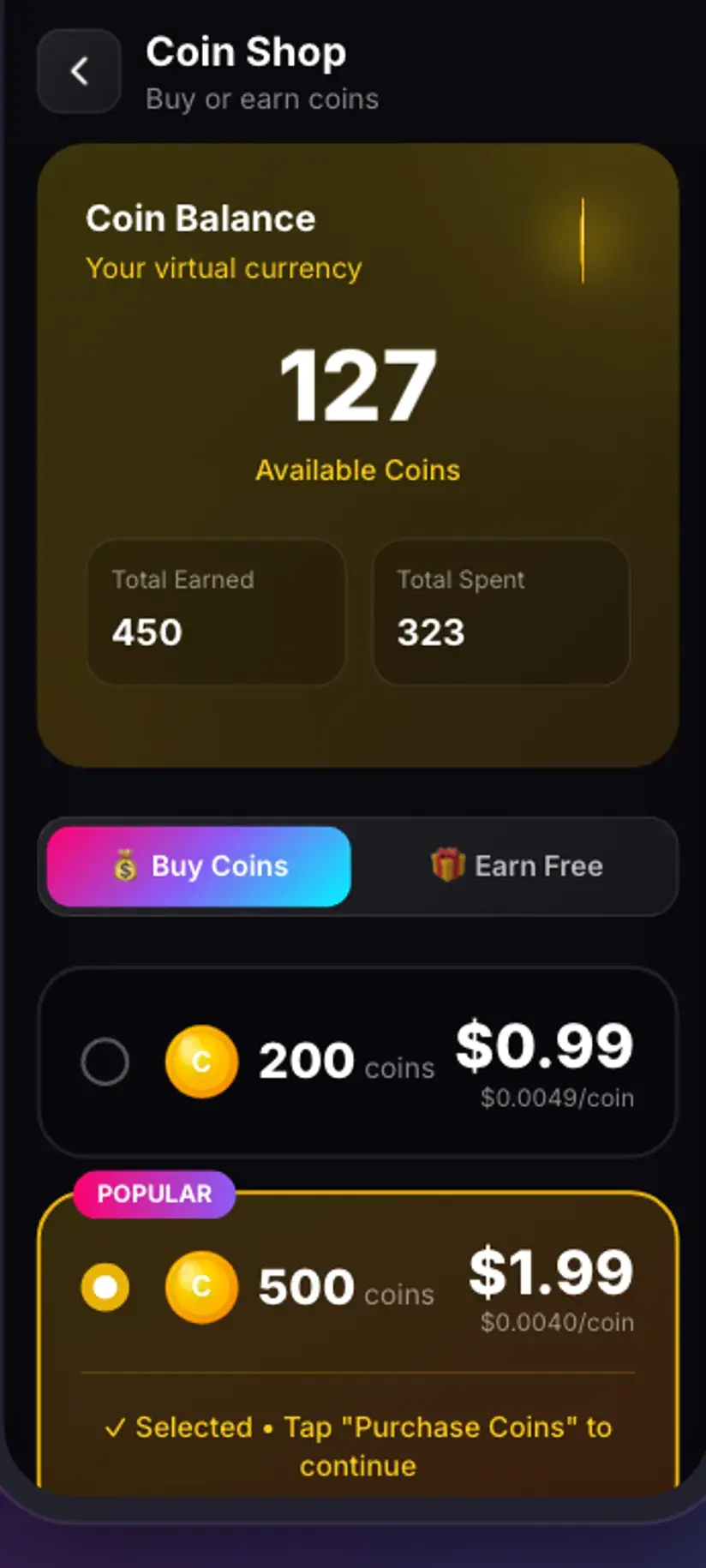
Coins are earned as well as bought — a short rewarded ad or the daily check-in both add to the balance, and the Coin Shop lists both alongside the packs. Premium removes the ads and lifts the download limits. The free tier is ad-supported through Unity Ads, which collects your device's advertising ID; that is set out in the Savvy privacy policy.
Snapchat tells people, and that is by design
Worth stating plainly because it surprises people who came from other platforms: Snapchat notifies the sender when you screenshot or screen-record a Snap or a Story. That behaviour is not incidental. It is the mechanism that makes the temporariness credible — without it, nothing about the app's promise would hold.
Which reframes the question people usually ask. The interesting bit is not whether a notification can be avoided; it is that someone built a notification because the expectation it protects is real. A friend posting to their private story has made an assumption about how long it lasts and who sees it, and they made it because the app told them they could.
So the etiquette is not complicated. If you want to keep something a friend sent, ask them. It takes seconds, it usually gets you a better copy sent directly, and it does not put you in the position of having taken something someone assumed was temporary. Photographs and video of identifiable people also carry considerations beyond copyright — consent, and what happens to a file once it exists outside the app that was supposed to delete it.
The rest is the ordinary line. Your own content is yours. Public Spotlight material is published and saving it for offline viewing is unremarkable. Reposting someone else's work as your own, or using it commercially, is a rights question the download did not answer. And an account you cannot already see stays out of reach — a downloader reads the same page your browser reads, and gets the same refusal.
This is the one platform in the cluster where the social expectation is doing more work than the copyright position, and it deserves the heavier weight. Nothing here is a route to a private story. Is downloading videos legal? covers the general framing — that content you have the right to save is the only content worth building a habit around.
Where a saved clip lands
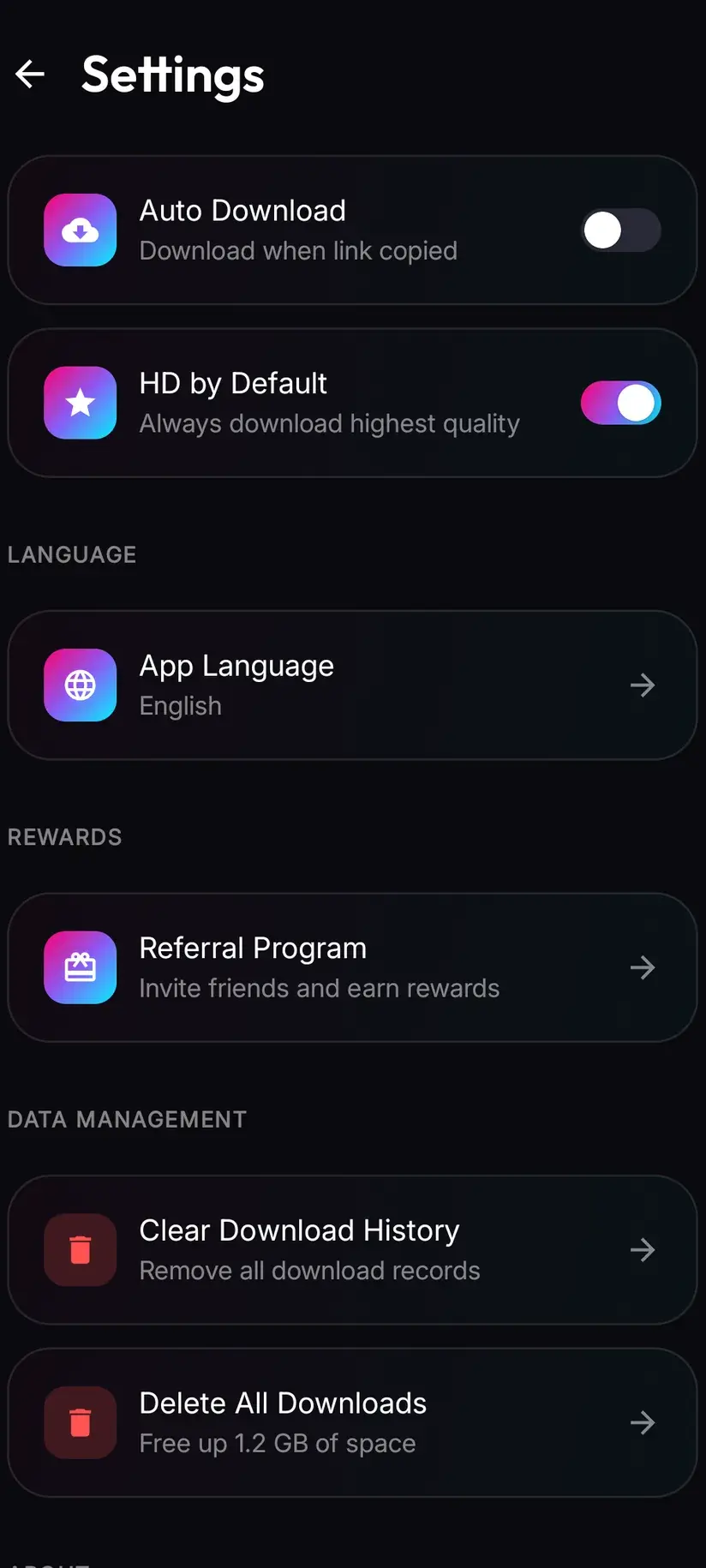
Finished downloads go to your device's Downloads folder, into a Savvy directory, sorted into a subfolder per platform — so Snapchat content lands in Downloads / Savvy / Snapchat. It is an ordinary file at that point: it appears in your gallery, plays in any video app, and shares onward like anything else.
Inside the app, Library lists everything saved with search and filters, which is the quicker way back to one clip than scrolling a gallery. The Storage screen sits alongside it, showing what each download is using with bulk clearing.
Files stay on the device. Savvy keeps your coin balance and subscription state on its servers, because those have to survive a reinstall — but the media you download is written to your storage and stays there. Clearing it is the Storage screen's job, or your file manager's.
Procedure
How to save a public Snapchat clip
This covers Spotlight and other publicly linkable content. It does not cover a friend's private story, which has no public link and is not something these steps reach.
Install Savvy and allow storage access
Install Savvy from Google Play and open it, granting the storage permission when it is asked for. That is what lets a finished download be written somewhere your gallery can see, rather than staying inside the app.
Check the content is actually public
Open the clip in Snapchat and use its Share control. If Snapchat offers you a link, the content is shareable. As a second check, open that link in a browser where you are not signed in — if it plays, an extraction provider can read it too.
Share it to Savvy
From Snapchat's Share control, pick Savvy from the apps offered. The link is handed over and the download starts on its own. If Savvy is not listed, choose the copy-link option instead and continue with the next step.
If you copied instead, tap Paste and then Download
Open Savvy and tap the Paste button beside the link field. That fills the field with what you copied and checks the link is recognised — it does not start anything. Tap Download afterwards to begin.
Pick a quality that exists
Savvy lists the qualities that clip is genuinely available in. SD up to 480p is free from your daily allowance; HD and above spend coins. Snapchat content is compressed hard, so choose the highest option actually listed rather than assuming a better one is hidden.
Let it finish, then check Library
Progress shows in the app. When it completes, the file is in Downloads/Savvy/Snapchat on your device and listed under Library, where search and filters make it easy to find later. If it fails, wait and try the same link again — Snapchat's chain is shallower than most and its web player changes often.
Frequently asked questions
- Can I save someone's Snapchat story?
- It depends entirely on which kind. Spotlight clips, public profiles and anything Snapchat gives you a shareable link to are published content, and a link to them can be sent to Savvy like any other. A friend's private story is different: it is delivered to specific accounts rather than published to a page, so there is no address on the open web for an extraction provider to read. That is not a gap this app fills, and any app claiming to fill it is describing something else.
- How do I know whether a Snapchat link is public?
- Open it in a browser where you are not signed in. If the content plays, it is public and a downloader can read the same page. If you are asked to sign in or told the page does not exist, it is not public and no app will change that. A simpler signal comes earlier: if Snapchat's own Share control offered you a link to copy, Snapchat treats that content as shareable. If it did not offer one, there is nothing to paste.
- Does Snapchat tell someone if I save their story?
- Snapchat notifies the sender when a Snap or Story is screenshotted or screen-recorded, and that behaviour is deliberate — it is what makes the app's promise of temporariness credible in the first place. The better way to read that is not as an obstacle but as a signal: someone posting to a private story has made an assumption about who keeps what, based on what the app told them. If you want a copy of something a friend sent, ask them. It usually gets you a better one sent directly.
- How do I save my own Snaps and Stories?
- Through Snapchat rather than through a downloader, which is genuinely the better route. Memories holds Snaps and Stories you saved and can export them to your camera roll — a direct copy of the original, at better quality than any re-fetch, with no coins involved. Snapchat also offers a full data export in account settings for a proper backup. And the habit that beats all of it: use the save control before sending, which keeps a full-quality copy before any posting compression.
- Why do Snapchat links fail more often than other platforms?
- Because the chain behind them is shallower. Four extraction providers carry Snapchat, against eight for TikTok, so when the first returns nothing there is less to fall back on. Snapchat also reshapes its web player fairly regularly, and each change breaks extraction until providers catch up. A failure is therefore usually temporary rather than permanent — waiting and trying the same link later often works, while retrying immediately rarely does, since one tap has already been through the whole chain.
- Does saving a Snapchat clip cost anything?
- Standard definition up to 480p is free, from a daily allowance rather than any balance. Above that you spend coins: 10 for HD or Full HD, or one HD credit, 15 for 2K, 20 for 4K, and 5 for an image or an audio-only file. On Snapchat the higher tiers are often not worth it — clips are shot on phones and compressed hard, so the picker frequently tops out well below HD, and downloading cannot add detail that was never uploaded. Coins are earned free through a short rewarded ad or the daily check-in, or bought.
- Do I need a Snapchat account to save a public clip?
- No. If the link opens in a signed-out browser, Savvy can read it with no Snapchat account and no sign-in of any kind, and you do not need a Savvy account either — the core app works without signing up for anything. What no account gets you is access to content shared privately with specific people. That is out of reach at Snapchat's end, and reads the same to a downloader as it does to a browser.
- Where do saved Snapchat files go on my phone?
- Into your device's Downloads folder, inside a Savvy directory sorted by platform, so Snapchat content lands in Downloads/Savvy/Snapchat. It is an ordinary file from there: your gallery picks it up and it plays in any video app. Inside Savvy, the Library screen lists everything saved with search and filters, and the Storage screen shows what each file is using with bulk clearing. Downloaded files stay on your device.