What is a watermark on a video, and can it be removed?
A watermark is not a setting attached to a file — by the time you can see it, it is part of the picture, which is why the answer to removing one is so much less satisfying than the adverts suggest.
- Guide
- Explainer
- Read
- 13 min
- Language
- English
Steps checked against the Savvy Android app on
Devikon Research Team
A watermark is paint, not a label
The word makes it sound like a tag — something stapled to a file that could be unstapled. It is worth replacing that mental model early, because almost every wrong expectation about watermarks grows out of it.
A visible watermark on a video is pixels drawn into the frames themselves. Somewhere before the file reached you, a piece of software composited a logo, a handle or a moving badge on top of the picture and then encoded the result. From that moment there is no separate layer, no toggle, and no hidden clean version travelling alongside it. The mark is as much a part of the image as the person's face is.
That single fact explains everything else on this page. It is why quality settings do not affect it, why re-downloading does not shake it off, and why taking one off means altering the picture rather than changing an option.
There is a second, quieter family of watermarks that people rarely think about: invisible or forensic marks, embedded in the video or audio in a form the eye and ear do not register. These are standard practice in professional distribution, where the point is to identify where a leaked copy came from rather than to advertise anything. They survive cropping, re-encoding and screen recording precisely because they were designed to. You will not see one and you cannot check for one, which is a good reason not to assume any file is untraceable simply because it looks clean.
- Visible watermark — a logo, handle or badge composited into the frames. Part of the picture from then on
- Creator overlay — the same thing technically, but added by the person who made the video rather than by a platform
- Invisible or forensic watermark — an identifier embedded in the signal, unseen and deliberately hard to destroy
- Metadata — genuinely separate from the picture, easy to strip, and not what anybody means when they say watermark
Why platforms burn their name into your video
Platform watermarks exist for one commercial reason, and understanding it makes the behaviour predictable rather than annoying.
A short video is the most portable thing on the internet. It gets saved, forwarded, re-posted on a rival app and screen-recorded into a group chat, and at every one of those hops it is doing free advertising for whoever made it easy to produce — as long as it is still wearing their name. The watermark is what makes the video work as marketing after it leaves the app. That is why the mark usually contains both the platform's logo and the creator's handle: one for the company, one so the audience can find the person.
TikTok is the example everybody knows, and its design is unusually deliberate: the logo and username do not sit still. They move between corners on a loop, at an interval that makes them awkward to crop out and awkward to cover, precisely because the alternative was people cropping the bottom of the frame and calling it their own.
Not every platform does this, and that is the part that gets overgeneralised. Some stamp exports but not the native file. Some add nothing at all and rely on the creator's own branding. Some produce a mark only through particular features — a template, an editor, a certain export route. So whether the video you just saved has a platform watermark on it has nothing to do with the app you saved it with, and everything to do with where it came from and how it was made.
This is also why a video can turn up on one platform wearing a different platform's watermark. A clip shot in one app, exported with its mark burned in, then re-posted somewhere else arrives with that first mark permanently attached. The second platform has no way to remove it — as far as its encoder is concerned, that badge is just part of the picture.
A platform's watermark and a creator's own overlay are not the same problem
By the time a file lands on your phone the two are indistinguishable — both are pixels, both are baked in. But they arrive by different routes, and if you are trying to work out what your options are, the difference is the whole question.
A platform watermark is applied automatically on the way out of an app. Nobody chose it for that specific video, it follows a fixed pattern, and it usually identifies the service as much as the person.
A creator overlay is a deliberate authorial choice — a channel logo in a corner, a handle across the lower third, an animated intro sting, a subscribe bug, a brand bumper on a sponsored clip. It is there because someone decided it should be, and it is often the only attribution the video carries once it has been reposted a few times.
That difference matters more than it first appears. Stripping a platform badge and stripping a creator's own mark are treated very differently by everyone involved, including the creator. The badge is corporate furniture. The overlay is the artist's signature, and in several places rights-management information attached to a work has its own protection quite apart from the copyright in the work itself — meaning removing an attribution mark can be a separate issue on top of any question about copying. Is downloading videos legal? covers where that sits.
The practical read: if what you want gone is a creator's handle, stop and consider that the handle is doing a job. If what you want gone is a platform badge, the answer is still constrained, but for technical reasons rather than ethical ones.
- Moves around the frame, contains an app logo — almost certainly platform-applied
- Sits in one fixed corner for the whole video, same on every clip from that account — a creator overlay
- Appears only during an intro or outro — a creator's edit, not a platform mark
- Two marks at once — the video has crossed platforms, and the older one is the one further from the creator's current handle
Removing a watermark is a different job from downloading one
These get sold as a single feature and they are two unrelated operations. Downloading fetches a file that already exists on a server and writes it to your device unchanged. Removing a watermark means changing what is in the frames — which is editing, and editing has costs.
There are only three ways to take a burned-in mark out of a picture, and each of them takes something from you:
Cropping removes the region containing the mark, along with everything else in that region. You lose part of the frame and, if you re-scale back to the original dimensions, you lose sharpness as well. Against a mark that moves between corners, cropping enough to catch all of its positions can take a startling proportion of the picture.
Blurring or covering replaces the mark with a smear or a box. It does not restore what was underneath, it draws the eye rather than hiding it, and on a moving mark you end up with a smudge travelling around the frame.
Inpainting — the approach behind the more convincing removal tools — analyses the surrounding pixels and the neighbouring frames to guess what the mark is covering, then paints an invented patch there. It works well against a static mark on a static background and badly against a moving mark, a moving camera, or fine detail. It is guessing, and you can usually see where it guessed wrong.
All three involve decoding the video and encoding it again, which is a generational loss on top of whatever the removal itself cost. So the honest summary is that a watermark can be obscured, not undone. There is no clean original hiding underneath.
Treat any tool advertising perfect watermark removal for any video with real suspicion. The best outcome available is a convincing repair of a static mark over a simple background. On a moving badge over live footage, the result is visibly worse than the mark it replaced — and you have re-encoded the whole file to get it.
What Savvy does, and the one place a clean save is genuinely possible
Being precise here matters, because this is the claim the category routinely inflates.
Savvy never adds a watermark of its own. Nothing is stamped onto your file on the way through, at any quality tier, free or paid. Whatever comes down is what the source served.
Which leads directly to the corollary: whether a saved file carries a watermark is decided entirely by the source platform. If a platform bakes its badge into the video it serves, the saved file has that badge, because that is the video that exists. No downloader can subtract something that is part of the picture it was handed, and one advertising otherwise is either cropping your video or lying to you.
There is exactly one exception in the whole cluster, and it is worth stating narrowly. TikTok is a special case: a small number of TikTok-specific extraction providers can request the unstamped source version rather than the badged export, so a genuinely watermark-free save is possible there. Savvy carries three such providers. That behaviour is TikTok-only. It does not extend to Instagram, Facebook, Twitter, Snapchat, Pinterest, Reddit or anything else — those all hand over whatever the platform serves, watermark and all.
So when you see a no-watermark promise attached to a whole app rather than to one platform, read it as marketing. The honest version is narrow, and it is the version above.
- Savvy adds nothing — no badge, no overlay, no branding, on any tier
- TikTok — a watermark-free save is genuinely possible, via TikTok-specific providers that fetch the unstamped source
- Every other platform — you get the file as served, and anything already burned into it stays burned in
- A creator's own overlay — always survives, everywhere, because it was part of the video before the platform ever saw it
If you actually need a clean copy
There is a much better route than any removal tool, and it is boring: get a version that never had a mark in the first place.
If it is your own video, the clean copy already exists. It is the export sitting in your editing app, your camera roll, or your drafts — the file you uploaded, before the platform re-encoded it and added anything. Going back to that original is faster than any repair and infinitely better quality, and it is the single most common answer to this question. Save your exports before you publish and you will never need this page again.
If it is someone else's video and you need it clean for a real purpose — an advert, a client's edit, a compilation you intend to publish — ask them. Creators routinely hold the unbranded master and will often share it for a use they are happy with, especially a paid one. That single message solves the technical problem and the permissions problem at once, which nothing else on this page does.
If it is a licensed asset, the licence is the answer. Stock footage, press kits and brand asset libraries supply unmarked files as a matter of course, because that is what you are paying for. A watermark on stock footage is a preview, and removing it is a licensing matter, not a technical one.
What none of this offers is a way of turning a badged copy of somebody else's work into an unbadged one for republication. That is the case removal tools are actually sold for, and it is the case where both the technical result and the underlying position are at their worst.
Procedure
How to work out what watermark you are dealing with
Two minutes, and it tells you which of the answers above applies to your clip rather than guessing at it.
Watch the mark for the whole clip
Play it through once and keep your eye on the badge rather than the content. If it jumps between corners on a loop it is platform-applied. If it sits in one place the entire time, and looks the same on every video from that account, it is the creator's own overlay.
Note which platform the link came from
This is what decides your options, not the app you save with. TikTok is the one platform where an unstamped source can be requested; everywhere else you receive the file exactly as the platform serves it.
Save the file and look at it properly
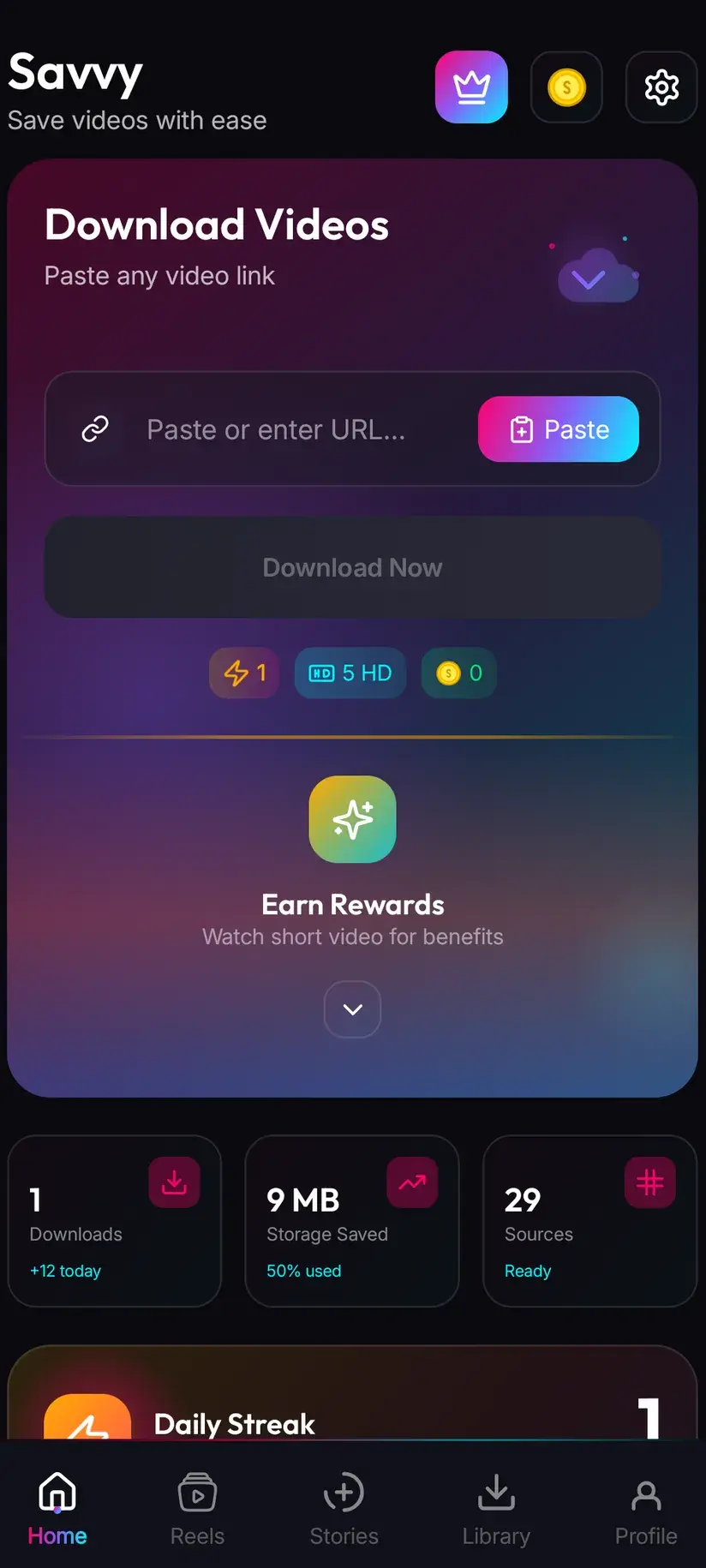
Send the link to Savvy from the source app's share sheet and the download starts on its own, or copy the link, tap the Paste button to fill the field and then tap Download yourself. Open the finished file from Library and check it full-screen — small previews hide a lot.
If the video is yours, go back to your export
Do not attempt to repair the downloaded copy. The version you uploaded is cleaner in every respect and has no mark on it at all. Check your editing app, your drafts and your camera roll first.
If it is somebody else's and the use is real, ask for the master
Message the creator, say what you want to use it for and where it will appear. Unbranded masters exist and creators share them more readily than people expect, particularly for a paid or credited use.
Resist cropping it
Cutting the mark out costs you part of the frame, costs you sharpness when you scale back up, and re-encodes the whole file. Against a mark that moves between corners it can take a quarter of the picture. Almost always the marked file at full quality is the better artefact.
Frequently asked questions
- What is a watermark on a video?
- A visible mark composited into the frames of the video itself — usually a platform logo, a creator's handle, or both. The important part is that it is drawn into the picture rather than attached to the file as a setting, so there is no layer to switch off and no clean version hiding underneath. There are also invisible forensic watermarks embedded in the signal for tracing leaked copies, which you cannot see and which are built to survive cropping and re-encoding.
- Does Savvy add a watermark to downloaded videos?
- No. Savvy never adds a watermark of its own, on any tier, free or paid — no badge, no overlay, no branding. What you get is what the source served. Whether that file carries a watermark is decided by the platform the video came from, before any downloader is involved.
- Can I download videos without a watermark?
- On TikTok, genuinely yes: a handful of TikTok-specific extraction providers can request the unstamped source rather than the badged export, and Savvy carries three of them. That is a TikTok-only behaviour and it does not generalise. On every other platform you receive the file exactly as it is served, so anything already burned into the picture comes with it. A creator's own overlay survives everywhere, because it was part of the video before the platform ever saw it.
- Why does a TikTok video have a username moving across it?
- Because the mark is doing marketing. A short video travels — saved, forwarded, reposted, screen-recorded — and a badge carrying the platform logo and the creator's handle keeps advertising both at every hop. It moves between corners on a loop specifically to make cropping it out awkward, since a static corner mark was simply being cut off by people passing the video off as their own.
- Is it illegal to remove a watermark from a video?
- It depends on what the mark is and what you do next, and it is a separate question from downloading. Removing a creator's attribution mark is not the same as removing a platform badge: rights-management information attached to a work has its own protection in several jurisdictions, on top of the copyright in the work itself. Doing it to your own video is nobody's business but yours. Doing it to somebody else's in order to republish the result is the case where both the technical outcome and the legal position are worst.
- Will downloading in higher quality remove the watermark?
- No. Resolution and watermarks are unrelated. The mark is part of the picture, so a 4K download gives you a sharper, larger view of the same watermark — and costs more coins for the privilege. If a clean copy is what you need, higher quality is not the lever; a source that never had the mark is.
- Why does an Instagram reel sometimes have a TikTok watermark?
- Because it was made in TikTok, exported with the badge burned in, and then re-posted to Instagram. From the moment of that export the mark is part of the picture, so Instagram received a video that already had it and had no way to remove it. This is why a cross-posted clip can arrive wearing a watermark from a platform it is not even on, and occasionally two of them.
- What is the difference between a watermark and a logo the creator added?
- By the time you have the file, nothing technically — both are pixels in the frame. The difference is where they came from and what they mean. A platform watermark is applied automatically on export and identifies the service. A creator overlay is a deliberate choice: a channel logo, a handle, an intro sting, a brand bumper. It is often the only attribution left on a video that has been reposted several times, which is why treating it as clutter to be removed is a different act from removing an app's badge.