How do I download the sound from a TikTok video?
Wanting the audio and not the picture is a different job from downloading a video, and it runs into two things people do not expect: audio is never free, and the sound you are after is usually not the poster's to give away.
- Guide
- How-to
- Read
- 14 min
- Language
- English
Steps checked against the Savvy Android app on
Devikon Research Team
A sound is not a video, and the app treats it as its own thing
On TikTok, a sound is a first-class object. It has its own page, its own name, and a count of how many videos have used it. That is the whole engine of the platform — one audio track gets reused across thousands of posts, and the sound becomes the thing people recognise rather than any particular video.
For a downloader, that structure matters less than it looks. There is no separate audio file sitting behind a sound page waiting to be fetched. What exists is a video post with an audio track inside it, and extracting a sound means pulling that track out of a post that uses it.
So the job is: point Savvy at a video that carries the sound, and pick the audio entry rather than one of the video entries when the quality list appears. You end up with an audio file — normally an MP3, sometimes an M4A depending on what the source served — containing that video's soundtrack.
That last detail is the one to hold on to, because it explains most of the disappointments further down this page. You are not extracting the studio master of a song. You are extracting the audio as it was encoded into a short vertical video.
- A sound — TikTok's reusable audio object, with its own page and its own usage count
- An audio download — the soundtrack lifted out of one specific post that uses that sound
- The two are related but not the same, and the difference shows up in what you can and cannot get
- If a post has original spoken audio rather than a music track, that is what you will get — the app does not separate voice from music
Where the MP3 option comes from
A TikTok link in Savvy is tried against a chain of extraction providers in ranked order, and TikTok has the deepest chain in the app — eight of them. The chain stops at the first provider that returns something usable, and the quality list you then see is built entirely from what that provider handed back.
Several of the eight return an audio track alongside the video options, so an audio entry turns up more often than not. One of the TikTok specialists is unusually explicit about it — it presents exactly three choices, an HD variant marked as having no watermark, an ordinary HD variant, and an MP3 of the audio.
But not every provider exposes audio. If the provider that answered your link returned only video formats, the list will show only video formats, and there is no hidden switch to make an audio entry appear. The fix is unglamorous and it works: wait a while and try the same link again. Provider ranking shifts with recent success rates, so a second attempt is often answered by a different service with a different set of options.
What you should not do is grab a video and hope to convert it later. It is extra work, it costs you a download you have already paid for, and the audio you end up with is no better than the audio that was inside the video to begin with.
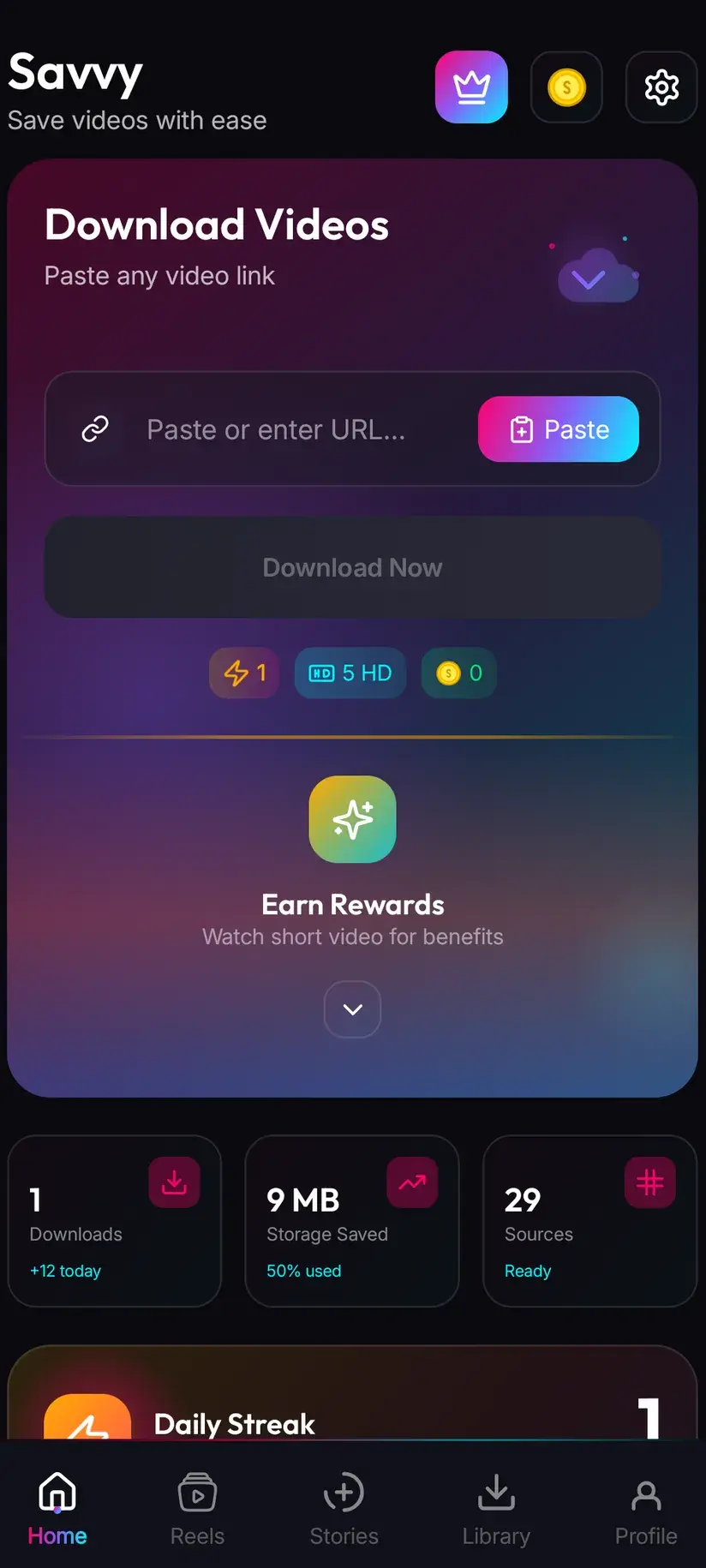
Saving audio and saving the video are separate downloads with separate costs — picking the MP3 does not also get you the clip. If you want both, that is two entries selected and two costs incurred. Worth deciding which you actually need before you tap.
Five coins, and why audio never lands in the free tier
This is the part that surprises people, so here it is without hedging. An audio download costs 5 coins. It is a flat price — the length of the clip makes no difference, and neither does the bitrate.
The free allowance does not cover it, and that is not an oversight. The free tier is defined by video resolution: standard definition up to 480p is free and comes out of a daily allowance rather than any balance. Audio has no resolution, so it never falls into that band. It is priced as its own resource type, at the same flat rate as an image.
An HD credit will not cover it either, for the same reason — HD credits are tied to the HD and Full HD video tiers specifically. Coins are the only route.
The good news is that coins are not only a purchase. Watching a short rewarded ad adds to your balance, and so does the daily check-in, both of which the Coin Shop lists next to the packs. Five coins is at the cheap end of the scale, so a couple of sounds a week is comfortably within what the free routes cover.
- Audio, any length — 5 coins, flat, not covered by the daily free allowance
- Images — also 5 coins, the same resource-type pricing
- SD video, up to 480p — free from the daily allowance
- HD and Full HD video — 10 coins, or one HD credit; 2K 15 coins; 4K 20 coins
- HD credits apply to the HD and Full HD video tiers only, never to audio
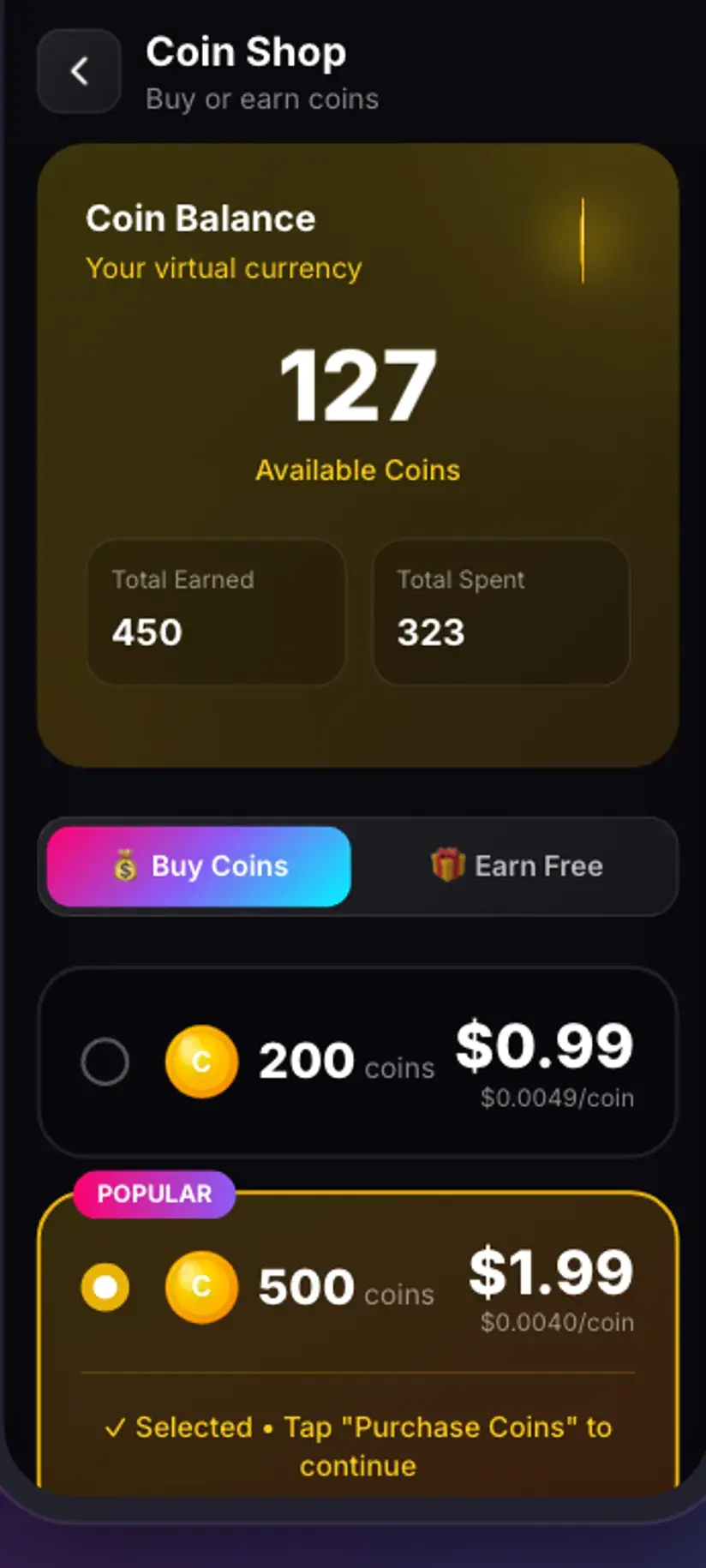
Coins are earned as well as bought — a short rewarded ad or a daily check-in both top up the balance. Premium removes the ads and lifts the download limits, which sidesteps the arithmetic entirely. The free tier is ad-supported through Unity Ads, which collects your device's advertising ID; that is set out in the Savvy privacy policy.
Copy the link from a video, not from the sound page
A TikTok sound page has an address like any other page, and pasting one into Savvy will not be rejected out of hand — the app recognises the link as a TikTok link because of its domain. What happens next is less certain.
A sound page is a listing, not a post. It is a wall of thumbnails from everyone who used that audio, and there is no single piece of media behind it for a provider to resolve. Extraction chains are built to read a page and find the media the player is using; point one at a listing and it usually comes back empty.
So the reliable move is to open a video that uses the sound and copy that video's link instead. Any video using it will do — if the sound is the same, the track you extract is the same. Where they differ is in how clean the audio is, which is the next section's problem.
Once you have the right link, the two ways of getting it into Savvy are the same as for any TikTok download, and one of them is much faster than the other:
- Share to Savvy — tap Share on the video, pick Savvy, and the link is handed over with the download starting on its own
- Copy link, then Paste — tap Share, choose Copy link, open Savvy, tap the Paste button to fill the field, then tap Download yourself
- Paste is an ordinary button: it reads the clipboard once and fills the field. Savvy does not watch your clipboard in the background and does not start anything on its own
- TikTok's shortened share links work exactly like full video URLs
What the audio you get actually sounds like
Set expectations here and you will not be annoyed later. Extraction cannot improve on what was in the file.
TikTok encodes audio for a short vertical video watched on a phone, usually through a phone speaker or cheap earbuds. It is compressed accordingly. Pulling that track out gives you exactly that compression — a clean copy of a lossy source, not a restored one. On a phone it sounds fine. On decent headphones or a speaker, the ceiling is audible.
The bigger variable is what else is in the track. TikTok mixes everything into one audio stream, so if the creator talked over the music, added a sound effect, or layered a second sound on top, all of that comes out together. There is no separation — no vocal removal, no isolating the music from the voiceover. If you want the track clean, find a post where the sound plays on its own.
And if the sound is a commercial song, the version circulating on TikTok is frequently sped up, slowed, pitch-shifted or cut to a fifteen-second hook, because that is what got it popular. What you extract is that edit, not the release version. Which brings us to the part most guides skip.
The part nobody mentions: someone owns that sound
A TikTok sound is very often a commercially released piece of music, and TikTok has licensing arrangements with rights holders that let it be used inside TikTok. Those arrangements cover TikTok. They do not travel with an MP3 you extracted onto your own device.
Worth being clear about what that does and does not mean. Pulling a sound out to listen to it, to work out what a song is, or to keep a clip of audio you want to find again is the sort of personal use nobody is coming after. It is also not something a licence was ever granted for, which is a different statement from saying it is fine.
Where it stops being ambiguous is downstream. Putting an extracted commercial track into your own video, over a business's content, into a podcast, or anywhere ads run against it — that is a use a licence is genuinely required for, and "it was on TikTok" is not one. Platforms detect this automatically and at scale; the usual outcome is a muted upload or a takedown rather than anything dramatic, but it is still the outcome.
The cleaner cases are worth naming too. A sound you made yourself is straightforwardly yours to keep a copy of. Original spoken audio from your own posts, an effect you produced, a track you hold the rights to — all uncomplicated. So is audio published under a licence that permits reuse, as long as you honour the attribution it asks for.
Downloading is not the same as acquiring a licence, and audio is the format where that gap causes the most trouble, because a track is so easy to drop into something else. Is downloading videos legal? sets out where the line generally sits — read it once if you plan to use extracted audio for anything beyond listening.
Where the file lands, and finding it again
Finished downloads go to your device's Downloads folder, into a Savvy directory, sorted into a subfolder per platform — so TikTok audio lands in Downloads / Savvy / TikTok alongside any videos you have saved from there. It is an ordinary audio file at that point: your music player will find it, and it can be shared onward like anything else.
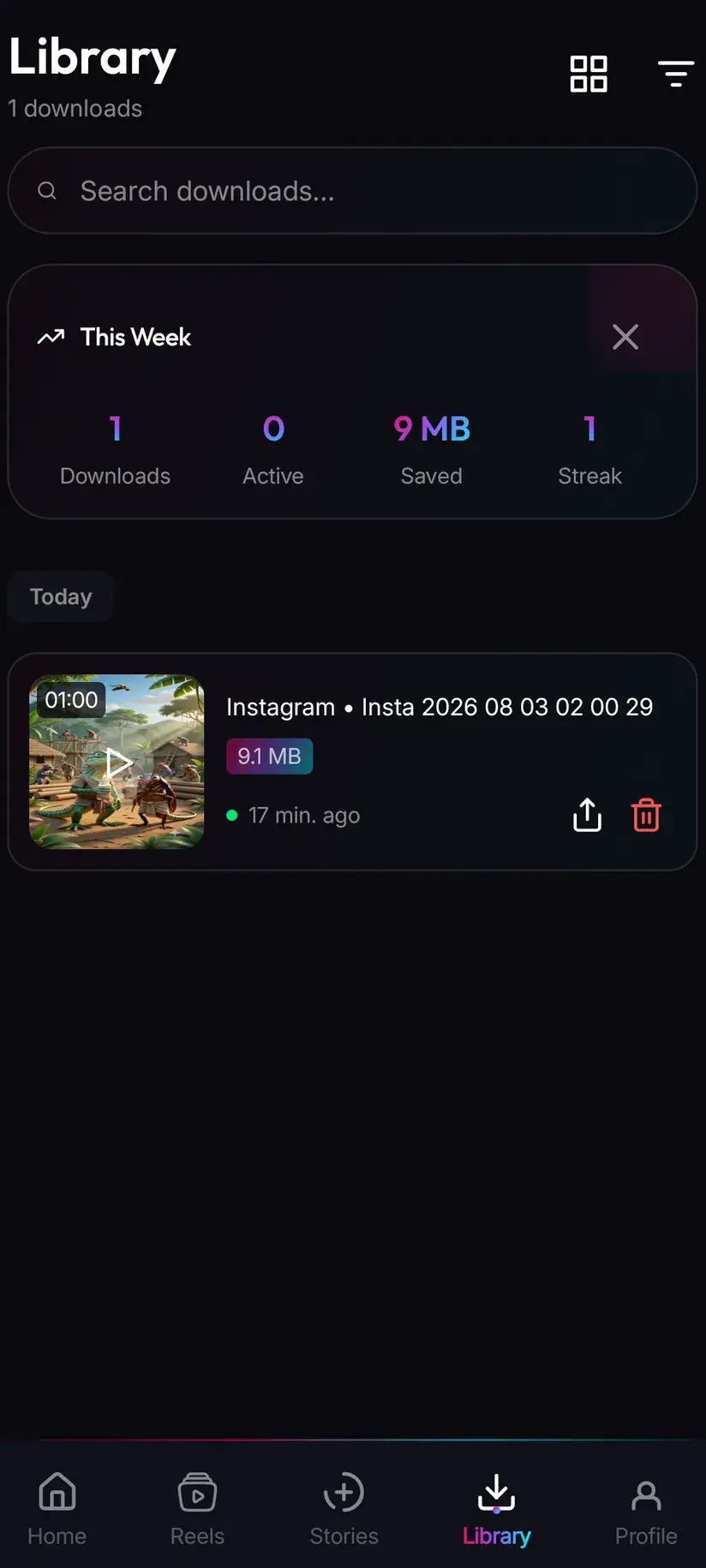
Because audio and video share a platform folder, the app's own Library is the faster way to pick audio out. It lists everything you have saved with search and filters, including filtering by file type, so you can look at just the audio without wading past clips. The Storage screen sits next to it and shows what each file is using, with bulk clearing — audio files are small, so this matters less here than for video, but it is the same screen.
One habit worth forming: rename anything you intend to keep. Extracted audio arrives named after the post it came from, which is rarely the name of the sound, and a folder of those is unsearchable within a month.
Procedure
How to download a TikTok sound as an MP3
A minute at most. No TikTok account is needed for a public video, and no Savvy account is needed at all — but audio costs 5 coins, so have a balance first.
Install Savvy and allow storage access
Install Savvy from Google Play and open it, granting the storage permission when it is asked for. That is what lets a finished file be written somewhere your music player can see it, rather than staying inside the app.
Make sure you have at least 5 coins
Audio is 5 coins flat and is not covered by the free daily allowance. Open the Coin Shop and either watch a short rewarded ad, take the daily check-in, or buy a pack. Premium removes the limits altogether if you download often.
Open a video that uses the sound
Go to a post that carries the audio you want rather than to the sound's own page — a listing page has no single piece of media behind it for the app to resolve. If the sound plays on its own in that post, without a voiceover on top, the extraction will be cleaner.
Share it to Savvy, or copy the link
Tap Share on the video and pick Savvy — the link is handed over and the download starts on its own. If Savvy is not in the share sheet, choose Copy link, open Savvy, tap the Paste button to fill the field, then tap Download yourself.
Pick the audio entry, not a video one
When the quality list appears, choose the audio or MP3 entry. It is priced at 5 coins whatever the clip's length. If no audio entry is listed, the provider that resolved your link returned video formats only — wait a while and try the same link again, since a different provider may answer.
Let it finish, then rename it in Library
The file lands in Downloads/Savvy/TikTok and appears under Library inside the app, where you can filter by file type to see audio on its own. Rename anything you mean to keep, because extracted audio is named after the post rather than the sound.
Frequently asked questions
- How do I download just the audio from a TikTok?
- Send the link of a video that uses the sound to Savvy — tap Share on the post and pick Savvy, which hands the link over and starts the download on its own, or use Copy link and then the Paste button inside the app. When the format list appears, pick the audio or MP3 entry rather than one of the video entries. You get the soundtrack of that post as an audio file, normally an MP3 and sometimes an M4A depending on what the source served.
- How much does a TikTok MP3 download cost?
- 5 coins, flat, regardless of how long the clip is. Audio is priced as its own resource type, the same rate as an image, and it is not covered by the free daily allowance — that allowance is defined by video resolution, and only standard definition video up to 480p falls inside it. An HD credit will not pay for audio either, since credits apply to the HD and Full HD video tiers specifically. Coins can be earned free by watching a short rewarded ad or checking in daily, or bought in packs.
- Why is there no MP3 option in the list?
- Because of which provider answered. A TikTok link is tried against eight extraction providers in ranked order and the chain stops at the first success, so the format list is built entirely from what that one provider returned. Several of the eight expose an audio track and some do not. If you only see video formats, wait a while and try the same link again — provider ranking shifts with recent success rates, so a second attempt is often handled by a different service that does offer audio.
- Can I download a sound from its TikTok sound page?
- The link will be accepted as a TikTok link, but it usually will not resolve to anything. A sound page is a listing of every video that used the audio, not a post, so there is no single piece of media behind it for an extraction provider to find. Open one of the videos using that sound and copy its link instead. Any post carrying the sound gives you the same track, though a post where the audio plays without a voiceover over it will give you a cleaner one.
- What quality is the extracted audio?
- Whatever TikTok encoded into the video, and no better. TikTok compresses audio for short vertical clips watched on a phone, and extraction gives you a faithful copy of that compressed track rather than a restored one. On a phone it is perfectly fine; through good headphones the ceiling is audible. Everything is also mixed into one stream, so a voiceover, a sound effect or a second layered sound comes out together with the music. There is no separation and no vocal removal.
- Is it legal to download a TikTok sound?
- A sound is very often a commercially released track that TikTok is licensed to host, and that licence covers use inside TikTok rather than a copy on your device. Pulling one out to listen to it is the kind of personal use nobody pursues, but it is not the same as being licensed. Using an extracted commercial track in your own video, in a podcast, or anywhere ads run against it does need a licence, and automated systems catch that routinely. Audio you made yourself, or audio published under a licence permitting reuse, is uncomplicated.
- Can I get the full song rather than the fifteen-second version?
- Not from TikTok, no. What you extract is the audio as it exists in that post, and TikTok sounds are frequently cut to a hook and often sped up, slowed or pitch-shifted, because that edit is what made the sound popular in the first place. There is no full-length original sitting behind the clip to request. If you want the release version of a song, buy or stream it from a music service — that is also the version that will actually sound good.
- Where does the downloaded audio save on my phone?
- In your device's Downloads folder, inside a Savvy directory sorted by platform, so TikTok audio lands in Downloads/Savvy/TikTok next to any videos saved from there. Your music player will pick it up like any other audio file. Inside Savvy, the Library screen lists everything with search and filters, including filtering by file type so you can see audio on its own, and the Storage screen shows what each file is taking up.