How do I download a SoundCloud track as MP3?
SoundCloud is the one platform in this cluster where the best answer is a button the artist put there themselves — and knowing when it is present changes what you should do next.
- Guide
- How-to
- Read
- 12 min
- Language
- English
Steps checked against the Savvy Android app on
Devikon Research Team
Where a downloader is a reasonable tool
With all of that said, there is a legitimate set of cases, and they are the ones this app is for.
Your own uploads. Recovering a track you posted yourself, from a phone that no longer has the original on it, is the least controversial thing on this list.
Work you have rights to. A mix a client commissioned, a collaborator's stem, a track your label released, a podcast episode you appear in.
Creative Commons material, on whatever terms the licence sets out.
Content published to be redistributed — DJ mixes uploaded for exactly that reason, promotional edits, podcast feeds, sermon and lecture recordings, radio archives.
In each case the point is that permission already exists. Savvy is a way of getting a file onto a device, not a way of acquiring a right you did not have. The distinction sounds pedantic until it matters, at which point it is the only thing that matters.
- Your own tracks — the simplest case there is
- Material you have permission for — commissioned, licensed or collaborative work
- Creative Commons tracks — on the terms the licence actually states
- Mixes, podcasts and talks published to be shared — where redistribution is the point
Which SoundCloud links point at one track
A downloader needs a single piece of media to fetch, so link shape matters more here than on video platforms — SoundCloud's addresses are unusually easy to confuse.
A track lives at soundcloud.com/artistname/track-name. Two segments after the domain, and that is the shape you want.
A set — SoundCloud's word for a playlist — lives at soundcloud.com/artistname/sets/playlist-name. That is not one piece of media; it is a container holding many. There is no single file behind it, so it will not resolve as one.
An artist page is just soundcloud.com/artistname, with nothing after it. Same problem, in a more obvious way.
Short links from the share sheet look like on.soundcloud.com/ followed by a short code. Those are recognised and expand to whatever they point at, which is usually a track.
Savvy reads the SoundCloud domains including the mobile and short-link forms. As always, recognising a domain and resolving a specific piece of media are separate steps — the app can tell an address is SoundCloud before it knows whether one track sits behind it.
- soundcloud.com/artist/track-name — one track, the shape that works
- soundcloud.com/artist/sets/name — a playlist, a container rather than a file
- soundcloud.com/artist — the artist page, nothing to fetch
- on.soundcloud.com/… — a share short link, fine, it expands
- Private and unlisted tracks are not publicly addressable; a private share link was entrusted to you personally, and what you do with it is the artist's call rather than a technical question
What audio costs, and why it is never free
Worth being blunt about, because the answer differs from every other guide in this cluster.
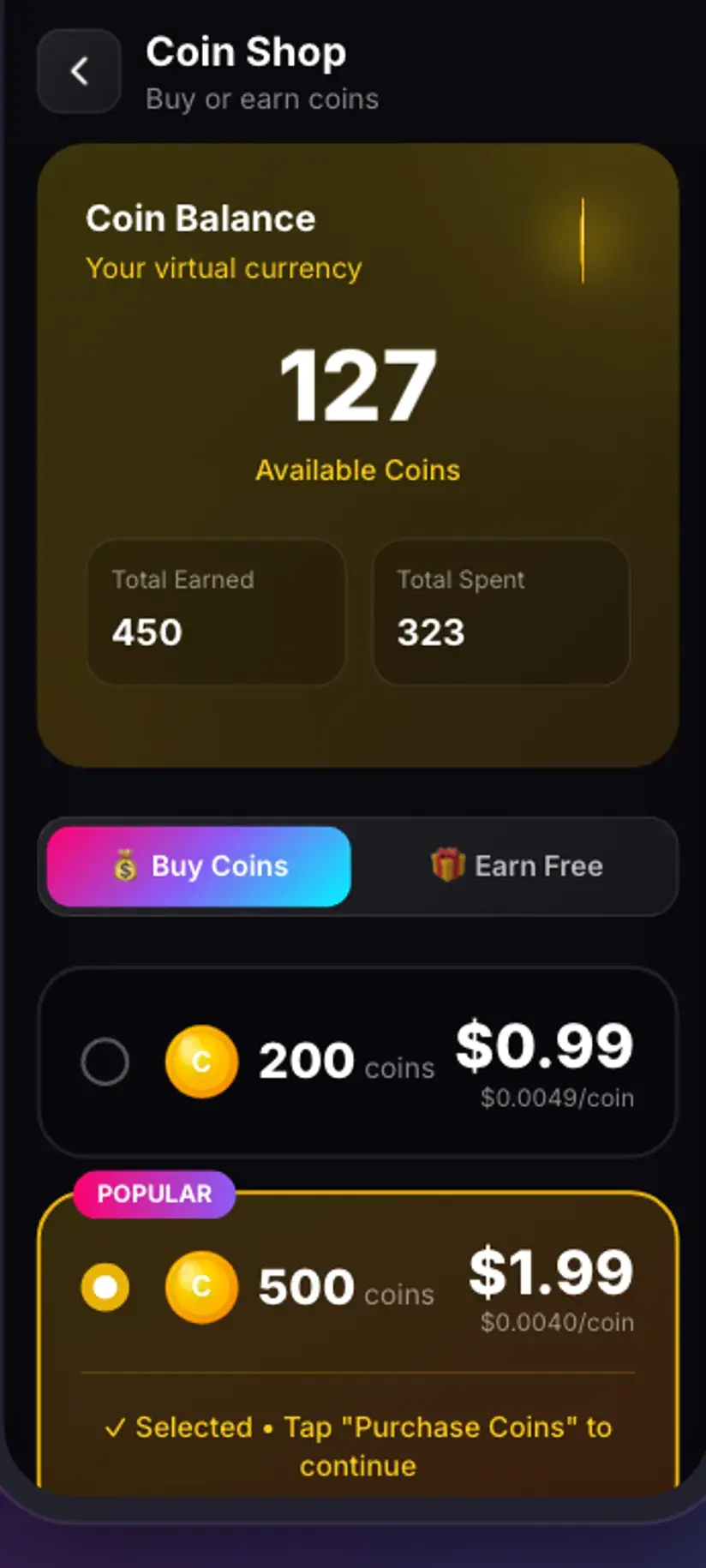
Audio costs 5 coins per download. There is no free tier for it. Savvy's free allowance covers standard-definition video up to 480p, and that free path is resolved from video resolution — audio has no resolution, so it never reaches it. An audio file is 5 coins whether it is a two-minute single or a two-hour mix, since the price comes from the media type rather than the length.
Coins are Savvy's in-app currency and they are earned as well as bought. A short rewarded ad adds to the balance, so does checking in daily, and the Coin Shop lists those routes next to the packs. Premium is the other way out: it removes ads and lifts the download limits, so the arithmetic stops applying.
For completeness, the rest of the ladder — because a SoundCloud link occasionally resolves to something other than audio:
- Audio — 5 coins, always; there is no free audio tier
- Images — 5 coins
- SD video, up to 480p — free, from the daily allowance
- HD and Full HD video — 10 coins, or one HD credit
- 2K video — 15 coins, 4K video — 20 coins
The free tier is ad-supported through Unity Ads, which collects your device's advertising ID. That is set out in the Savvy privacy policy, and it is the reason a rewarded ad can pay for a download in the first place.
What format you actually get, and why bitrate is the ceiling
People search for MP3 and mean audio file, which is close enough for most purposes but hides something worth knowing.
What you get is whatever the source served. MP3 is the common outcome, and it is what most people end up with. But audio also arrives as M4A, OGG, Opus and occasionally other formats depending on what the streaming side handed over, and Savvy names the file after what actually came back rather than converting it into something else. Any modern player handles all of them; if you specifically need MP3 for an old device or a piece of software that insists on it, convert afterwards and check what you started with first.
The bitrate is set upstream and cannot be improved. A streaming service encodes audio for playback over a network, not for archiving, and the file you fetch inherits that encoding. Re-encoding it to a bigger file does not restore anything — you get a larger file containing the same information, which is a common and expensive misunderstanding.
This loops back to where the page started. The artist's own Download file button hands over the original master, which is a genuinely different and better file. When it is available it wins on sound quality as clearly as it wins on principle.
A SoundCloud link is tried against two extraction providers in priority order, with the second attempted automatically if the first comes back empty. You see one spinner rather than two tries — which also means a failure has been through the whole chain already, so retrying straight away rarely helps. Waiting and retrying the same link later often does.
Where the file ends up
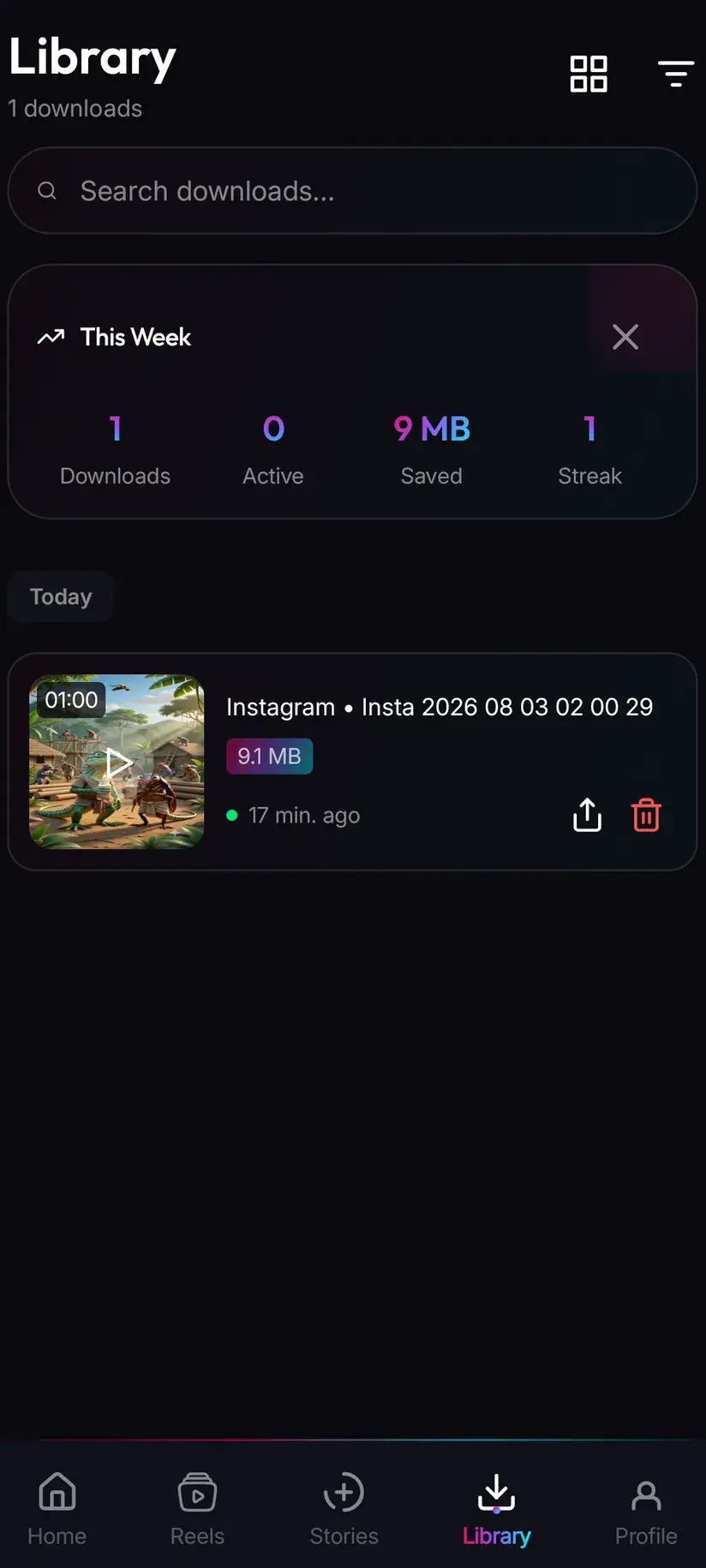
Finished downloads land in your device's Downloads folder, in a Savvy directory sorted by platform — so a SoundCloud track goes to Downloads / Savvy / SoundCloud. It is an ordinary audio file from that point: it appears in your music app, plays anywhere, and shares onward like anything else.
Inside the app, Library is the quicker way back, with search and filters so a track saved a month ago does not need hunting for. Storage is its companion, showing what each file is costing in space and letting you clear several at once — which matters sooner than you would think if you save long mixes.
The files themselves stay on your device. Savvy keeps your coin balance and subscription state on its own servers, since those have to survive a reinstall, but what you have downloaded is yours and stays where it was written.
Procedure
How to save a SoundCloud track as audio
Start with the artist's own button — if it is there, the rest of this is unnecessary. These steps cover the cases where you have permission but no download switch, such as your own uploads or a Creative Commons release.
Check for the artist's Download file option
Open the track on SoundCloud and open its More menu. If Download file is listed, use it — you will need to be signed in, and what you get is the artist's original upload rather than a re-encode. If it is not listed, the artist has chosen not to offer one.
Satisfy yourself you have the right to the file
Your own upload, a Creative Commons licence stated on the track, a mix published to be shared, or explicit permission. If none of those apply, the absent download button is the answer rather than the problem.
Install Savvy and allow storage access
Install Savvy from Google Play and open it. Grant the storage permission when asked — that is what lets a finished download be written somewhere your music app can see rather than staying inside Savvy.
Copy the track link, not the artist or playlist link
Use SoundCloud's share control on the track itself. The address you want has two segments after the domain, like soundcloud.com/artist/track-name. Anything containing /sets/ is a playlist and holds many files rather than one.
Share it to Savvy, or paste it
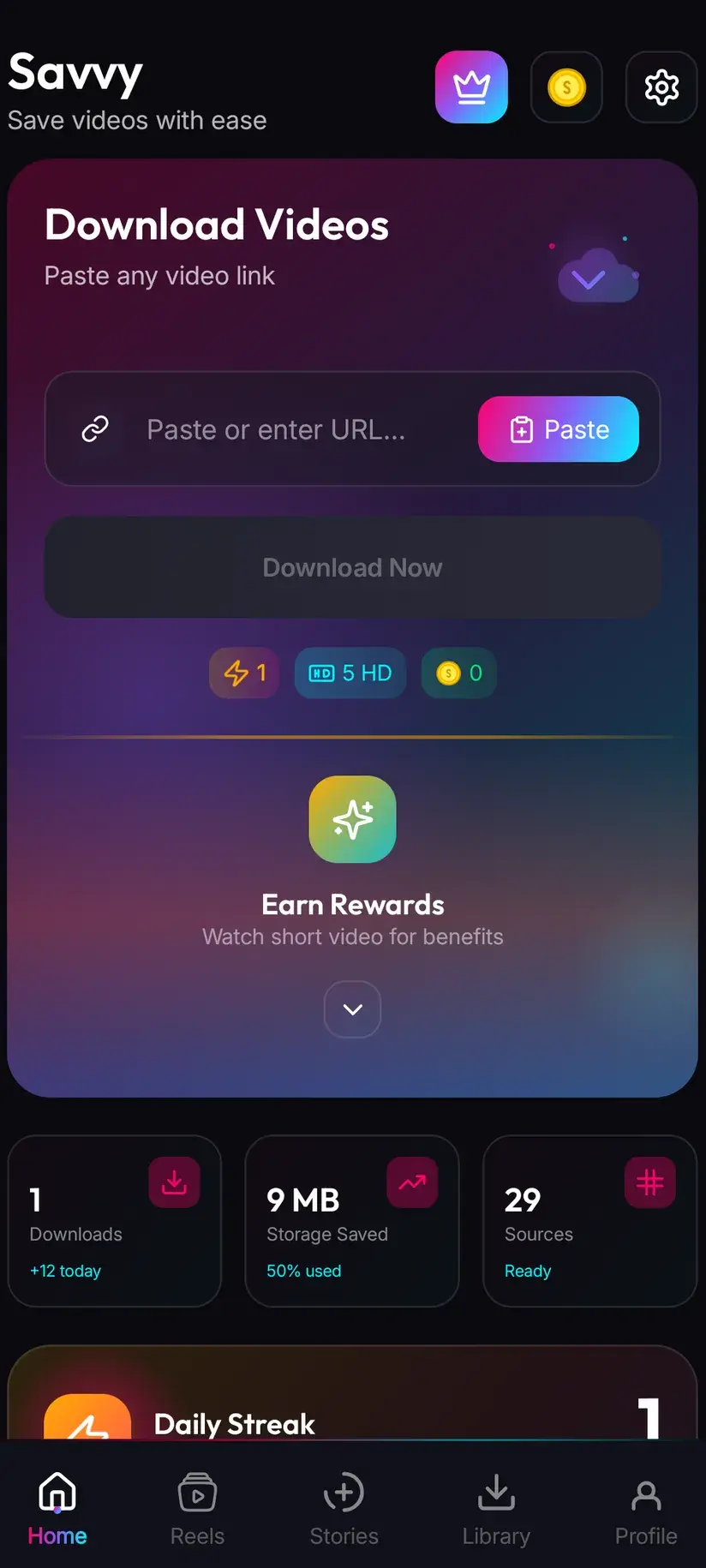
Picking Savvy from the system share sheet hands the link over and starts the download on its own. If you copied instead, open Savvy, tap the Paste button to fill the link field, then tap Download — Paste only fills the field and starts nothing by itself.
Confirm the 5-coin cost and let it finish
Audio costs 5 coins; there is no free audio tier. Top up with a rewarded ad or a daily check-in if the balance is short. When the download completes the file is in Downloads/Savvy/SoundCloud and listed under Library inside the app.
Frequently asked questions
- How do I download a song from SoundCloud as MP3?
- Check the track's More menu for Download file first. SoundCloud lets artists enable a download per track, and where they have, that button gives you the original upload — usually a better file than anything else you could obtain, and one the artist agreed to hand over. You need a SoundCloud account to use it. Where it is absent, the artist has switched it off deliberately, and the honest options are asking them, buying the track, or using SoundCloud's own offline listening.
- Why is there no download button on some SoundCloud tracks?
- Because downloads are a per-track setting the uploading artist controls, and they left it off. It is a decision rather than a fault, and it can differ between two tracks on the same artist's page. Worth checking the track description as well — artists often park a free-download or buy link there pointing at their own store, and plenty of mixes and podcast episodes are published specifically to be taken away.
- Is downloading from SoundCloud free?
- The artist's own Download file button costs nothing beyond having a SoundCloud account. Through Savvy, audio costs 5 coins per file and there is no free audio tier — the free allowance covers standard-definition video up to 480p and is resolved from video resolution, which audio does not have. The 5 coins are flat regardless of length, so a two-hour mix costs the same as a two-minute single. Coins are earned free through a rewarded ad or a daily check-in, or bought.
- Will I actually get an MP3?
- Usually, but not always. What lands is whatever the source served — MP3 most of the time, sometimes M4A, OGG or Opus. Savvy names the file after what actually came back rather than converting it. Any modern player handles all of them. If you specifically need MP3 for an old device or a fussy piece of software, convert afterwards, and check what you started with before you do.
- Can I download a whole SoundCloud playlist at once?
- Not from a single link. A set — SoundCloud's word for a playlist — lives at an address containing /sets/, and it is a container holding many tracks rather than one piece of media, so there is nothing single behind it to fetch. Individual track links are the working shape: soundcloud.com/artist/track-name, with two segments after the domain. Each track has to be handled on its own terms, including its own download permission.
- Can I download a private or unlisted SoundCloud track?
- No, and it is worth thinking about why you would want to. Private tracks are not publicly addressable, so there is no public page for anything to read. If someone sent you a private share link, it was entrusted to you personally — what happens to that file is the artist's call, not a technical question. Asking is both the workable route and the right one.
- Is it legal to download music from SoundCloud?
- It depends entirely on the track and what you do next, and music is the most heavily enforced category of all of this. A recording typically carries several stacked rights — the composition, the recording, and anything sampled inside it — and downloading resolves none of them. Where the artist has enabled a download, or attached a Creative Commons licence, permission has been granted on stated terms. Where they have not, it has not. Our overview of whether downloading videos is legal covers the general shape of it.
- Where do downloaded SoundCloud files save on my phone?
- In your device's Downloads folder, under a Savvy directory sorted by platform, so SoundCloud audio lands in Downloads/Savvy/SoundCloud. From there it is an ordinary audio file: it appears in your music app and plays anywhere. Inside Savvy, Library lists everything you have saved with search and filters, and Storage shows what each file takes up so you can clear several at once.