How do I download a video from Threads?
Threads gives a post a plain public address, which makes saving one of its videos straightforward — right up until the account is private, and then nothing gets through at all.
- Guide
- How-to
- Read
- 12 min
- Language
- English
Steps checked against the Savvy Android app on
Devikon Research Team
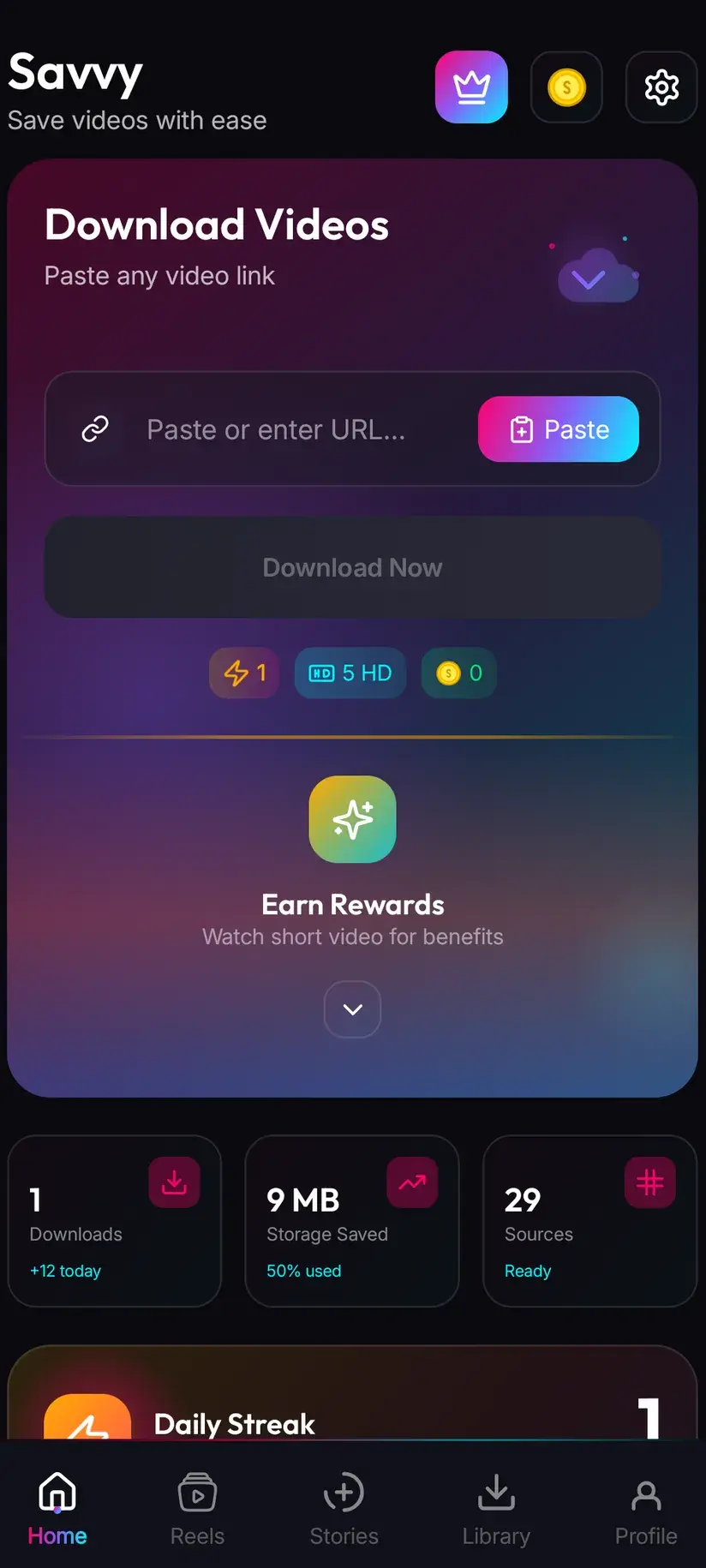
Getting the post's link into Savvy
Two routes in. One is a single tap and the other is four.
On the post, tap the share control and pick Savvy from the apps offered. The link is handed straight over and the download starts by itself — you never see the home screen and you type nothing.
Otherwise, choose Copy link, open Savvy, tap the Paste button beside the link field, then tap Download. That third step is worth being exact about, because a great many downloaders imply something they do not do: Savvy does not read your clipboard in the background, and opening it starts nothing. Paste is an ordinary button — it reads the clipboard once, checks the link is one the app recognises, and fills the field. The download waits for you to ask for it.
What you want is the post's own address — the one containing the poster's handle and the post code. A bare profile link points at a feed rather than a piece of media, and will be turned away.
- Share to Savvy — filled and started for you, nothing to tap
- Copy link, then Paste — Paste fills the field, you tap Download
- A profile link is refused: there is no single video behind a feed
- A link pasted from a message, a note or a browser address bar works exactly like one copied in the app
Threads is tied to Instagram, but not in the way people assume
Threads profiles are built on Instagram accounts. You sign in with one, you carry the same handle, and the two feel like halves of the same thing. That similarity leads people to two conclusions, and both of them are wrong in useful ways.
The first: that a public Instagram account means a public Threads profile. The privacy settings are separate. Someone can post publicly on Instagram and keep their Threads profile private, or the reverse. So being able to see a person's reels tells you nothing about whether their Threads posts are reachable — the only thing that answers that is the post itself.
The second, and the more important one here: that signing in somewhere unlocks Threads content. It does not. Savvy has an in-app Instagram sign-in, and it exists for Instagram's own account-gated media — stories and highlights, which have no public permalink to read. That session is an Instagram thing. It does not extend to Threads, and nothing in the app reaches a private Threads profile by any route.
The upshot is simple. A public Threads post needs nothing from you — no Instagram account, no sign-in inside Savvy, no permissions beyond storage. A post from a private profile is not reachable at all, and that is Threads' decision rather than the app's.
- Public Threads post — no account and no sign-in of any kind required
- Private Threads profile — not reachable, and no in-app login changes that
- Instagram privacy and Threads privacy are set separately — one tells you nothing about the other
- Savvy's Instagram sign-in covers Instagram stories and highlights only; it has no bearing on Threads
If the content is your own, the same advice applies as everywhere else: the post is the worst copy of your video that exists. Whatever you uploaded from will always beat re-extracting the platform's re-encode of it.
Why a Threads link sometimes has fewer chances than others
Most platform guides here talk about a link falling through a chain of extraction providers until one reads the page. Threads has a shorter chain than most — three providers, tried in priority order, each attempted automatically without you doing anything. That is fewer attempts than Pinterest or Reddit get, and it means a Threads link is a little likelier to come back empty on a bad day.
There is a second wrinkle, and it explains a class of failure that otherwise looks random. Threads has not always lived at one web address, and Savvy recognises the threads.net form of a link by name. A link on an address the app does not recognise as Threads is not rejected — it is attempted through the general link path instead, which is served by a single extractor with nothing behind it. One attempt rather than three.
So if a Threads link fails, the cheapest thing to try before anything else is the threads.net form of the same address. It is the same post; it just arrives through the door the app knows.
Either way the file ends up in the right place. When the extraction succeeds it reports which platform the media actually came from, so a Threads video is filed as a Threads video regardless of which route found it.
Retrying a failed link immediately is the one response that will not help — the whole chain has already been tried, so a second tap runs the same empty sequence. Waiting and coming back later genuinely does work, because Threads reshapes its pages and the providers behind Savvy change too.
Posts that are not one video
Threads is a text-first platform with media bolted on, so a fair number of links people paste do not point at a video at all. Knowing which is which saves a lot of confusion.
A text post has nothing to fetch, and no app will make one appear. A post with several images may come back as a set you choose from, or as a single item, depending on which extractor read the page — that inconsistency is real and there is no setting for it. A post with one video is the straightforward case and gives you a quality picker.
Quoted and reposted content is the one that trips people. When a post quotes or reshares another, the media belongs to the original post rather than to the wrapper you are looking at. If a quoted post refuses, open the post being quoted and copy that link instead — same video, one step closer to where it actually lives.
And the obvious-in-hindsight case: a post whose video is a link out to another platform is not a Threads video at all. What you would be saving is that other platform's file, under that platform's rules.
- Single video post — resolves normally, quality picker appears
- Multi-image post — may return several items or just one, depending on the provider that read it
- Text-only post — nothing to download, and that is not a failure
- Quoted or reposted — use the original post's link, not the wrapper's
What quality you get, and what it costs
After the link resolves, Savvy lists the qualities that post genuinely exists in and lets you pick. Standard definition, up to 480p, is free — it comes from a daily allowance rather than any balance, so ordinary saving costs nothing.
The usual caveat carries more weight on a phone-first platform. Threads video is re-encoded on upload, as every platform's is, and downloading cannot add detail that was never there. If the picker's top entry is 720p, that is the ceiling for that post and no setting anywhere raises it — paying for a higher tier buys a larger file of the same picture. Look at what is listed before you spend.
Where a higher resolution genuinely exists, the tiers are:
- SD video, up to 480p — free, from the daily allowance
- HD and Full HD video — 10 coins, or one HD credit
- 2K video — 15 coins
- 4K video — 20 coins
- Images and audio — 5 coins
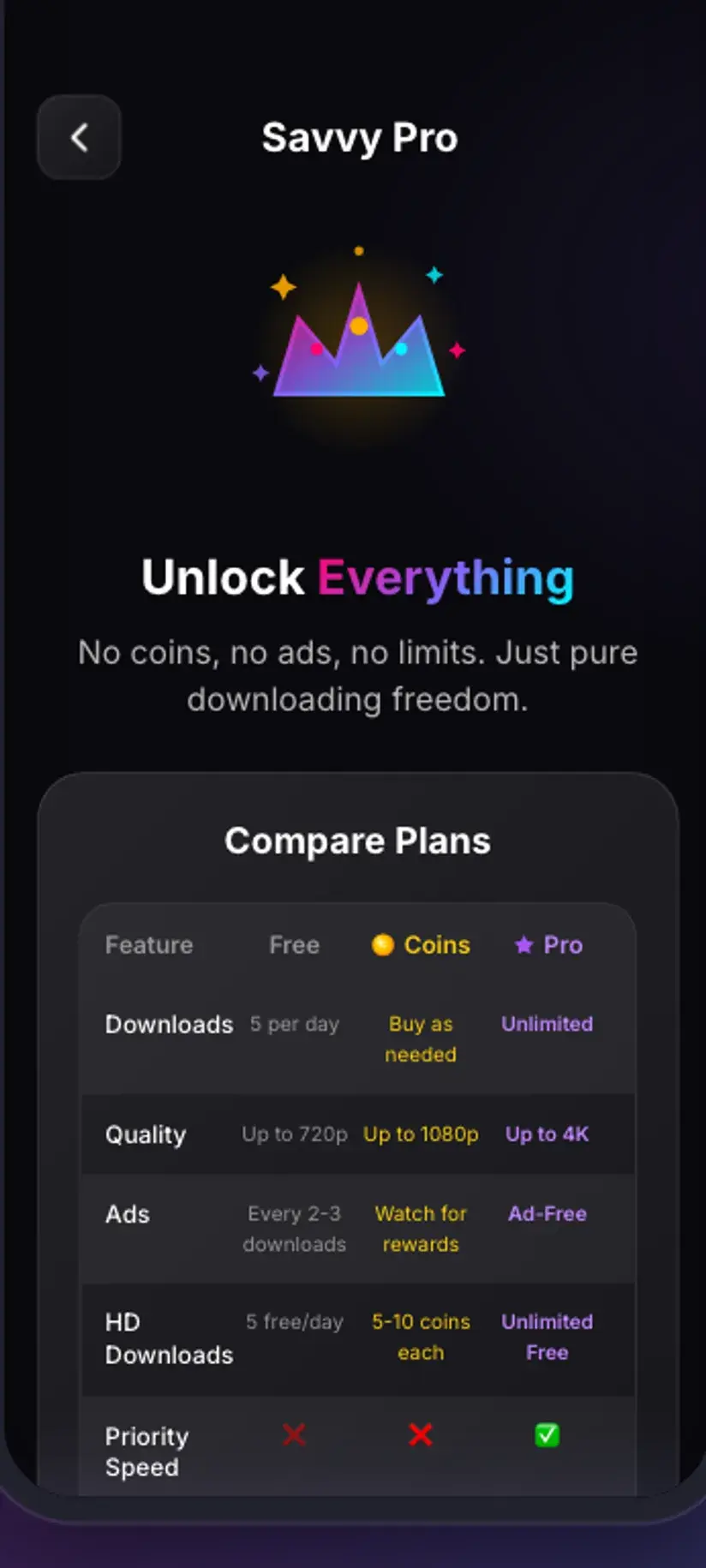
Coins are earned as well as bought — a short rewarded ad or a daily check-in both add to the balance, and the Coin Shop lists both routes beside the packs. Premium removes the ads and lifts the limits, retiring the arithmetic. The free tier is ad-supported through Unity Ads, which collects your device's advertising ID; the Savvy privacy policy sets that out.
Watermarks, and what you may do with what you save
Savvy adds no watermark of its own, and Threads does not stamp video the way some platforms brand their exports. What does travel with a saved file is anything already burned into the picture — a creator's handle, a brand logo, baked-in captions, or another platform's watermark on something cross-posted from elsewhere. Those are pixels in the frame. Removing one means cropping and re-encoding, which costs picture quality at the edges and is not something a download setting does.
Be sceptical, then, of any app promising a watermark-free Threads video. It can only mean the post had no watermark to begin with, or that the file has been cropped and re-encoded on your behalf.
As for what you may keep: saving your own posts, content you have permission to use, or a public clip you want to rewatch offline is ordinary and uncontroversial. Reposting someone else's video as your own, stripping their handle out of it, or using it commercially is a different act — and being able to download something says nothing about whether you may republish it.
Downloading and having rights to what you downloaded are separate questions. Personal offline viewing sits a long way from redistribution or monetisation. Is downloading videos legal? sets out where the line usually falls, and it is worth reading once.
Where the file lands, and finding it again
Finished downloads go to your device's Downloads folder, into a Savvy directory with a subfolder per platform — so a Threads video arrives at Downloads / Savvy / Threads. It is an ordinary MP4 from there: it shows in your gallery, plays in any video app, and shares onward like any other file.
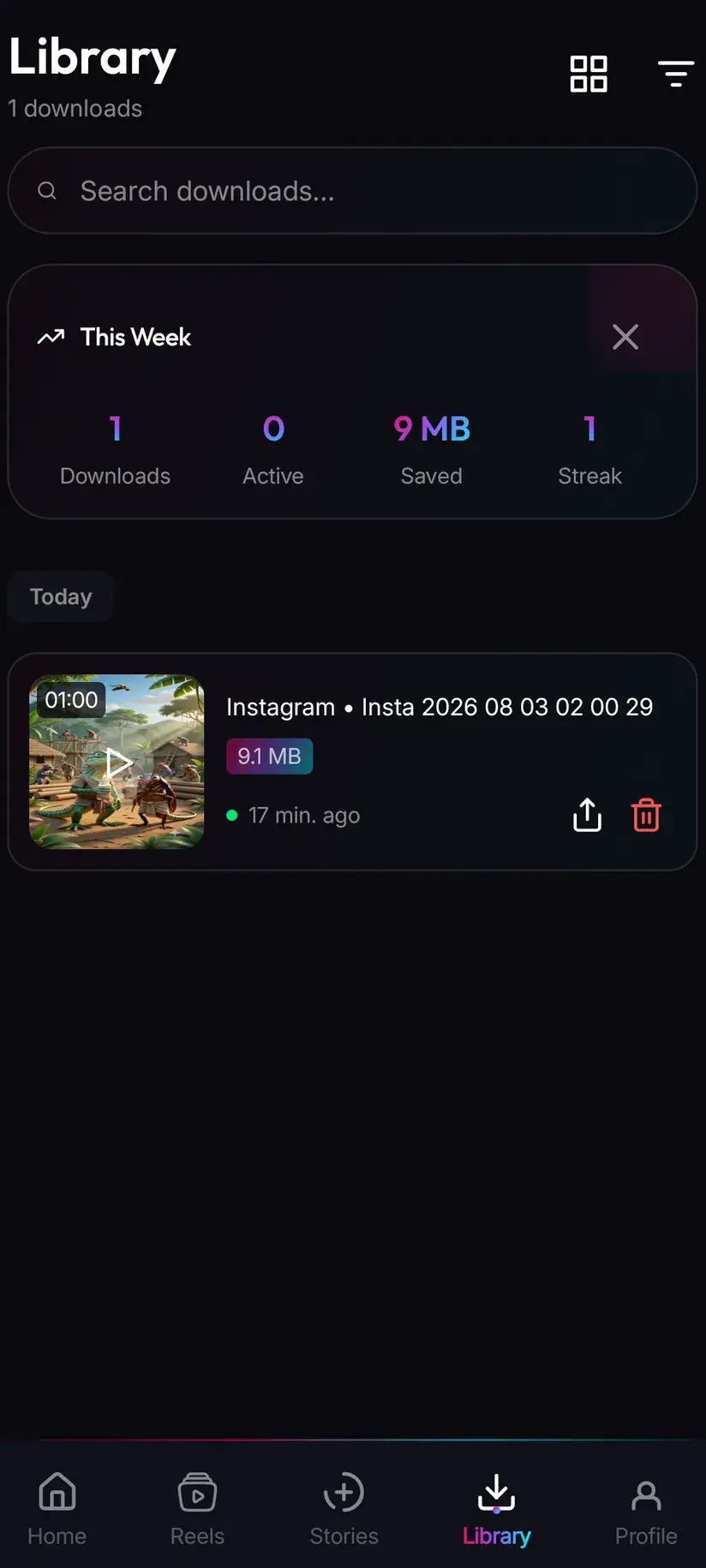
Inside the app, Library is the faster way back to it. Everything saved is listed with search and filters, which beats hunting through a gallery full of screenshots for one clip from three weeks ago. Storage is its companion — it shows what each download costs in space and clears several at once, which starts to matter sooner than people expect.
If you save a lot, it is worth knowing Savvy carries an in-app reels feed of its own: a curated feed inside the app rather than a view of any account you follow, where saving something is one tap with no link to resolve and no picker to read.
Procedure
How to download a Threads video
Under a minute. A public post needs no account of any kind — not a Threads one, not an Instagram one, and not a Savvy one.
Install Savvy and allow storage access
Install Savvy from Google Play and open it. Grant the storage permission when asked — it is what lets a finished download be written where your gallery can see it, rather than staying inside the app.
Open the post you want
Find the post in the Threads app or in a browser and play the video once. Confirm it is a video rather than an image or a text post, and that the profile is public — a private profile is not reachable from a link.
Send the link to Savvy
Tap the share control on the post and pick Savvy from the apps offered. The link is handed over and the download starts on its own. If Savvy is not listed, choose Copy link instead and continue below.
If you copied instead, tap Paste and then Download
Open Savvy, tap the Paste button beside the link field to fill it, then tap Download. Paste only fills the field and checks the link is recognised — it does not start anything by itself. Use the post's own address rather than a profile URL.
Choose a quality
Savvy lists the qualities that post genuinely exists in. SD up to 480p is free from your daily allowance; HD and above spend coins. Pick the highest option actually listed rather than assuming a better one is hiding behind it.
Let it finish, then check Library
Progress shows in the app. When it completes the file is at Downloads/Savvy/Threads on your device and listed under Library inside the app, where search and filters make it easy to find later.
Frequently asked questions
- How do I download a video from Threads?
- The quickest route is the post's share control: tap it and pick Savvy, and the link is handed over with the download starting by itself. If Savvy is not offered, choose Copy link, open Savvy, tap the Paste button to fill the link field, then tap Download and pick a quality. Paste only fills the field — it does not start the download. Use the post's own address rather than a profile link, which has no single video behind it.
- Do I need a Threads or Instagram account to download a Threads video?
- Not for a public post. If the post opens without you being signed in, Savvy can read the same page with no account of any kind — no Threads account, no Instagram account, and no Savvy account either. Sign-ins only enter the picture for Instagram's own account-gated media, such as stories, and that session has nothing to do with Threads.
- Can I download from a private Threads profile?
- No. A private profile's posts are private at Threads' end, and an extractor reads the same page your signed-out browser reads — it receives the same refusal. Savvy's in-app Instagram sign-in does not change this: it exists for Instagram stories and highlights, and it does not extend to Threads. No app reaches an account you cannot already see, whatever its listing claims.
- Someone's Instagram is public but their Threads posts will not download. Why?
- Because the two privacy settings are separate. A Threads profile is built on an Instagram account and shares its handle, but its visibility is its own setting — a person can post publicly on Instagram while keeping their Threads profile private, or the reverse. Being able to see their reels tells you nothing about whether their Threads posts are reachable.
- Why does a Threads link fail when the post is definitely public?
- Two common causes. Threads has not always lived at one web address, and Savvy recognises the threads.net form by name — a link on an address it does not recognise as Threads is attempted through the general link path instead, which has a single extractor behind it rather than three. Trying the threads.net form of the same address is the cheapest fix. Otherwise the page shape has changed: the chain has already been tried, so wait and retry later rather than tapping Download again.
- Is downloading Threads videos free?
- Standard definition up to 480p is free, drawn from a daily allowance rather than any balance, so everyday saving costs nothing. Above 480p you spend coins: 10 for HD or Full HD (or one HD credit), 15 for 2K, 20 for 4K, and 5 for an image or an audio-only file. Coins are earned free by watching a short rewarded ad or checking in daily, or bought in packs. Premium removes the ads and lifts the limits instead.
- Will the downloaded Threads video have a watermark?
- Savvy adds none, and Threads does not stamp video the way some platforms brand their exports. Anything already burned into the picture travels with the file, though — a creator's handle, a brand logo, baked-in captions, or another platform's watermark on cross-posted material. Those are pixels in the frame, so removing one means cropping and re-encoding, which costs picture quality. Treat promises of a watermark-free save with suspicion.
- Where do downloaded Threads videos save on my phone?
- In your device's Downloads folder, under a Savvy directory sorted by platform — so Threads video lands in Downloads/Savvy/Threads. It is an ordinary MP4: it appears in your gallery and plays in any video app. Inside Savvy, Library lists everything you have saved with search and filters, and Storage shows what each download takes up so you can clear several at once.