How do I download a video from Pinterest?
Pinterest hands out a link readily enough — the awkward part is that a video pin is not stored as one file, so saving it takes a step that other platforms do not need.
- Guide
- How-to
- Read
- 12 min
- Language
- English
Steps checked against the Savvy Android app on
Devikon Research Team
Getting the pin's link into Savvy
Two routes, and one is markedly quicker.
Open the pin, tap the share icon, and pick Savvy from the apps Pinterest offers. The link is handed straight over and the download starts on its own — you do not see the home screen and you type nothing.
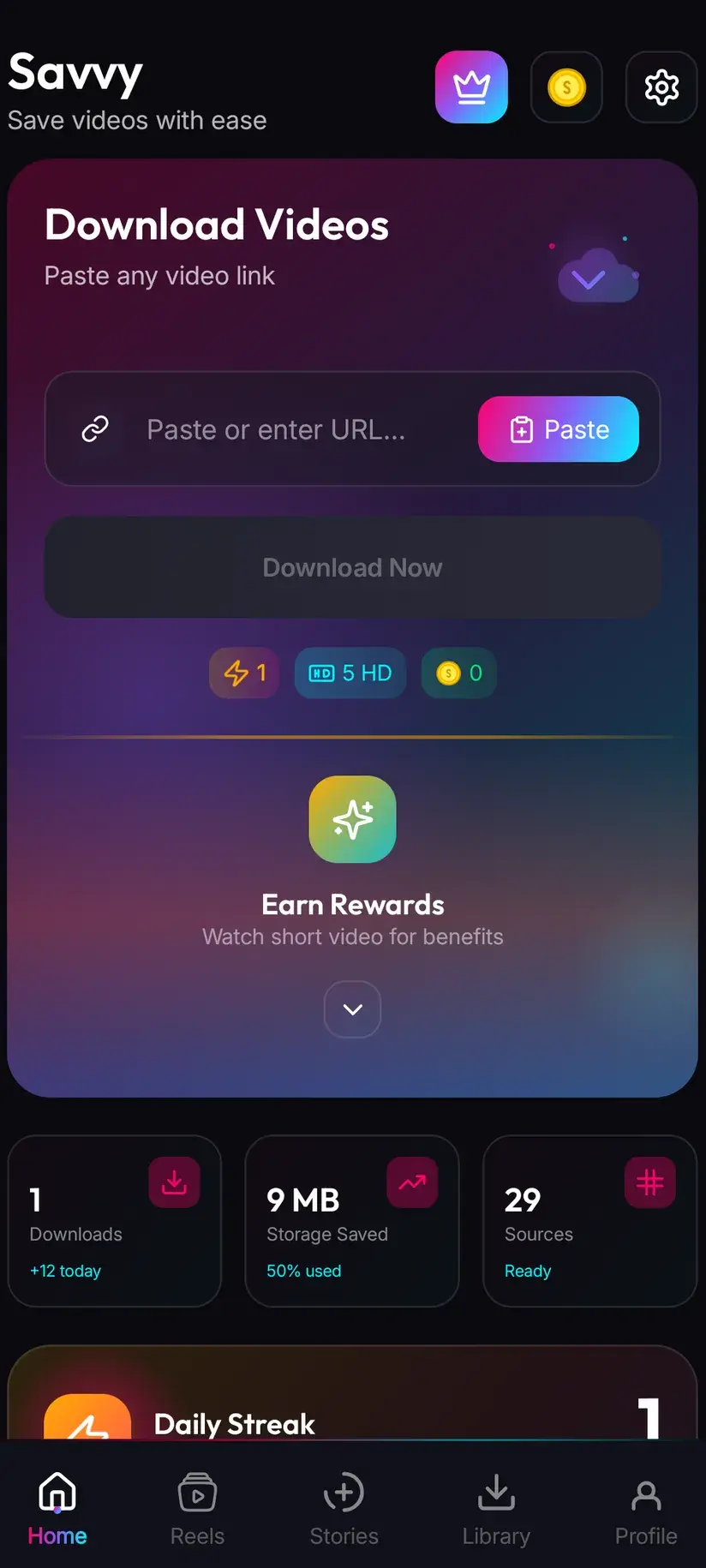
The alternative is copy-and-paste. Tap share, choose Copy link, open Savvy, tap the Paste button beside the link field, then tap Download. Be clear about that third step, because plenty of downloaders imply otherwise: Savvy does not read your clipboard in the background, and switching to it does not start anything. Paste is an ordinary button — it reads the clipboard once, checks the link is one the app recognises, and fills the field. The download waits for you.
Either way, what matters is which link you copied. Pinterest hands out several kinds and only one of them points at a video.
- Share to Savvy — link filled, download started, nothing to tap
- Copy link, then Paste — Paste fills the field; you tap Download yourself
- A pin.it short link works — the app recognises the shortener and follows it
- A board link, a profile link or a search URL will be refused: there is no single video behind any of them
Video pins and Idea Pins are not the same thing
This is the distinction that explains most Pinterest download complaints, and it is worth getting straight before you blame an app.
A standard video pin is what it looks like: one video, one permalink, one thing to fetch. Paste it and you get a quality picker. This is the ordinary case and it behaves like any other platform.
An Idea Pin is a different format wearing a similar frame. It is a *sequence* of pages — each page can be video, a still image or text, with stickers, captions and often a music track laid over the top rather than baked into a single video file. Pinterest presents it as one pin with one URL, but underneath there is no single file that corresponds to what you watched.
So an Idea Pin link can resolve in several ways, and none of them is a bug. It might return only the first page's video. It might return several separate items you choose between. It might return the cover image and nothing else. Or it might not resolve at all, and that is the format rather than the link.
The practical advice is unglamorous: try it, and read what comes back rather than assuming a failure. If a quality picker appears, you got a video. If a single image appears, that page had no video track to fetch. If nothing appears, the pin is one of the shapes no extractor can flatten into a file.
- Standard video pin — one video, resolves normally, quality picker appears
- Idea Pin — multi-page; may return one page, several items, an image, or nothing
- Overlaid music on an Idea Pin is frequently a separate layer, so it may simply not be in whatever you get back
- Pinterest has reworked this format and its labels more than once, so what an Idea Pin returns today is not a permanent guarantee
If an Idea Pin returns nothing useful and the content is your own, the reliable route is Pinterest itself — the original video you uploaded is still the original video, and re-exporting from wherever you made it will always beat re-extracting a composited pin.
Why a Pinterest download pauses before it starts
Paste an Instagram reel and the file starts arriving almost immediately. Paste a Pinterest video and there is usually a short wait after you choose a quality, before any progress appears. People read that as a slow app. It is not.
Pinterest serves video the way streaming players want it: adaptive streaming, where each quality is a separate ladder rung and the picture and sound are delivered as separate tracks. That is ideal for a player deciding second by second how much bandwidth it has. It is useless for saving, because there is no one file to point at — there are two streams and a manifest describing how to play them together.
So a Pinterest save has an extra stage. Once you pick a quality, the video track and the audio track are named as a pair and combined into a single playable file, and only then does the transfer begin. The pause you see is that assembly. It is normally a few seconds; on a long pin it can be longer.
Two things follow from this that are worth knowing. First, a Pinterest download is more sensitive to a flaky connection than a direct file fetch, because more has to complete before anything lands. Second, when it works, it works properly — the file you end up with has its sound, because the two tracks were joined deliberately rather than left to chance.
Reddit has the same split-stream design and it is why so many saved Reddit videos arrive silent. If that is your actual problem, downloading Reddit video with audio covers it directly.
What quality is on offer, and what it costs
After the link resolves, Savvy lists the qualities that pin genuinely exists in and lets you choose. Standard definition, up to 480p, is free — it comes from a daily allowance rather than from any balance, so ordinary saving costs nothing at all.
Above 480p you are spending coins:
- SD video, up to 480p — free, from the daily allowance
- HD and Full HD video — 10 coins, or one HD credit if you have one
- 2K video — 15 coins
- 4K video — 20 coins
- Images and audio — 5 coins
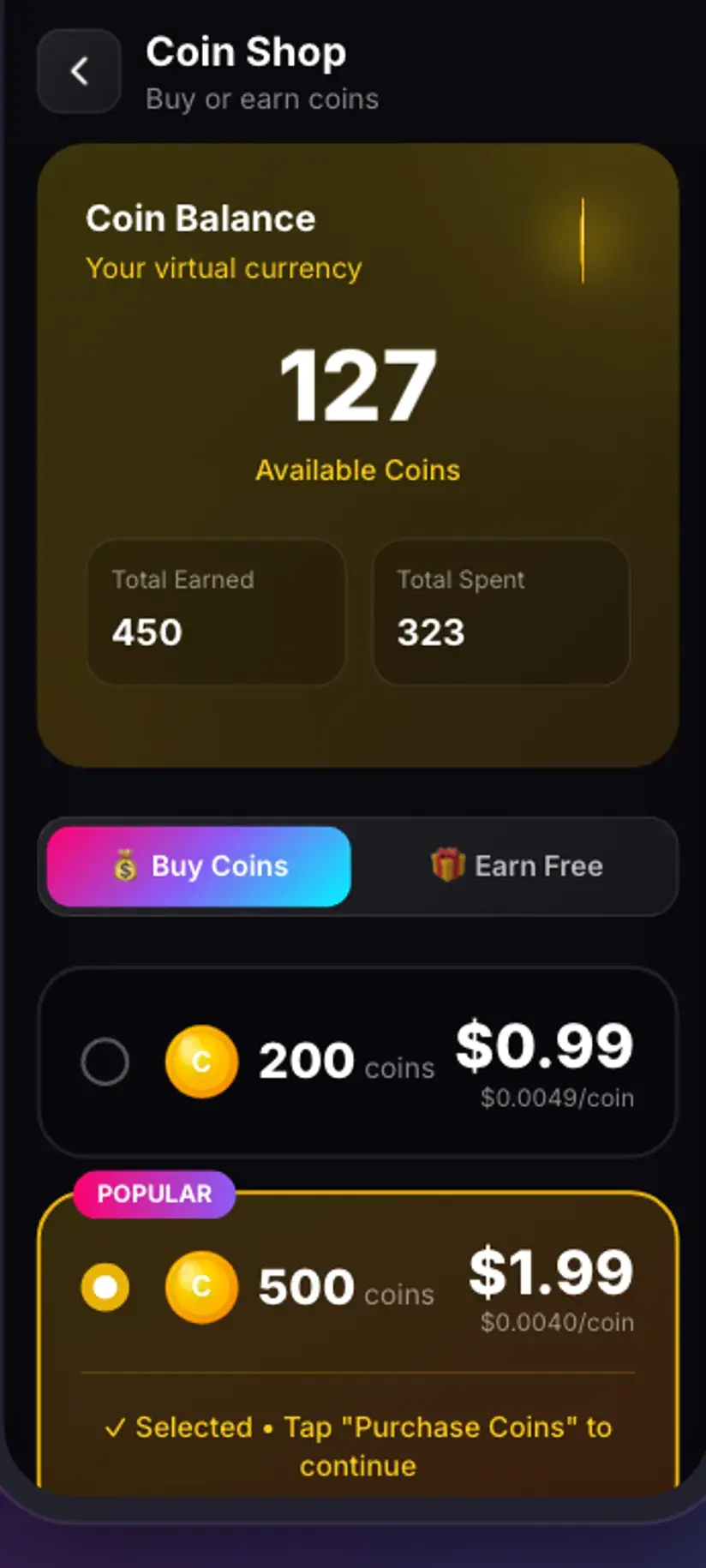
Coins are earned as well as bought — a short rewarded ad or a daily check-in both add to the balance, and the Coin Shop lists those routes beside the packs. Premium removes the ads and lifts the limits, which retires the arithmetic entirely. The free tier is ad-supported through Unity Ads, which collects your device's advertising ID; the Savvy privacy policy sets that out.
Do not expect Pinterest video to be high resolution
Pinterest is, for the most part, a place things are re-shared to rather than published on. A very large share of video pins started life somewhere else — exported from a phone, run through another platform's compression, then uploaded here and compressed again. Every one of those passes throws away detail permanently.
Downloading cannot restore what was never in the file. If the picker's top entry is 720p, that is the ceiling for that pin and no setting anywhere will raise it. Choosing a higher tier where one is offered gets you a larger file of the same picture, not a sharper one, so glance at what is actually listed before spending coins.
Where the paid tiers earn their keep is a pin that was genuinely published at that resolution — long-form recipe and craft video from accounts that upload properly, most often. On a phone screen the difference between that and SD is smaller than you would guess.
Watermarks, private boards, and what you may keep
Savvy adds no watermark of its own. Whether a saved pin carries one was decided long before a downloader saw it.
Pinterest does not stamp a visible mark onto video the way some platforms stamp exports. What it does do is faithfully carry whatever is already burned into the picture — and because so much Pinterest video is reposted, that is often another platform's watermark, a creator's handle, or a brand logo sitting in a corner. Those are pixels in the frame. Removing one means cropping and re-encoding, which costs picture quality; it is not something a download can do differently.
Access is the other boundary, and it is a hard one. A pin on a secret board, or anything that needs your account to be visible, is not reachable from a link. An extractor reads the same page your signed-out browser reads and receives the same refusal. No app changes that, whatever its listing claims.
Which leaves the question that actually matters: what are you entitled to keep. Saving your own pins, content you have permission to use, or a public video you want to watch offline is ordinary. Re-uploading someone's work as yours, or using it commercially, is a different matter — and a copyright one, not an app one.
Being able to download something is not the same as having the right to republish it. Personal offline viewing and reposting sit in very different places. Is downloading videos legal? sets out where the line usually falls.
Where the file lands, and finding it later
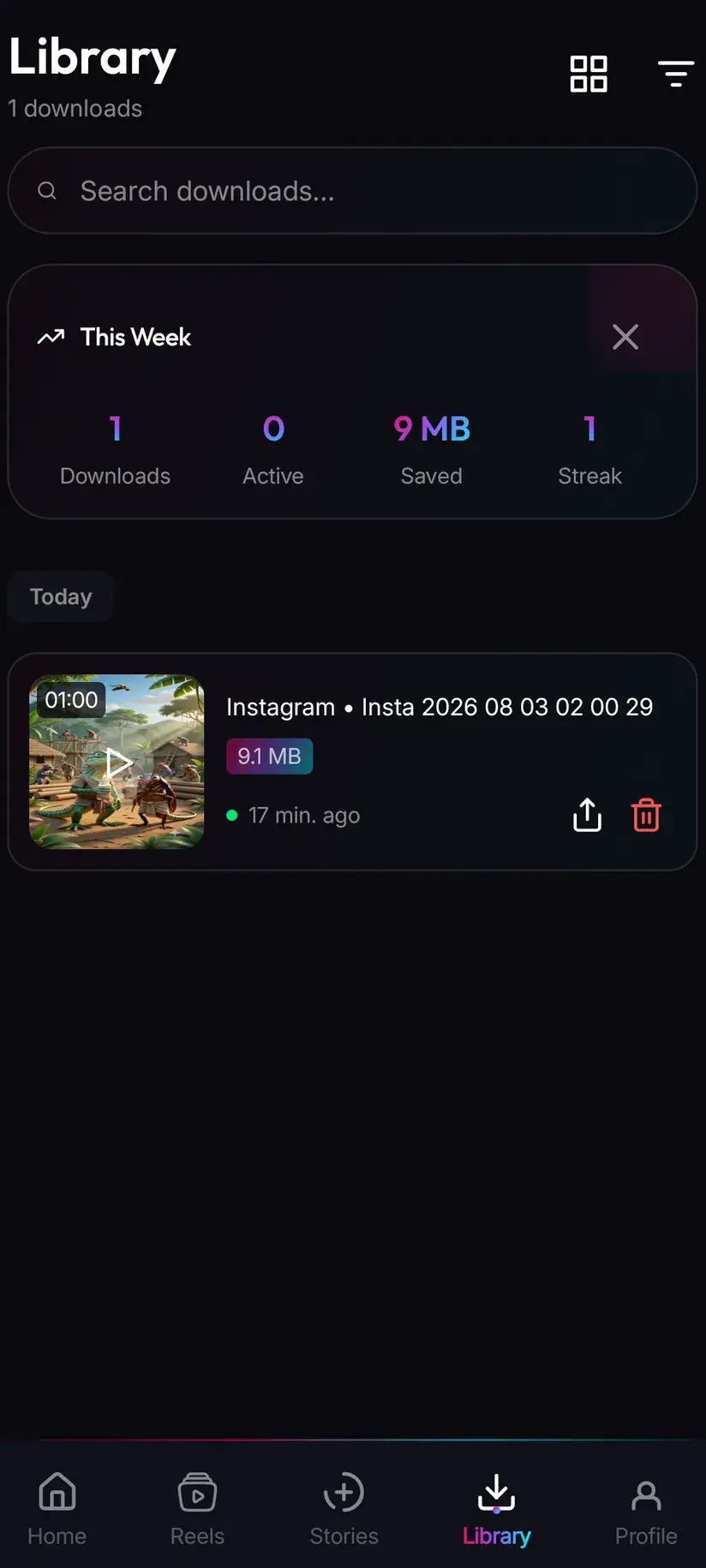
A finished download goes to your device's Downloads folder, into a Savvy directory with a subfolder per platform — so a video pin arrives at Downloads / Savvy / Pinterest. From that point it is an ordinary MP4: it shows in your gallery, plays in any video app, and shares onward like any other file.
Inside the app, Library is the quicker way back. Everything you have saved is listed there with search and filters, which beats scrolling a gallery full of screenshots looking for one clip. Storage is its companion — it shows what each download is costing you in space and lets you clear several at once, which starts mattering sooner than people expect once HD files accumulate.
If a pin fails, the useful reflex is patience rather than repetition. A Pinterest link is tried against four extraction providers in priority order and falls through automatically, so a failure means the whole chain came back empty — tapping Download again a second later runs the same empty chain. Waiting and retrying the same link later genuinely does work, because both Pinterest's page and the providers behind Savvy keep changing.
Procedure
How to download a Pinterest video
About a minute for the first one. No Pinterest account is needed for a public pin, and no Savvy account is needed at all.
Install Savvy and allow storage access
Install Savvy from Google Play and open it. Grant the storage permission when it is asked for — that is what lets a finished file be written somewhere your gallery can see, instead of staying locked inside the app.
Open the pin you want
Find the video pin in the Pinterest app or in a browser and play it once. Confirm it is a video rather than a still, and that it opens without you being signed in.
Send the link to Savvy
Tap the share icon on the pin and choose Savvy from the apps offered. The link is handed over and the download starts by itself. If Savvy is not in the list, choose Copy link instead and continue with the next step.
If you copied instead, tap Paste and then Download
Open Savvy, tap the Paste button beside the link field to fill it, then tap Download. Paste only fills the field and checks the link is recognised — it does not start anything on its own. A pin.it short link is fine here.
Pick a quality and wait through the pause
Savvy lists the qualities that pin actually exists in. SD up to 480p is free from your daily allowance; HD and above spend coins. Expect a short wait after you choose, while the separate picture and sound tracks are combined into one file — that pause is normal for Pinterest.
Let it finish, then check Library
Progress shows in the app. When it completes, the file is at Downloads/Savvy/Pinterest on your device and listed under Library inside the app, where search and filters make it easy to find again.
Frequently asked questions
- How do I download a video from Pinterest?
- The quickest route is Pinterest's own share sheet: open the pin, tap share, and pick Savvy. The link is handed over and the download starts by itself. If Savvy is not offered, choose Copy link, open Savvy, tap the Paste button to fill the link field, then tap Download. Paste only fills the field — it does not start the download for you. A pin.it short link works as well as a full pinterest.com one.
- Why does a Pinterest download take longer to start than other platforms?
- Because Pinterest serves video as adaptive streaming, with the picture and sound delivered as separate tracks and a manifest describing how to play them together. There is no single file to point at, so once you pick a quality the two tracks have to be named as a pair and combined into one playable file before the transfer begins. The pause you see is that assembly — usually a few seconds, longer on a long pin.
- Can I download an Idea Pin?
- Sometimes, and the result varies because an Idea Pin is not one video. It is a sequence of pages, each of which can be video, a still or text, with stickers and often a music layer over the top. There is no single underlying file matching what you watched. So an Idea Pin link may return the first page's video, several separate items, just the cover image, or nothing at all. A standard video pin behaves normally and gives you a quality picker.
- Is downloading Pinterest videos free?
- Standard definition up to 480p is free, drawn from a daily allowance rather than any balance, so everyday saving costs nothing. Above 480p you spend coins: 10 for HD or Full HD (or one HD credit), 15 for 2K, 20 for 4K, and 5 for an image or an audio-only file. Coins are earned free by watching a short rewarded ad or checking in daily, or bought in packs. Premium removes the ads and lifts the limits instead.
- Will the saved pin have a watermark?
- Savvy does not add one. Pinterest does not stamp video the way some platforms stamp exports, but it does faithfully carry whatever is already burned into the picture — and because so much Pinterest video is reposted from elsewhere, another platform's watermark or a creator's handle is common. Those are pixels in the frame, so removing one means cropping and re-encoding, which costs picture quality. Be sceptical of any app promising otherwise.
- Can I download a pin from a secret board?
- No. A secret board is private at Pinterest's end, and an extractor reads the same page your signed-out browser reads — it receives the same refusal. That applies to anything needing your account to be visible. Think of a downloader as a way to keep content you can already reach: your own pins, content you have permission to use, or public video you want offline.
- Why is the quality lower than it looked on Pinterest?
- Most likely because that is all the pin contains. A large share of Pinterest video was exported from a phone, compressed by another platform, then uploaded and compressed again, and every pass throws away detail permanently. Downloading cannot restore what was never in the file. Check what the picker actually lists: if the top entry is 720p, that is the ceiling for that pin, and paying for a higher tier gets you a bigger file of the same picture.
- Where do downloaded Pinterest videos save?
- In your device's Downloads folder, under a Savvy directory sorted by platform — so Pinterest video lands in Downloads/Savvy/Pinterest. It is an ordinary MP4 from there: it appears in your gallery and plays in any video app. Inside Savvy, Library lists everything you have saved with search and filters, and Storage shows what each file is taking up so you can clear several at once.