How do I download an image from Pinterest?
Saving a pin is the easy part. The bit worth understanding first is that Pinterest keeps the same picture at several sizes, and the one you are looking at is rarely the biggest.
- Guide
- How-to
- Read
- 12 min
- Language
- English
Steps checked against the Savvy Android app on
Devikon Research Team
Getting the pin into Savvy
There are two ways in, and one of them costs three fewer taps.
Open the pin, tap share, and choose Savvy from the apps Pinterest lists. The link goes straight across and the download starts by itself — no home screen, no typing, no clipboard.
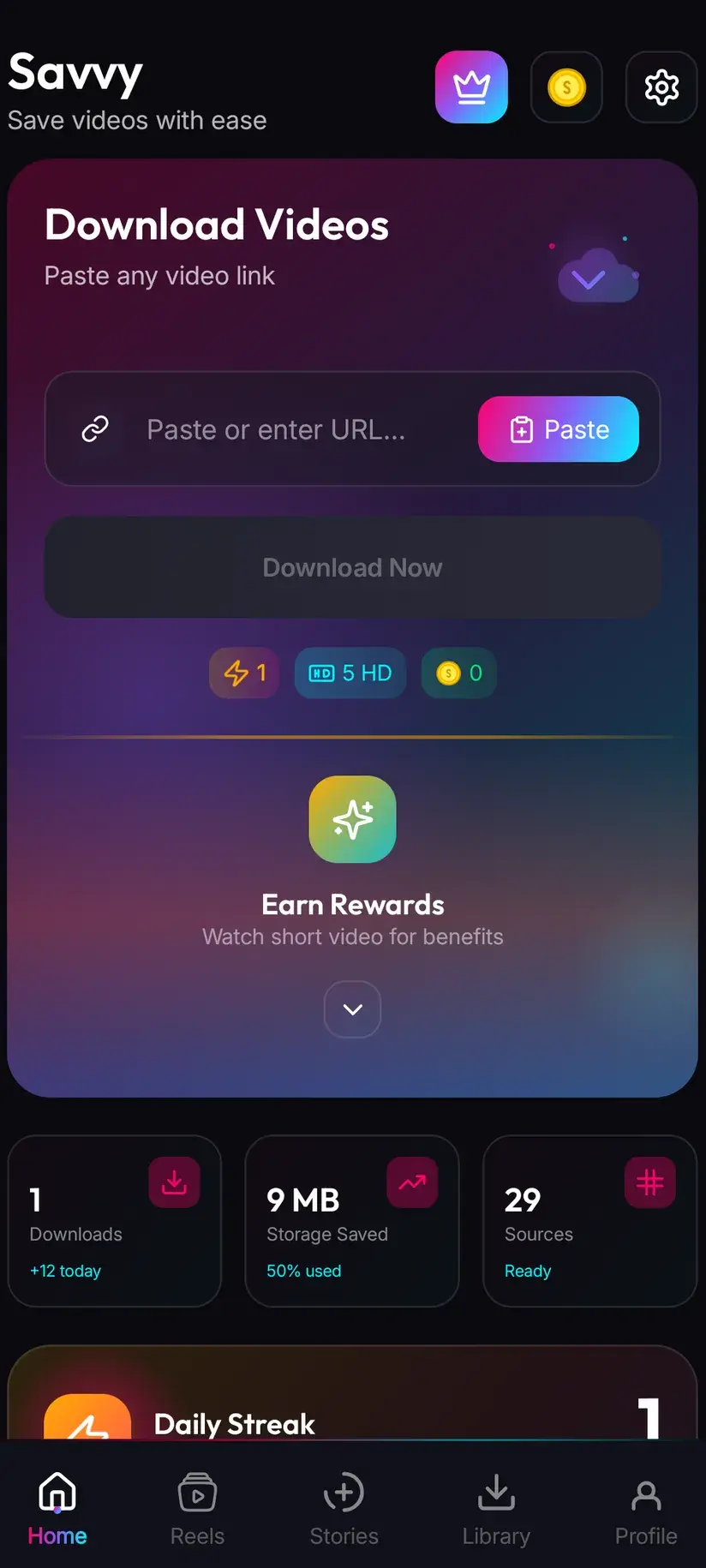
Otherwise: tap share, choose Copy link, open Savvy, tap the Paste button next to the link field, then tap Download. That middle step deserves a sentence, because a lot of downloaders imply something they do not do. Savvy does not watch your clipboard in the background, and opening it does not trigger anything. Paste is a plain button that reads the clipboard once, checks the link is recognised, and drops it into the field. Nothing moves until you tap Download.
What you copied matters more than which route you take. A /pin/ link points at one thing; a board or profile link points at a wall of things and will be refused.
- Share to Savvy — filled and started for you
- Copy link, then Paste — Paste fills the field, you tap Download
- pin.it short links are recognised and followed
- Board links, profile links and search URLs are turned away — there is no single image behind them
- A link pasted out of a message, a note or a browser address bar behaves exactly like one copied from the Pinterest app
Pinterest keeps the same picture at several sizes
This is the honest answer to the question people ask afterwards — why is my saved pin smaller than I expected — and it has nothing to do with the app.
Pinterest does not store one copy of an image. When something is uploaded it is re-encoded into a family of sizes: small ones for the browse grid, where dozens of pins load at once and nobody wants full-resolution files, a larger one for the pin's own page, and the original upload sitting behind both. Which one your screen shows depends on where you are looking, which is why a pin can appear crisp on the detail page and soft in the feed.
An extractor works from the pin's page. It gets what that page exposes — normally the display copy, which is generous by web standards and modest by print standards. The original upload is not always reachable, and where it is not, no downloader gets it. Anything advertising original quality for every pin is describing an outcome it cannot guarantee.
There is also a second-hand problem specific to Pinterest. An enormous share of pins are re-shares: a picture that has already been through another platform's compression, saved, and re-uploaded. That damage is baked in. A pin can be several generations away from whatever camera took the photograph, and downloading cannot restore detail that is not in the file.
So the practical rule. If you want a picture for a phone wallpaper, a mood board or reference, whatever comes back is almost certainly fine. If you need it at print size, follow the pin to its source — most pins link out to the site or shop they came from, and that site nearly always holds a better copy than Pinterest's re-encode of it.
- Grid thumbnails — small by design, so the browse feed loads quickly
- Pin page copy — the larger version, and usually what an extractor can reach
- Original upload — behind the others, and not always exposed
- A re-shared pin carries every compression pass it has been through; none of them can be undone
- For anything print-sized, the pin's outbound link to its source site beats the pin itself
This is also why the same pin can look different saved on two phones. What the page exposes changes over time, and Savvy tries a Pinterest link against four extraction providers in priority order — whichever one reads the page successfully decides what comes back.
Images cost 5 coins — there is no free tier for them
Video and images are priced on different logic in Savvy, and it catches people out, so here it is plainly.
Video has a free band: standard definition up to 480p is free, drawn from a daily allowance rather than any balance. Images do not have an equivalent. Every image download is 5 coins, and the price is set by the fact that it is an image, not by how large it is. A small pin and a large one cost the same. There is no cheaper option to pick, and no HD credit applies — HD credits cover video only.
That sounds worse than it is in practice, because coins are earned rather than only bought. A short rewarded ad adds to the balance, so does checking in daily, and the Coin Shop lists both routes beside the purchasable packs. If you save the occasional image, the free routes cover it comfortably.
- Images — 5 coins each, whatever the size
- Audio-only files — 5 coins
- SD video, up to 480p — free, from the daily allowance
- HD and Full HD video — 10 coins, or one HD credit
- 2K video — 15 coins; 4K video — 20 coins
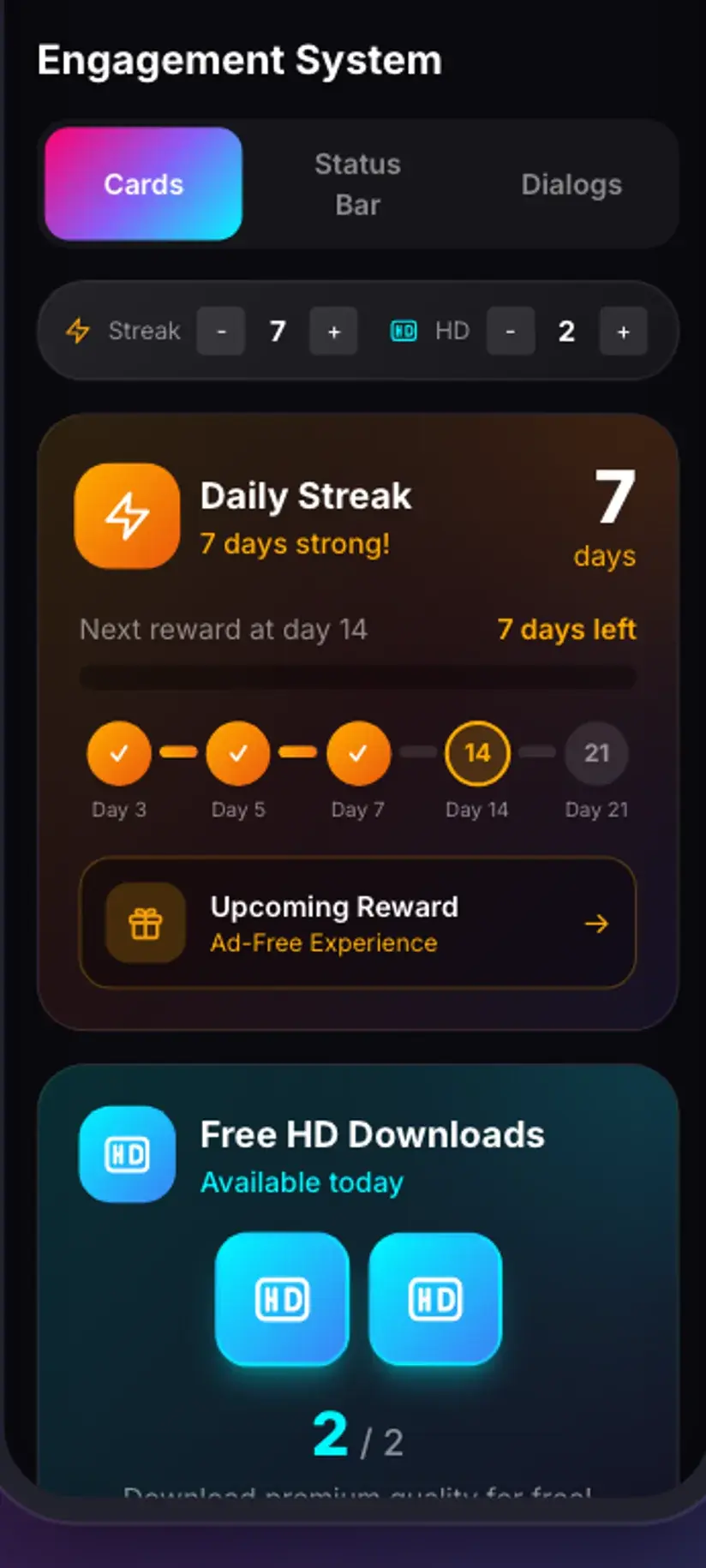
Premium is the other route: it removes the ads and lifts the download limits, so the coin arithmetic stops applying. The free tier is ad-supported through Unity Ads, which collects your device's advertising ID — the Savvy privacy policy says so explicitly, and any downloader claiming to collect nothing while showing you ads is not being straight with you.
Pins with more than one image
Not every pin is a single picture, and what happens next depends on which kind you have.
Some pins carry a set of images. Where the extractor that read the page supports galleries, you are shown the items and choose what to keep rather than getting the first one silently. Where it does not, you may get one image and no indication that others existed. That inconsistency is real and there is no setting that fixes it.
Idea Pins are the more confusing case. An Idea Pin is a sequence of pages rather than a single piece of media, and a page can be video, a still, or text with stickers and captions layered over it. Pinterest gives the whole thing one URL, so it looks like one pin, but underneath there is no single file matching what you scrolled through. An Idea Pin link can therefore come back as the cover image, as several separate items, as a video, or as nothing at all — and none of those is a malfunction.
If an Idea Pin returns less than you hoped and the images are yours, go to the originals rather than fighting the extraction. Whatever you assembled the pin from is a better source than a re-composited copy of it.
Video pins have their own quirks — including a short pause before the download starts, which is normal for the way Pinterest serves video. Downloading Pinterest video explains where that pause comes from.
Whose picture is it, and what you may do with it
Pinterest is unusual among platforms in that almost nothing on it originates there. A pin is typically a photograph, illustration or product shot made by someone else, uploaded by a third person, and re-pinned by thousands more. The person who pinned it is usually not the person who made it.
That matters for what you do next. Saving a picture to look at, to plan a room, to take to a hairdresser or to build a private mood board is ordinary personal use and nobody sensible objects to it. Publishing it, selling something with it on, feeding it into a commercial project or passing it off as your own is a different act entirely, and the fact that it was easy to download says nothing about whether you may.
Two practical habits help. Follow the pin's outbound link before assuming the pinner is the author — it usually leads to the actual source, where licensing terms, if there are any, are stated. And when the answer matters commercially, licence the image properly rather than working from a re-pinned copy of unknown provenance.
As for reach: Savvy adds no watermark, and it cannot reach anything you cannot. A pin on a secret board, or anything requiring your account to be visible, is refused at Pinterest's end — an extractor reads the same page your signed-out browser reads and gets the same answer. Any app claiming otherwise is selling a story.
A picture being downloadable says nothing about who owns it. Private reference and public reuse are not the same thing, and only one of them is safe to assume. Is downloading videos legal? sets out how the line is usually drawn — the reasoning applies to images just as much.
Where the image lands, and what to do if a pin refuses
Finished downloads go to your device's Downloads folder, into a Savvy directory with one subfolder per platform — so a pin arrives at Downloads / Savvy / Pinterest. It is an ordinary image file from then on: it appears in your gallery, opens in any viewer, and can be shared or set as a wallpaper like anything else.
Inside the app, Library lists everything you have saved with search and filters, which is a great deal faster than hunting through a gallery. Storage shows what your saved files are costing you in space and lets you clear a batch at once — images are small individually and not at all small in bulk.
When a pin refuses to resolve, retrying immediately is the one thing that will not help. The link has already been tried against every provider in the chain, so a second tap runs the same failed sequence. Wait and come back to it: Pinterest reshapes its pages and the providers behind Savvy change too, so a link that fails today frequently works next week. If the pin has been deleted, or was never publicly visible, it will not resolve at all — and that is the source, not the app.
Procedure
How to download a Pinterest image
Under a minute. No Pinterest account is needed for a public pin, and no Savvy account is needed at all — though an image download costs 5 coins, so have a balance or watch a short rewarded ad first.
Install Savvy and allow storage access
Install Savvy from Google Play and open it. Grant the storage permission when asked — it is what lets a saved image be written where your gallery can see it, rather than staying inside the app.
Open the pin
Find the image pin in the Pinterest app or in a browser. Open the pin itself rather than viewing it in the grid, so the link you get points at that one image.
Share it to Savvy
Tap the share icon and pick Savvy from the apps offered. The link is handed across and the download starts on its own. If Savvy is not listed, choose Copy link and continue below.
If you copied instead, tap Paste and then Download
Open Savvy, tap the Paste button beside the link field to fill it, then tap Download. Paste only fills the field and confirms the link is one the app recognises — it starts nothing by itself. A pin.it short link works here too.
Confirm the 5 coins
Images are a flat 5 coins regardless of size, and no HD credit applies. If your balance is short, the Coin Shop offers a rewarded ad and a daily check-in alongside the packs. Premium removes the limits entirely.
Check Library once it finishes
The file lands in Downloads/Savvy/Pinterest and appears in your gallery. Inside the app, Library lists it with everything else you have saved, with search and filters for finding it later.
Frequently asked questions
- How do I download an image from Pinterest?
- Open the pin, tap share, and choose Savvy — the link is handed over and the download starts by itself. If Savvy is not in the share sheet, choose Copy link, open Savvy, tap the Paste button to fill the link field, then tap Download. Paste only fills the field; it does not start anything. Make sure you copied the pin's own link rather than a board or profile link, which have no single image behind them.
- Do Pinterest image downloads cost coins?
- Yes — 5 coins per image, and the price does not vary with size. Images are priced by what they are rather than by resolution, so a small pin and a large one cost the same, and HD credits do not apply because they cover video only. The free band that exists for video, standard definition up to 480p, has no image equivalent. Coins are earned free by watching a short rewarded ad or checking in daily, or bought in packs.
- Can I get the original full-size image from a pin?
- Sometimes, but it is not something any app can promise. Pinterest keeps several sizes of the same picture — small ones for the browse grid, a larger one for the pin page, and the original upload behind both — and an extractor gets what the pin's page exposes, which is usually the display copy rather than the untouched original. If you need print resolution, follow the pin's outbound link to the source site, which almost always holds a better copy than Pinterest's re-encode.
- Why does my saved pin look lower quality than it did on Pinterest?
- Two reasons, both upstream of the app. The version the page exposes may be the display copy rather than the original upload. And a great many pins are re-shares of images that were already compressed by another platform before being uploaded here, sometimes several times over. That loss is permanent — downloading cannot restore detail that is not in the file. Viewing a small file zoomed in on a large screen exaggerates the difference further.
- Can I download all the images from a board at once?
- No. A board link is refused because it points at a collection rather than at a single piece of media, so each pin has to be saved from its own link. Some individual pins carry a set of images, and where the provider that read the page supports galleries you are shown the items and choose which to keep. That support is not uniform, so a multi-image pin occasionally returns just one picture.
- Can I download a pin from a secret board?
- No. A secret board is private at Pinterest's end, and an extractor reads the same page your signed-out browser reads — it receives the same refusal. The same applies to anything that needs you signed in to be visible. These tools save content you can already reach: your own pins, images you have permission to use, or public pins you want to keep for reference.
- Am I allowed to use a Pinterest image I downloaded?
- For personal reference — planning, mood boards, wallpaper — that is ordinary use. Publishing it, selling something carrying it, or using it commercially is a separate question, and being able to download it answers none of it. Almost nothing on Pinterest originates there: the person who pinned an image is usually not the person who made it. Follow the pin's outbound link to find the actual source, and licence properly when it matters.
- Where do downloaded Pinterest images save on my phone?
- In your device's Downloads folder, under a Savvy directory sorted by platform — so pins land in Downloads/Savvy/Pinterest. They are ordinary image files: they show in your gallery and open in any viewer. Inside Savvy, Library lists everything you have saved with search and filters, and Storage shows what each file takes up so you can clear several at once when they accumulate.