How do I download an Instagram DP?
Every page promising a full-HD Instagram DP is promising something Instagram does not store — and understanding why points you at the route that does work.
- Guide
- Explainer
- Read
- 12 min
- Language
- English
Steps checked against the Savvy Android app on
Devikon Research Team
Start with the ceiling: a DP is a small image by design
A profile picture on Instagram is not a post. It is an avatar, and avatars are stored the way interfaces need them: as a handful of small square renditions, cropped to a circle, sized for a list row, a story ring or a profile header. The largest of those is a modest square — not a photograph in the sense that a feed post is a photograph.
That is a deliberate engineering decision rather than an oversight. A profile picture is drawn dozens of times on a single screen of a feed, so it has to be small enough to load instantly and cheap enough to cache everywhere. Nobody was designing it to be printed.
So when a site advertises full HD Instagram DP download or original size profile picture, it is describing something that does not exist to be fetched. There is no larger copy sitting behind a flag. A tool that hands you a bigger file has either relabelled the same image or upscaled it, and upscaling invents pixels rather than recovering them — the result is a soft, slightly plasticky version of the small one, in a larger file.
The genuinely useful thing to take from this: if the picture matters to you at any size, do not chase the avatar. Chase the post.
- A DP is stored as small square renditions built for interface use, not as a photograph
- The largest one Instagram serves is the ceiling — there is no hidden original behind it
- HD DP and original quality DP are marketing rather than a capability
- Upscaling produces a bigger file and a worse picture
Why pasting a profile URL is not the route people expect
A profile address looks like a link to a thing, but structurally it is a link to a *page* — a list of posts, a header, a bio. There is no single piece of media behind it in the way there is behind a post.
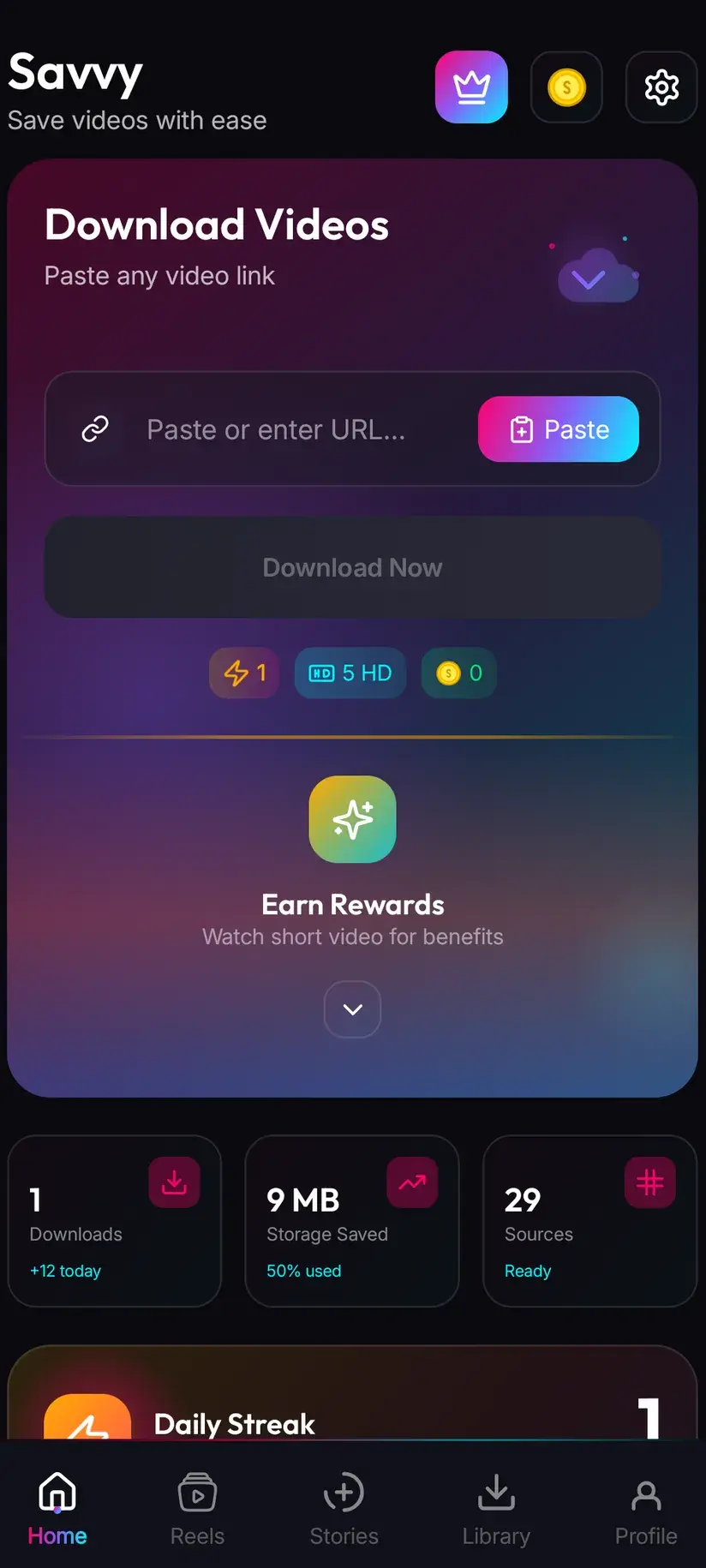
That distinction is the whole story of why DP downloading is awkward. Savvy routes a link by its domain rather than its path, so a profile URL is recognised as an Instagram link and handed to the extraction chain like any other. But every provider in that chain is built to find the media inside a post, and a profile page contains no post to look inside. In practice you will usually get nothing back — not an error worth retrying, just an empty result.
It is worth one attempt if the profile URL is what you have. It is not worth repeating, and it is not the documented route to a profile picture. The routes that do work are below.
What definitely does not work, in case it is what you were about to try: hashtag pages, search result pages and the Explore grid are all pages rather than posts, for exactly the same reason.
This is the same reason a story cannot be pasted as a link. Different cause — a story has no public address at all rather than no media behind it — but the same practical outcome, and downloading Instagram stories covers what stories need instead.
The route that actually gets you a usable picture
Here is the thing almost nobody trying to download a DP realises: the picture is very often on the profile twice.
People do not usually crop an avatar out of nowhere. They post a photograph they like, then set a crop of it as their profile picture — sometimes the same week, sometimes years earlier. That original post is a full feed image at the size Instagram stores feed images, which is many times the pixel count of the avatar. If you want the picture rather than the icon, that post is what you want.
So the practical method is: open the profile, scroll to find the photograph the DP was cropped from, open that post, and download it as an ordinary image. Downloading Instagram photos covers the flow — share the post to Savvy, or copy the link and tap Paste, then Download. You get a far better file than any DP tool can produce, from a route that reliably works.
Two caveats. It only helps where the person did post the photograph, which is most of the time but not always. And it only reaches public accounts — if you cannot open the profile signed out, neither can a downloader, and no app changes that.
- Look through the profile grid for the photograph the avatar was cropped from
- Download that post as an image — it is dramatically larger than the avatar
- This works because feed images and avatars are stored at completely different sizes
- It only works on public accounts, and only where the photograph was actually posted
Your own DP, which is a different problem
If the profile picture you are after is your own, none of the above applies and the answer is simpler: you already have the original. The photograph you cropped is in your gallery, in your camera roll backup, or in whatever you edited it in. That file is better than anything Instagram will hand back, because Instagram received a crop of it and stored a smaller square.
The case where people genuinely get stuck is an old DP they no longer have the source for — a picture set five phones ago. Instagram does not keep a history of your previous profile pictures that you can browse and restore. What it does keep is your posts, so the same trick applies: if you posted the photograph at the time, the post is still the best copy available.
Worth doing once, if you care: keep the source file for whatever you use as an avatar somewhere durable. It costs nothing now and solves this permanently.
What an image costs in the app
Whatever route you take, a still image in Savvy is a flat 5 coins. That is the same for a feed photograph, a carousel item and an audio file.
This trips people up because Savvy does have a free tier and it does not cover stills. The free allowance is for standard-definition video up to 480p, drawn from a daily video quota. Photographs sit outside it.
Coins are earned as readily as they are bought. Opening the app for the daily check-in adds to your balance, short rewarded ads add more, and the Coin Shop lists both alongside the packs. If you save images regularly, Premium removes the ads and lifts the download limits, so the per-image cost stops mattering.
- Any image — 5 coins, flat, regardless of size
- SD video up to 480p — free, from a daily video allowance that stills do not touch
- Coins — daily check-in and rewarded ads, or bought in packs
- Premium — no ads and no per-download cost
Costs are given in coins rather than money because what a pack sells for depends on where you are and changes over time; the Coin Shop shows the current figure in your own region. The free tier is ad-supported through Unity Ads, which collects your device's advertising ID — see the Savvy privacy policy.
A profile picture is a picture of a person
This deserves a paragraph rather than a footnote, because the DP is the one image on Instagram that is almost always a photograph of somebody's face, chosen by them as how they wish to be seen.
Saving a friend's picture to a contact card, keeping a photograph of a relative, or archiving your own avatar are all entirely ordinary and nobody sensible objects. The uses that cause real harm are equally well known: building a fake account with someone else's face, feeding pictures into a matrimonial or marketing list, or attaching a person's photograph to something they never agreed to. Those are not edge cases and, in India in particular, impersonation and misuse of someone's likeness carry consequences under both criminal and IT law well beyond anything a downloader is involved in.
The technical position is unchanged from every other guide here: an app can only reach what your own account can already see, and a private profile stays private. But the useful test is not what is reachable. It is whether the person whose face it is would be comfortable knowing you had kept it, and what for.
Copyright sits alongside that. A photograph belongs to whoever took it, avatar or not, so republishing someone's profile picture is a reuse question quite separate from whether you were able to save it.
Being able to download an image and being entitled to keep, publish or reuse it are separate questions, and a picture of a person is where they diverge fastest. Is downloading videos legal? sets out where the line usually falls, and it is worth reading once.
Where saved images land
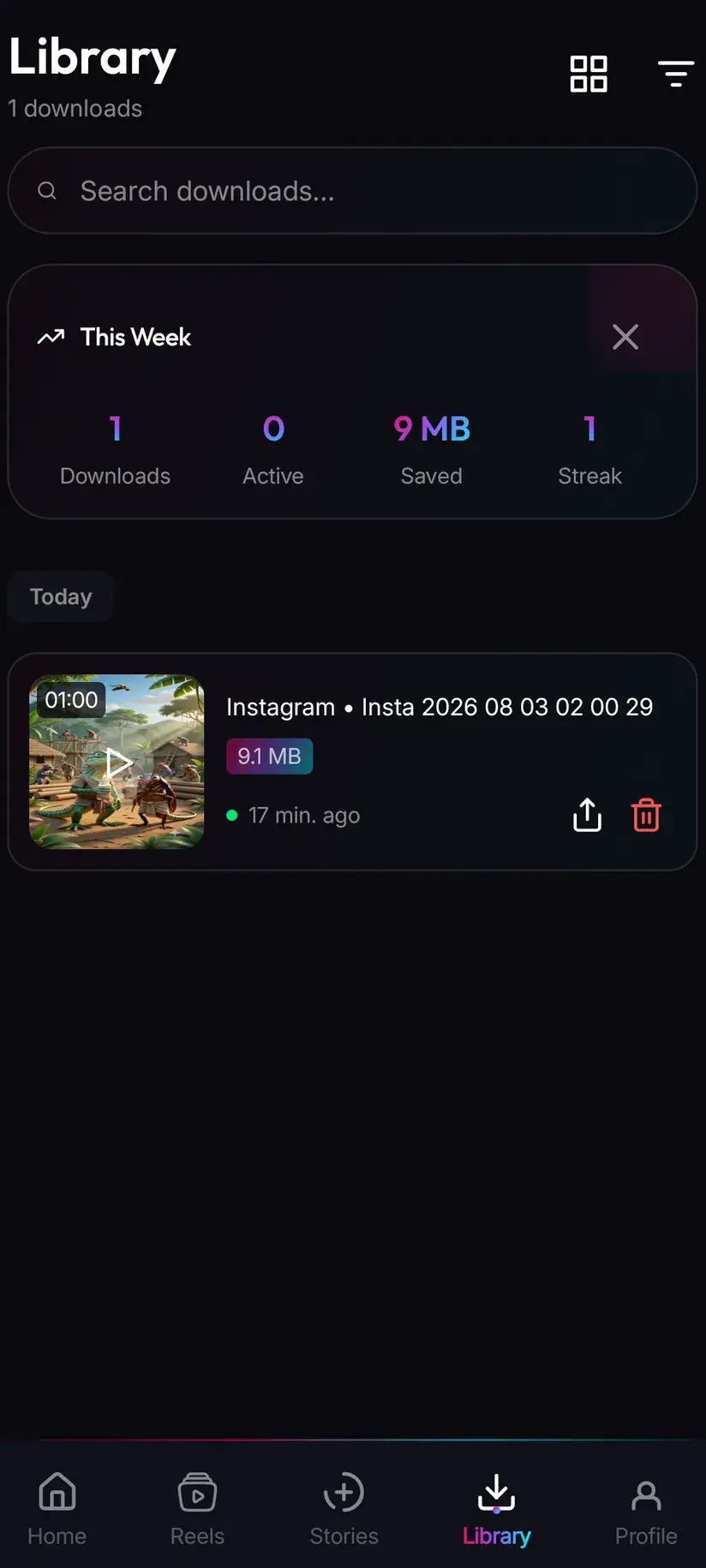
Anything Savvy saves from Instagram is written to your device's Downloads folder, in a Savvy directory, under the Instagram subfolder — so Downloads / Savvy / Instagram. From there it is an ordinary image: it appears in your gallery, opens in any viewer, and can be attached to a contact or shared like any other file.
Library inside the app is the quicker way back to it, with search and filters across everything you have saved. Storage is the companion screen, showing what each item takes up so you can clear several at once.
One last practical note. If you saved a feed post to get a better version of someone's avatar, you now have a full photograph rather than a square. Crop it yourself in your gallery — cropping down from a large image is lossless in every way that matters, and it will still be far sharper than the avatar you started out chasing.
Procedure
How to save an Instagram profile picture properly
The honest version: skip the avatar and go for the post it was cropped from. Two minutes, a far better file, and a route that actually works.
Install Savvy and allow storage access
Install Savvy from Google Play and open it, granting the storage permission when asked. That is what lets a saved image be written where your gallery can see it.
Open the profile and check it is public
Open the profile in Instagram or in a browser. If it does not open signed out, it is private — a downloader reads the same page your browser reads and gets the same refusal, so there is nothing further to try.
Find the post the profile picture came from
Scroll the profile grid for the photograph the avatar was cropped out of. It is there more often than not, sometimes years back. That post is stored many times larger than the avatar itself.
Share that post to Savvy
On the post, tap the paper-plane share icon, choose Share to… and pick Savvy. The link is handed over and the download starts on its own. If Savvy is not in the share sheet, choose Copy link instead.
If you copied, tap Paste then Download
Open Savvy, tap the Paste button beside the link field to fill it, then tap Download. Paste only fills and checks the field — it does not start anything by itself. An image costs 5 coins.
Crop it yourself if you wanted a square
The file lands in Downloads/Savvy/Instagram and appears in your gallery. Crop it there to the square you wanted — cropping down from a large image still leaves you far more detail than the avatar would have.
Frequently asked questions
- How do I download someone's Instagram DP?
- The route that works is not the one people try. A profile URL is a link to a page rather than to a post, so there is no single piece of media behind it for an extractor to return — pasting one usually comes back empty. Instead, open the profile and find the photograph the avatar was cropped from, then download that post as an ordinary image by sharing it to Savvy or pasting its link. You get a far larger file, from a route that reliably works.
- Can I download an Instagram profile picture in full HD?
- No, and no app can. Instagram stores a profile picture as a handful of small square renditions built for interface use — list rows, story rings, profile headers — and the largest of those is the ceiling. There is no bigger copy behind a flag. Anything advertising a full-HD DP is either relabelling the same small image or upscaling it, which invents pixels instead of recovering them and looks worse than leaving it alone.
- Why does pasting a profile link not work?
- Because a profile address points at a page, not at a piece of media. Savvy routes links by domain rather than path, so the link is accepted as an Instagram link and handed to the extraction chain — but every provider in that chain is built to find media inside a post, and a profile page has no post to look inside. The result is usually an empty return rather than an error worth retrying. Hashtag pages, search results and the Explore grid fail for the same reason.
- How do I get my own old profile picture back?
- Instagram keeps no browsable history of your previous profile pictures, so there is nothing to restore from. Your best copy is the original file you cropped, which is usually still in your gallery or a backup. If you posted the photograph at the time, that post is the next best thing and is stored far larger than the avatar ever was. Going forward, keeping the source file for whatever you use as an avatar solves this permanently.
- Is downloading an Instagram DP free?
- In Savvy an image costs a flat 5 coins, whatever its size. This surprises people because Savvy does have a free tier, but that tier covers standard-definition video up to 480p from a daily video allowance, and stills sit outside it. Coins are earned as well as bought — the daily check-in and short rewarded ads both add to your balance — and Premium removes the per-download cost along with the ads.
- Can I download a DP from a private account?
- No. A private profile is private at Instagram's end, and a downloader reads exactly the page your browser reads, receiving exactly the same refusal. No app can show you an account you cannot already see, whatever it advertises. If the profile does not open in a signed-out browser, there is nothing further to try and anything claiming otherwise is describing something that does not work.
- Is it legal to save someone's Instagram profile picture?
- Saving a friend's picture for a contact card, keeping a photograph of a relative, or archiving your own avatar are ordinary and uncontroversial. The problems start with reuse: putting someone else's face on a fake account, feeding pictures into a matrimonial or marketing list, or attaching a person's photograph to something they never agreed to. In India impersonation and misuse of a likeness carry consequences under criminal and IT law. Copyright applies as well — a photograph belongs to whoever took it, avatar or not.
- Where do saved images land on my phone?
- In your device's Downloads folder, under a Savvy directory sorted by platform — so Downloads/Savvy/Instagram. From there it is an ordinary image file that appears in your gallery and opens anywhere. Inside Savvy, Library lists everything you have saved with search and filters, and Storage shows what each item is taking up so you can clear several at once.