Khajna payment status and GRN search on Banglarbhumi
Money left the account and the portal shows nothing. It is the most alarming failure on Banglarbhumi and usually the most recoverable — if you know which of the three status screens to look at.
- Guide
- Payments
- Read
- 8 min
- Language
- English · বাংলা
Portal steps checked against banglarbhumi.gov.in on
Devikon Research Team
What a GRN is, and why it matters more than the receipt
GRN stands for Government Reference Number. It is generated by the state's treasury payment system — GRIPS — when a payment against a government service is initiated, and it is the identifier the treasury, the department and your bank all share.
This is the crucial point: your bank's transaction reference and the portal's application number are *different numbers in different systems*. When a payment goes through but the record doesn't update, the GRN is what lets anyone reconcile the two. It is the one thing worth screenshotting before you close the tab.
So the working rule is simple. At the moment of payment, record three things — the GRN, the application number the portal issued, and your bank reference — and note the date and amount. With all three, almost any payment problem is solvable. With none of them, you are reconstructing history from a bank statement.
Don't rely on the confirmation page staying open, and don't rely on the SMS. Portal sessions time out and gateway SMS is unreliable. Screenshot the page that shows the GRN.
Three status screens, and which one to use
The portal spreads payment information across menus in a way that makes people conclude it isn't there. It is — it's just in three places, each answering a different question. All three sit under Citizen Services and all three require you to be signed in.
- GRN Search — under Citizen Services. Answers: *did the treasury receive this payment?* Use it when you have the GRN and want to confirm the money landed on the government side. This is the authoritative check. Note that GRN Search is available only for about a month from the date of application, so check it early rather than months later.
- Payment Status of Land Revenue (Khajna) — under Online Service Status. Answers: *has the department credited this payment against my Khatian?* Use it to confirm your land revenue is actually recorded as paid.
- Application No. Recovery ( Khajna ) — under Online Service Status. Answers: *what was my application number?* Use it when you have lost the number and can't look anything up.
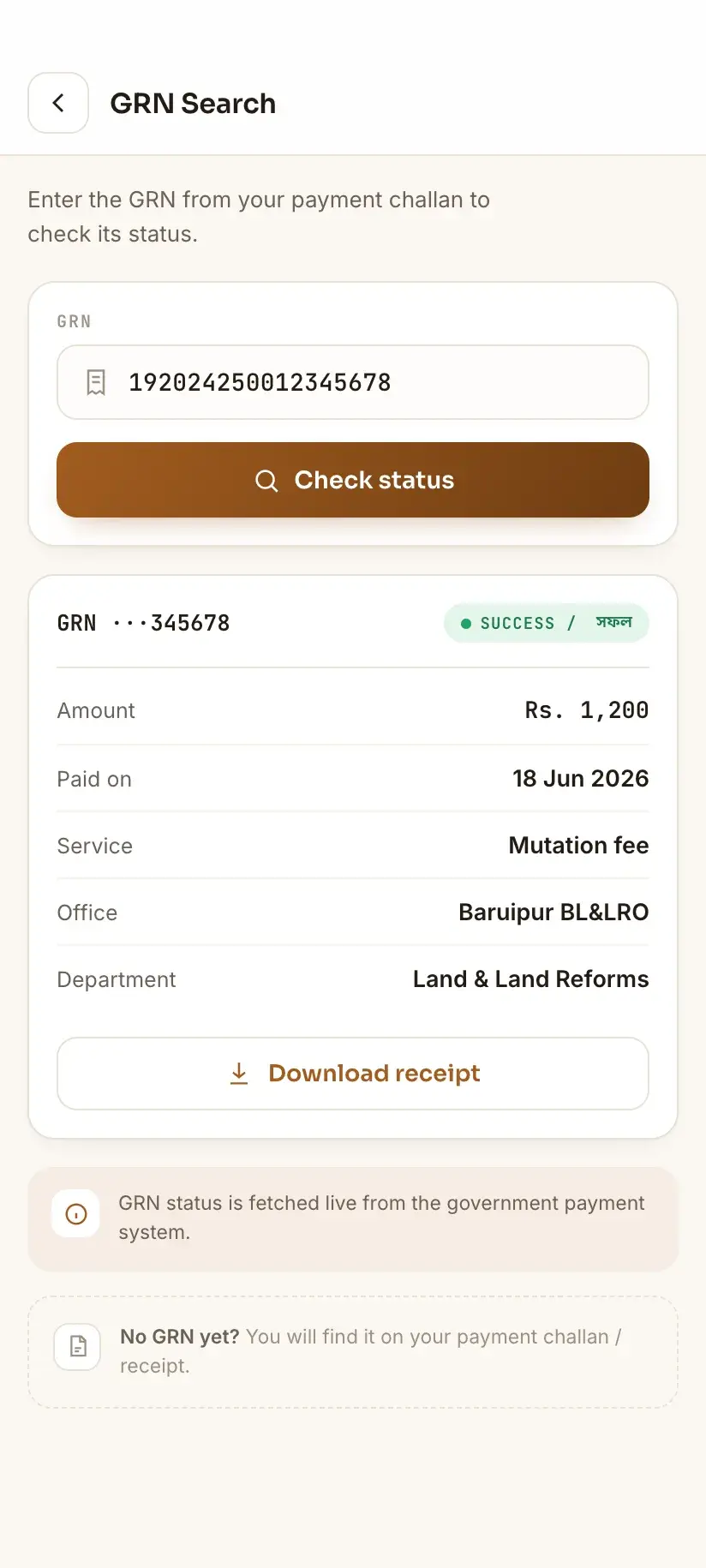
The order matters when something has gone wrong. Check GRN Search first — whether the treasury received the money determines everything you do next.
Money left the account but the status says unpaid
This is the common emergency, and it splits cleanly into two cases depending on what GRN Search reports.
Case one: GRN Search shows the payment as received. The treasury has your money and the failure is a sync between systems — the department's record hasn't picked up the successful payment. Payments do not always reflect instantly, so the first move is to wait and re-check rather than pay again. If it persists, raise it through the portal's Grievance Application with the GRN, application number and date, and check progress under Grievance Status/Description.
Case two: GRN Search finds nothing, or shows the payment as failed. The money has left your account but has not reached the treasury — it is sitting in the payment gateway's settlement. This is a banking matter, not a land-records matter. Contact your bank with the transaction reference and raise a failed-transaction dispute. Gateway-side reversals are routine and your bank handles them.
Do not pay again on the same day because the status hasn't updated. Duplicate payments against the same Khatian are far harder to unwind than a delayed sync is to wait out.
You have lost the application number
The portal anticipated this, which tells you how often it happens. Application No. Recovery ( Khajna ), under Citizen Services → Online Service Status, exists specifically to recover a Khajna application number you no longer have.
You will generally need the identifiers the application was filed against — district, block, mouza and Khatian number — plus the mobile number registered on the account. If your registered mobile has changed since, recovery will fail for the same reason login does, and that needs fixing first — through Mobile Number update Against Khatian if you can still sign in, or at your BL&LRO office if you cannot.
If you have the GRN but not the application number, start from GRN Search instead — the payment record is the thread that leads back to the application.
How the Khajna payment actually flows
Understanding the sequence makes the failure modes obvious. A land revenue payment moves through four stages, and a problem at each looks different:
- Application — Land Revenue(Khajna) Application under Online Application, filed against your Khatian. Produces an application number.
- Challan — eChallan Generation produces the challan, and the GRN is issued at that point, *before* you pay. It identifies the challan, not the payment. Note it down then.
- Payment — your bank or card debits the amount. Your bank reference is created here, and this is the only stage your bank knows about.
- Reconciliation — the treasury confirms receipt (visible in GRN Search) and the department credits it against your Khatian (visible in Payment Status of Land Revenue (Khajna)). Most reported failures are a stall between these two.
Receipts, reprints, and no-due certificates
Once a payment is settled, Application/Report Reprint under Citizen Services will regenerate the receipt or report. There is no need to preserve the original download forever — but you do need the identifiers to find it again, which is the argument for recording the GRN and application number at the time.
Related to this, No Due Certificate under Service Delivery certifies that no land revenue is outstanding against a holding. It is a separate request with its own requirements and fee, and it is usually what a bank or buyer actually wants — a payment receipt shows one payment, whereas a no-due certificate speaks to the whole position.
As with every service on this page, a fee applies where the portal says one does, and the portal's Online Fees Calculator is the only figure worth trusting. Amounts are deliberately absent here — the portal's calculator is the only source that stays current.
On apps, ours included: our own app, Bhumir Tathya, covers only the portal's record lookups — Khatian, plot details, mutation status — and it reaches those by signing in with your own banglarbhumi.gov.in account, not by getting round the sign-in. Khajna payment and payment status are not among them, and no app can make them so. No third-party app can bypass the government's sign-in, its payment gateway, or its fees, and you should never enter Banglarbhumi credentials anywhere except the portal's own sign-in.
Procedure
How to check your Khajna payment status
Work through these in order. The first check determines which of the two very different problems you have.
Sign in to Banglarbhumi
All payment status services are login-gated — the portal shows “Please Login and then click Citizen Services” until you sign in.
Confirm the treasury received the money
Go to Citizen Services → **GRN Search** and enter your GRN. This tells you whether the payment reached the government, independently of what the department's records show.
Check the department's credit
Go to **Online Service Status** → **Payment Status of Land Revenue (Khajna)** and look up your application. This shows whether the payment has been credited against your Khatian.
Recover the application number if you've lost it
Use **Application No. Recovery ( Khajna )** under Online Service Status, with your district, block, mouza and Khatian number and the mobile registered on the account.
Escalate the right way
If GRN Search confirms receipt but the department hasn't credited it, file a **Grievance Application** with the GRN, application number, date and amount, and track it under **Grievance Status/Description**. If GRN Search shows nothing, contact your bank with the transaction reference instead — the money never reached the treasury.
Keep the receipt retrievable
Once settled, use **Application/Report Reprint** under Citizen Services whenever you need the receipt again. If a bank or buyer needs proof that nothing is outstanding, request a **No Due Certificate** under Service Delivery instead.
Frequently asked questions
- What is a GRN in Banglarbhumi payments?
- GRN is the **Government Reference Number**, generated by the state treasury's payment system when a payment against a government service is initiated. It is the identifier the treasury, the department and your bank can all reconcile against — distinct from both your bank's transaction reference and the portal's application number. Record it at the time of payment; it is the most useful number you will have if something goes wrong.
- I paid my Khajna but the status still shows unpaid. What do I do?
- Check **GRN Search** under Citizen Services first. If it shows the payment as received, the treasury has your money and the department's record simply hasn't synced — wait and re-check, then file a **Grievance Application** with the GRN and application number if it persists. If GRN Search finds nothing, the money never reached the treasury and it is a bank matter: raise a failed-transaction dispute with your bank. Do not pay again in the meantime.
- How do I find my Khajna application number if I lost it?
- The portal has **Application No. Recovery ( Khajna )** under Citizen Services → Online Service Status for exactly this. You will need the district, block, mouza and Khatian number the application was filed against, plus the mobile number registered on the account. If you have the GRN instead, start from GRN Search and work back from the payment record.
- What is the difference between GRN Search and Payment Status of Land Revenue?
- They answer different questions. **GRN Search**, under Citizen Services, confirms whether the treasury received the payment. **Payment Status of Land Revenue (Khajna)**, under Online Service Status, confirms whether the department has credited that payment against your Khatian. A payment can pass the first and stall at the second, which is exactly the case where a grievance is the right move.
- Can I pay Khajna without a Banglarbhumi login?
- No. **Land Revenue(Khajna) Application**, **Fees Payment** and **eChallan Generation** all sit behind the portal's sign-in, and so does every one of the payment status screens. Do not expect the record searches to be an exception either: Banglarbhumi's menus open and its District and Block dropdowns populate while you are signed out, which makes the site feel more open than it is, but asking it for an actual record takes you to the sign-in page. Plan on holding an account. No third-party app changes this.
- Do I need a No Due Certificate as well as a payment receipt?
- Often, yes. A receipt evidences one payment; a **No Due Certificate**, requested under Service Delivery, certifies that no land revenue is outstanding against the holding. Banks and buyers generally want the latter. It is a separate request with its own fee — check the portal's Online Fees Calculator for the current amount.
In Bengali
খাজনা পেমেন্ট স্ট্যাটাস ও GRN সার্চ — বাংলায়
পশ্চিমবঙ্গের বাংলারভূমি পোর্টালে খাজনা (ভূমি রাজস্ব) জমা দেওয়ার পর টাকা কাটলেও স্ট্যাটাস আপডেট না হওয়া একটি সাধারণ সমস্যা। সমাধানের চাবিকাঠি হল **GRN** — Government Reference Number।
- GRN কী এবং কেন জরুরি?
- GRN বা Government Reference Number হল রাজ্য ট্রেজারির পেমেন্ট সিস্টেম থেকে পাওয়া নম্বর। ব্যাঙ্কের ট্রানজ্যাকশন নম্বর ও পোর্টালের অ্যাপ্লিকেশন নম্বর — এই দুটির থেকে GRN আলাদা, এবং সমস্যা হলে এই নম্বর দিয়েই দুই সিস্টেমের হিসাব মেলানো যায়। টাকা দেওয়ার সময়েই GRN, অ্যাপ্লিকেশন নম্বর ও ব্যাঙ্ক রেফারেন্স — তিনটিই স্ক্রিনশট করে রাখুন।
- টাকা কেটেছে কিন্তু খাজনা 'unpaid' দেখাচ্ছে, কী করব?
- প্রথমে লগইন করে **Citizen Services → GRN Search**-এ GRN দিয়ে দেখুন টাকা ট্রেজারিতে পৌঁছেছে কি না। পৌঁছে থাকলে দপ্তরের রেকর্ড আপডেট হতে দেরি হচ্ছে — কিছুক্ষণ পরে আবার দেখুন, না হলে GRN ও অ্যাপ্লিকেশন নম্বর দিয়ে **Grievance Application** করুন। GRN Search-এ কিছু না পেলে টাকা ট্রেজারিতে পৌঁছয়নি — ব্যাঙ্কে ফেলড ট্রানজ্যাকশনের অভিযোগ জানান। **একই দিনে আবার টাকা দেবেন না।**
- খাজনার অ্যাপ্লিকেশন নম্বর হারিয়ে ফেললে?
- পোর্টালে **Online Service Status → Application No. Recovery ( Khajna )** নামে আলাদা পরিষেবা আছে। জেলা, ব্লক, মৌজা ও খতিয়ান নম্বর এবং অ্যাকাউন্টে রেজিস্টার করা মোবাইল নম্বর লাগবে। রেজিস্টার করা মোবাইল নম্বর বদলে গিয়ে থাকলে আগে সেটি ঠিক করাতে হবে — **Mobile Number update Against Khatian** বা স্থানীয় BL&LRO অফিসের মাধ্যমে।